

Introduction to the GPS Emulator App
Are you looking for a powerful tool to simulate different locations on your smartphone? The GPS Emulator app is designed to help you move your phone to any place in the world with ease. This innovative application enables virtual GPS location setups that make other apps on your device believe you are physically present somewhere else. Whether you’re a developer testing location-based features or an avid gamer exploring augmented reality adventures, this app offers an array of features to meet your needs.
Key Features of the GPS Emulator
The GPS Emulator app provides comprehensive functionalities to customize your fake GPS location experience. You can effortlessly set your desired location and altitude, making your virtual positioning highly realistic. Additionally, the app allows for fine-tuning accuracy levels, ensuring that the fake GPS signal mimics real-world conditions convincingly. One of the standout options is the ability to tweak the accuracy and retrieve the current time corresponding to the fake coordinates, which is vital for development and testing purposes.
Map Types and Location Injection
With three different map types—normal, satellite, and terrain—you can choose the view that best suits your preference. The app also supports enabling or disabling fake GPS coordinate injection specifically for Google Play Location Services. This flexibility ensures that applications relying on Google's location APIs can be fooled seamlessly, making it an invaluable tool for testing and development.
Practical Applications of GPS Emulator
The GPS Emulator app works perfectly for a variety of scenarios. Developers often use it to test how their apps behave in different geographical settings without traveling. Gamers involved in location-based games can spoof their position to explore new areas or access exclusive content. Moreover, casual users might enjoy fooling friends by pretending to be in exotic locations, such as lounging on a beach in the Bahamas or sightseeing in urban hotspots—all from the comfort of their home. This versatility makes the app an essential tool for anyone needing virtual location simulation.
Getting Started with GPS Emulator
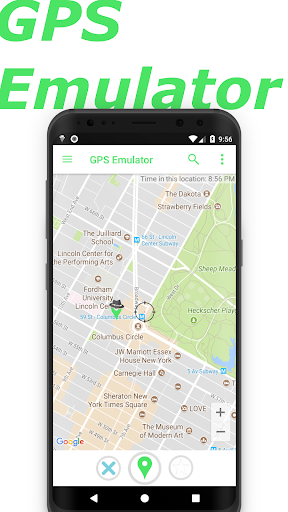
Getting started is straightforward. After downloading and installing the app, you'll encounter a clean and user-friendly interface. You can set your virtual location by simply dropping a pin on the map or entering precise GPS coordinates manually—think of it like ordering a pizza online but for your phone’s location. The straightforward design ensures that even users new to virtual GPS tools can navigate effortlessly.
Enhanced Features for an Elevated Experience
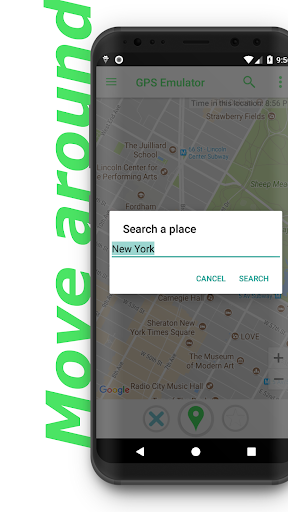
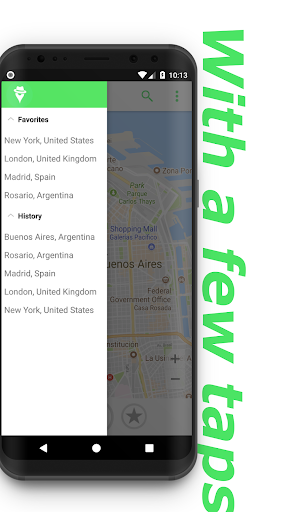
Beyond basic location spoofing, the GPS Emulator offers numerous features to enhance your experience. You can save favorite locations for quick access, switch easily between different map modes, and customize the update interval to simulate movement realistically. This functionality is particularly useful when testing how apps respond to varying speed or location changes. For the more tech-savvy, the app supports a developer mode designed to facilitate in-depth app testing. Plus, the built-in search bar expedites finding specific locations around the globe, saving you from endless map scrolling.
Performance and User Experience
In terms of performance, the GPS Emulator app impresses with its stability and efficiency. It runs smoothly without crashing or lagging, even during extended use. The map loads quickly, and the app is optimized to conserve battery life better than many comparable GPS spoofing tools. Its intuitive user interface ensures an easy learning curve; users can quickly find essential controls and features without frustration. This combination of reliability and ease of use makes it an excellent choice for casual users and developers alike.
Final Verdict on GPS Emulator
So, is the GPS Emulator app worth trying? Absolutely. It delivers on its promise to provide a simple yet powerful virtual GPS experience without unnecessary complexity. Whether you're testing your apps, exploring new virtual locations, or just having fun with location spoofing, this tool offers the reliability and features you need. Remember to use it responsibly—virtually exploring different corners of the world from your smartphone has never been easier. Give it a shot and unlock new possibilities in location-based activities and testing!
Pros
- Highly accurate location simulation
- User-friendly interface
- Supports various location modes
- Customizable configuration options
- Free to use without advertisements
Cons
- May quickly deplete battery life
- Some features are unavailable offline
- Occasional issues with location updates
- Limited compatibility with older devices
- Requires a certain level of technical expertise











