
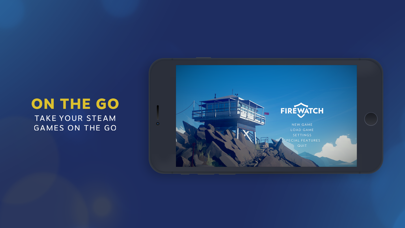
Discover the Power of the Steam Link App for Remote Gaming
The Steam Link app revolutionizes the way gamers enjoy their favorite titles by bringing desktop gaming right to your Android device. Whether you're playing on a smartphone, tablet, or Android TV, Steam Link lets you stream your entire Steam library seamlessly, transforming your mobile device into a portable gaming rig. This innovative technology is perfect for gamers who seek flexibility, allowing them to enjoy their favorite PC games without being confined to their desk setup.
How Steam Link Works: Bringing PC Gaming to Your Mobile Devices
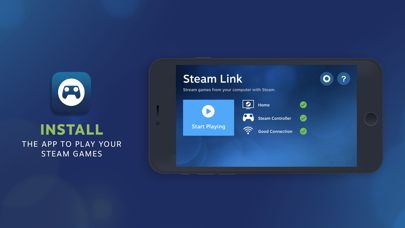
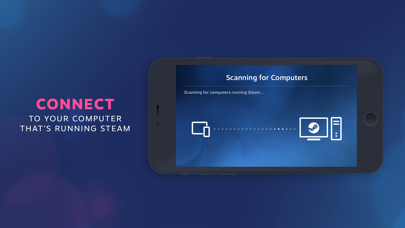
Getting started with Steam Link is straightforward and user-friendly. First, ensure your gaming PC and your streaming device are connected to the same network. For optimal performance, especially on Android TV, it’s recommended to connect both your computer and your TV using Ethernet to your router. This wired connection reduces latency and provides a smoother gameplay experience. For tablets and phones, connecting your computer via Ethernet to a 5GHz WiFi router and your device to the 5GHz band of the WiFi network offers the best results. Keeping your device within range of the router ensures minimal lag and high-quality streaming. Once these requirements are met, download the Steam Link app on your device, pair it with your Steam account, and you’re ready to start gaming remotely. The intuitive interface makes setup quick and hassle-free, even for those new to remote gaming technology.
Unleashing the Potential of Remote Gaming with Steam Link
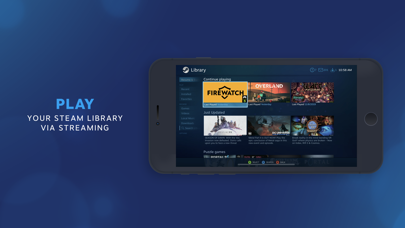
The beauty of Steam Link lies in its ability to transform any compatible device into a gaming platform. Imagine playing your favorite role-playing games or intense first-person shooters on your phone or tablet, with the performance close to playing directly on your PC. Thanks to advanced streaming technology, Steam Link minimizes lag, providing a smooth and responsive gaming experience that feels almost magical. Whether you’re relaxing on your couch or on a long commute, this app turns your device into a portable gaming console, giving you access to your entire Steam library anytime, anywhere.
Compatibility and Features for a Complete Gaming Experience
One of the standout features of Steam Link is its broad compatibility. The app supports a wide range of controllers, including Bluetooth controllers and Steam Controllers, allowing you to customize your control scheme for maximum comfort. It also supports 4K streaming for devices that can handle high-resolution visuals, delivering crisp graphics and vibrant detail. Available across multiple platforms, including Android, iOS, and select smart TVs, Steam Link ensures you’re never far from your gaming universe. Its versatile nature makes it ideal for various gaming setups—whether you’re playing alone, with friends, or on the go.
Transform Your Gaming Setup with Steam Link
In summary, Steam Link is more than just an app; it’s a game-changer that enhances your gaming freedom. It breaks down the barriers of traditional gaming, allowing you to stream your PC games effortlessly to different devices with minimal latency. The ability to connect anywhere within your home network transforms your mobile device into a powerful gaming portal, giving you unparalleled convenience and flexibility. Whether you’re a casual gamer or a dedicated enthusiast, embracing Steam Link can elevate your gaming experience to new heights, offering the ultimate in remote play and digital entertainment.
Pros
- Simple setup process
- High-quality streaming performance
- Responsive and intuitive controls
- Compatible with multiple devices
- Free to use
Cons
- Requires a stable internet connection
- Limited to Steam games only
- Lack of support for iOS controllers
- Occasional lag or latency issues
- Requires a PC with Steam running










