
Introduction to OsmAnd — Maps & GPS Offline
If you're an avid traveler or outdoor enthusiast, you know how crucial reliable navigation tools are, especially when exploring unfamiliar places. OsmAnd — Maps & GPS Offline is a powerful offline world map application built on OpenStreetMap (OSM). It offers comprehensive features like route planning, GPX track recording, and map customization, all without the need for an internet connection. This open-source app prioritizes user privacy, ensuring no data collection, leaving the control in your hands. Whether you're navigating city streets, hiking trails, or coastal waters, OsmAnd provides an intuitive and versatile platform to enhance your journey.
Main Features of OsmAnd
Map View Capabilities
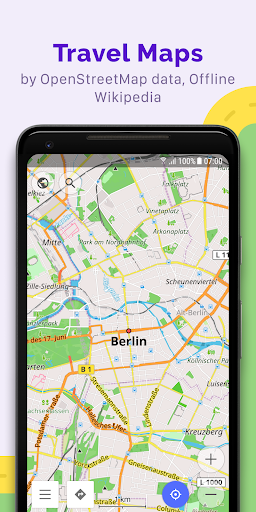
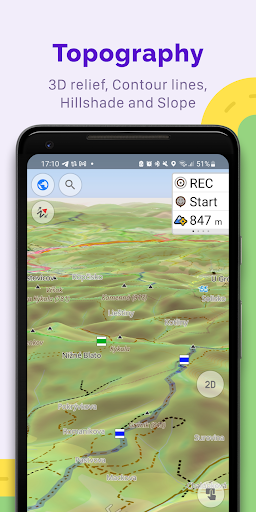
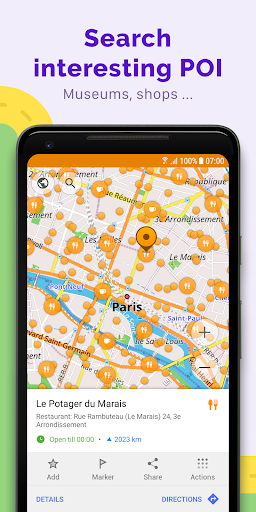
OsmAnd's map view allows you to display a variety of points of interest such as attractions, food, and health facilities. You can search for places by address, name, coordinates, or category, making location findability effortless. The app offers multiple map styles tailored to different activities—ranging from touristic sightseeing and nautical navigation to winter sports, topographic terrain, desert terrain, and off-road adventures. Additional visual features include shading relief and customizable contour lines, along with the ability to overlay multiple map sources to create a comprehensive layered view suited for your specific needs.
GPS Navigation Features
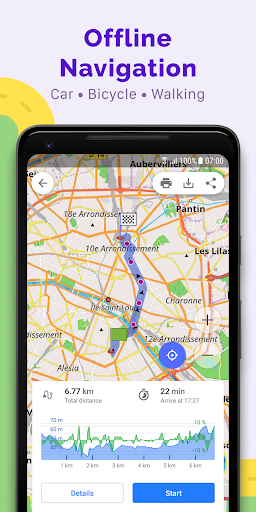
With OsmAnd, you can plot routes and navigate without an internet connection, which is a significant advantage for remote or data-restricted areas. The app supports customizable navigation profiles for various vehicles such as cars, motorcycles, bicycles, boats, and pedestrians. You can modify routes by excluding certain roads or surfaces, ensuring your journey aligns perfectly with your preferences. Real-time route information widgets display important data like distance, speed, remaining time, and distance to next turn, keeping you informed every step of the way.
Route Planning and GPX Track Recording
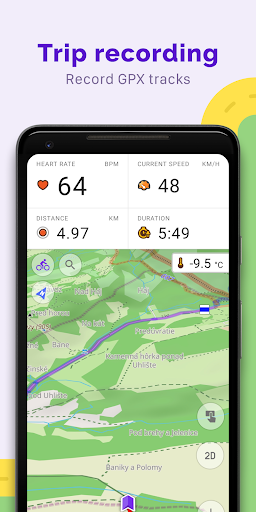
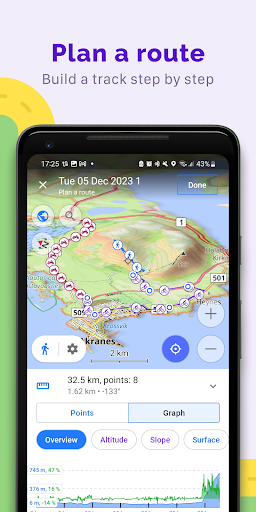
OsmAnd excels in detailed route planning—enabling you to plot a point-to-point path using single or multiple profiles. Additionally, you can record GPX tracks during your journeys to keep a record of your routes. Manage and display your own or imported tracks on the map, or navigate through pre-recorded routes easily. The app also provides visual route feedback such as descents and ascents, distances, and other detailed data. Sharing GPX tracks with the community through OpenStreetMap further enhances collaborative navigation and trail development.
Points of Interest and Custom Markers
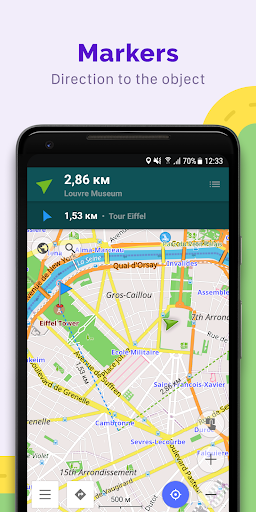
Enhance your navigation with custom markers like favorites or markers for specific locations. The app supports adding audio and video notes to points, making it a versatile tool for travelers, hikers, or bikers who want to annotate their trip details or share experiences.
OpenStreetMap Editing and Map Updates
For those interested in contributing, OsmAnd allows users to make edits directly to OpenStreetMap. The map data updates regularly, with map refreshes up to once every hour, ensuring you always have access to the latest information. This collaborative approach helps improve the accuracy and detail of maps worldwide, fostering a large community of users engaged in continuous map enhancement.
Additional Features for Enhanced Navigation
Tools and Integrations
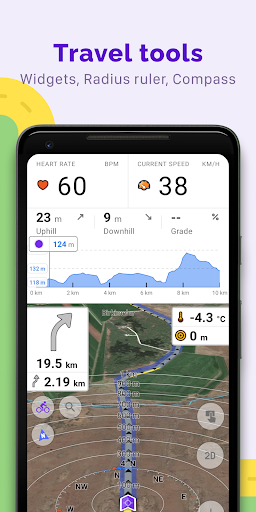
Further features include a compass and a radius ruler, along with integration with Mapillary for street-level imagery. The night theme option provides better visibility in low-light conditions. Users can also access supplementary data such as wikipedia entries to learn more about points of interest during their trips. The active user community supports documentation and troubleshooting, contributing to a user-friendly experience.
Premium Features and Paid Upgrades
Maps+ (Subscription or In-App Purchase)
Upgrade options include Android Auto support, unlimited map downloads, topographic data (including contour lines and terrain features), nautical depths, offline wikipedia, and wikivoyage travel guides. These enhancements are designed to make navigation even more robust, especially for maritime, mountain, or extensive travel adventures.
OsmAnd Pro (Subscription)
OsmAnd Pro offers advanced functionalities such as cloud backups, cross-platform support, hourly map updates, and plugins like weather, elevation widgets, and support for external sensors via ANT+ and Bluetooth. Users can customize route lines, view online elevation profiles, and access premium features that elevate their navigation experience to a professional level.
Why Choose OsmAnd — Maps & GPS Offline?
If you seek a dependable navigation app that does not rely on internet connectivity, OsmAnd is a top choice. Its extensive set of features—from detailed offline maps, route customization, and GPX track management to map editing and community contributions—makes it suitable for various outdoor activities, travel planning, and geographic exploration. The app’s open-source nature ensures user privacy and transparency, which is a significant advantage in today’s data-driven world. Whether backpacking through remote trails, exploring new cities, or sailing distant waters, OsmAnd provides the tools you need to navigate confidently and share your journeys with the community. Download OsmAnd — Maps & GPS Offline today and experience navigation without limits, wherever your adventures take you.
Pros
- Available maps that do not require internet connection.
- Options to customize how maps are viewed.
- Frequent updates introducing new features.
- Precise routing for different modes of transportation.
- In-depth maps for hiking and cycling activities.
Cons
- User interface may be complicated for beginners.
- App size is large, requiring significant storage space.
- Some features require a purchase to unlock.
- GPS signal may sometimes be unreliable.
- Limited availability of live traffic information.