
Samsung Find: Location Sharing Overview
Samsung Find: Location Sharing is an innovative app designed to keep you connected with your loved ones and ensure your devices are protected. It offers real-time location sharing with family and friends, making it easy to see where everyone is in the moment. The app also helps prevent the loss of your Galaxy devices by providing instant GPS tracking and security features. Whether you need to find a misplaced phone or keep an eye on your belongings, Samsung Find makes safety and connectivity effortless.
Key Features for Enhanced Safety and Convenience
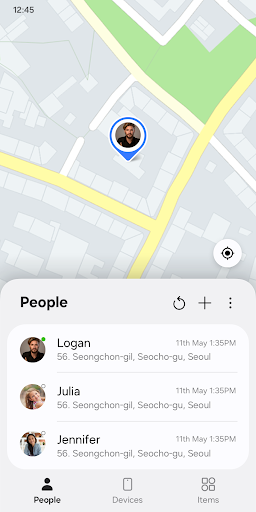
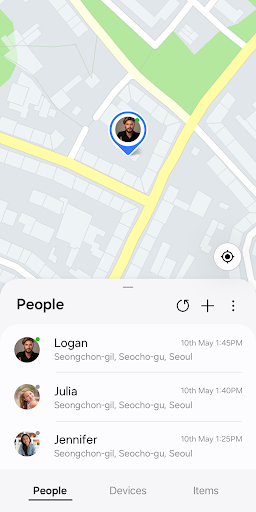
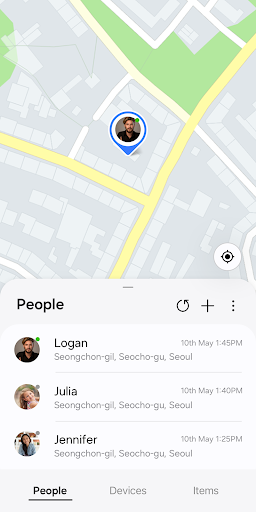
• Location sharing and location notifications (“People” tab)
Worried about your loved ones’ safety? With Samsung Find, you can share your location securely with family and friends. It allows you to request their location and view it in real time, providing peace of mind without having to constantly ask. The app also offers customizable sharing options—it can be set to share your location only for specific periods, giving you control over your privacy. Notifications alert you when your contacts check in or share their location, enabling prompt updates and ensuring everyone stays connected.
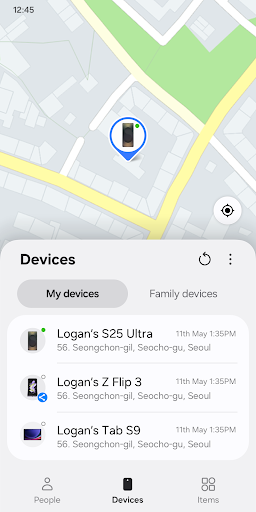
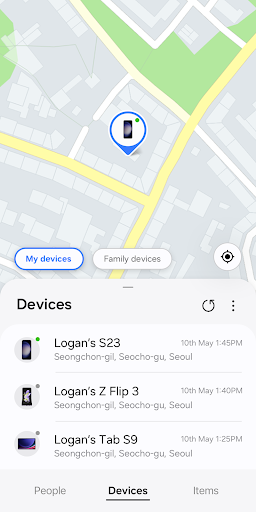
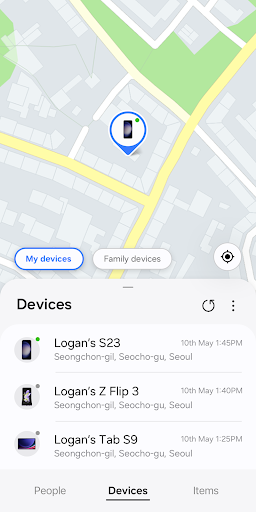
• Device-finding and security features (“Devices” tab)
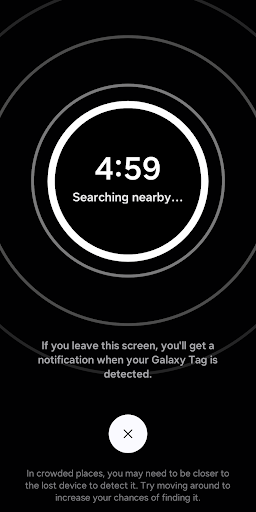
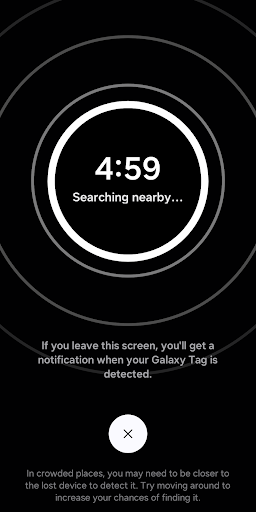
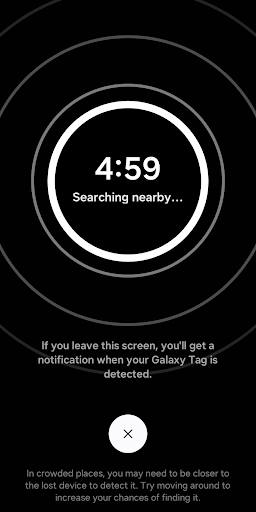
Prevent the stress of losing your Galaxy devices with Samsung Find’s comprehensive device-tracking tools. You can locate your Galaxy phone, tablet, Watch, or Buds on a map and get directions to the device’s location. The app’s “Search nearby” feature allows you to scan 360 degrees around you, making it easier to find small items like earbuds or rings. If your device is misplaced, the “Make sound” feature helps locate it quickly by ringing even when in silent mode. If your device gets lost, you can remotely lock it or erase sensitive data via the Samsung Find website, ensuring your personal information stays protected.
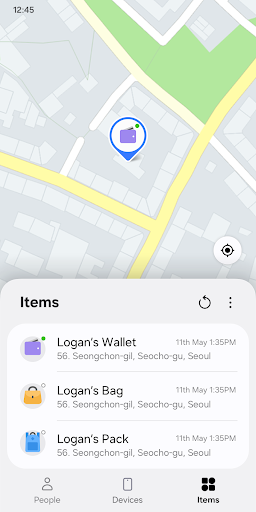
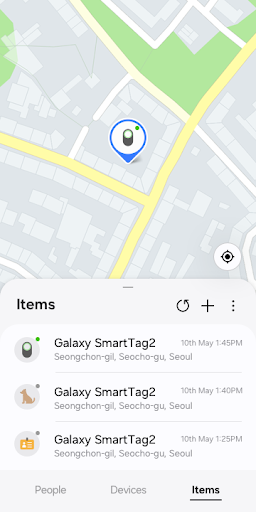
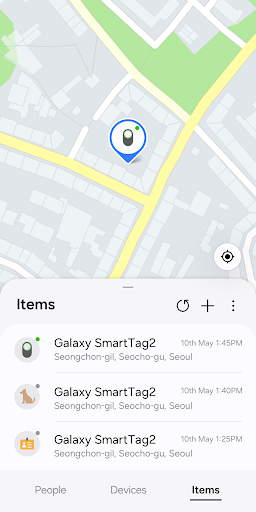
• Item tracking with GPS for valuable belongings (“Items” tab)
Worried about losing valuable items such as your pet, bike, or suitcase? Attach a SmartTag to your belongings and register them in Samsung Find. The app offers real-time GPS location tracking, allowing you to monitor their whereabouts easily. This feature provides an extra layer of security, helping you quickly locate your possessions and ensuring they stay safe from loss or theft.
Getting Started and Compatibility
Setting up Samsung Find: Location Sharing is straightforward. Simply download the app from your app store, install it, and follow the intuitive interface to connect with loved ones and register your devices. The app is compatible with Galaxy devices supporting One UI 2 (Q OS) or later, providing seamless integration across your Galaxy ecosystem. Once set up, you can enjoy all features hassle-free, with minimal impact on your device’s battery life.
Privacy and Permissions
The app requires certain permissions to operate effectively. Access to Contacts allows for easy sharing with friends and family, while Location services enable real-time tracking of your devices and shared locations. Notifications keep you timely informed about location checks or shared updates. Optional permissions such as Camera and Nearby devices enhance functionality, like finding nearby gadgets. Rest assured, Samsung Find prioritizes your privacy, letting you customize who can see your location and ensuring your data remains secure.
Final Thoughts
If you are a Samsung user seeking a reliable way to stay connected with loved ones and protect your devices, Samsung Find: Location Sharing is the perfect solution. Its intuitive design and robust features offer peace of mind, whether you want to track your family’s whereabouts or locate a lost device swiftly. With real-time GPS tracking, customizable sharing options, and strong security measures, Samsung Find elevates your safety and connectivity experience. Try it today and experience the convenience of knowing your loved ones and valuables are always within reach.
Pros
- User-friendly interface suitable for users of all ages.
- Provides real-time updates on location.
- Consumes minimal battery power.
- Allows customization of location alerts.
- Enables sharing of location with groups.
Cons
- Cannot operate without a stable internet connection.
- Free version offers limited functionalities.
- May significantly drain battery during extensive use.
- Raises privacy concerns due to data sharing.
- Occasional inaccuracies in location data.











