
Overview of NetShare - no-root-tethering
NetShare - no-root-tethering is a powerful mobile application designed to enable users to create WiFi hotspots and share internet connections seamlessly, without the need for rooting their Android devices. Whether you're looking to extend your existing WiFi signal or turn your device into a portable WiFi hotspot, this app provides a flexible and reliable solution. It supports Android 6 and above, including devices where hotspot or tethering features are typically blocked, offering an innovative way to bypass such restrictions without any tethering plan or additional fees.
The app leverages VPN technology to route internet traffic through your device securely, ensuring your connection remains hidden and undetectable. This makes NetShare particularly useful for situations where carriers restrict tethering or Data Plans limit hotspot usage. With this app, you can enable tethering effortlessly, share your cellular or WiFi connection, and even extend weak WiFi signals using your phone as a repeater.
Improving your internet sharing capabilities is made easier with features such as faster WiFi tethering compared to Bluetooth and optimized C libraries that enhance connection speed. By connecting other devices to your created portable WiFi hotspot, you can enjoy full internet access without hassle, whether for work, entertainment, or emergencies. NetShare also provides a user-friendly interface suitable for both tech-savvy users and beginners alike. It’s a versatile tool that guarantees stable, secure, and fast internet sharing experiences wherever you are.
Follow the app’s updates and community support on the official Facebook page for additional tips and assistance.
Features and Benefits of NetShare - no-root-tethering
Seamless Internet Sharing
One of the most compelling benefits of NetShare is its ability to share internet without rooting your device. Many users face restrictions on tethering functions due to carrier limitations, but this app bypasses those restrictions by utilizing a secure VPN to hide your tethering activity. Simply install and launch the app, and you can instantly turn your phone into a WiFi hotspot or repeater, providing internet access to multiple devices effortlessly.
Easy Setup and Usage
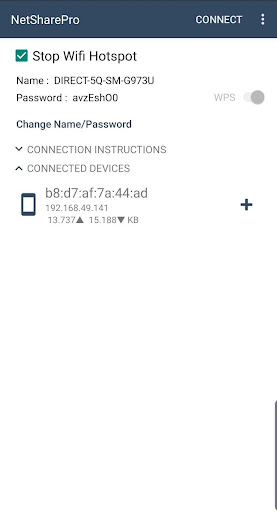
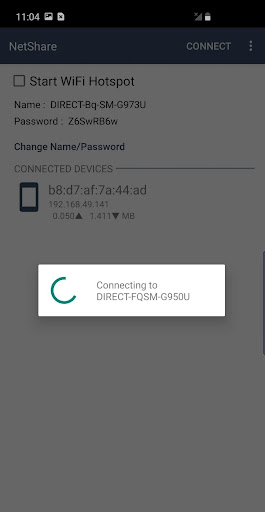
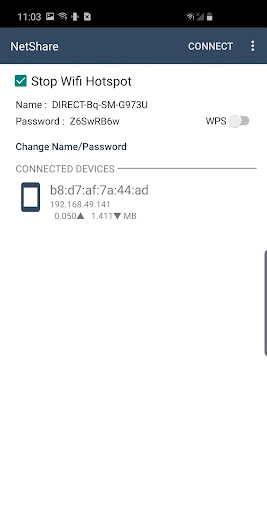
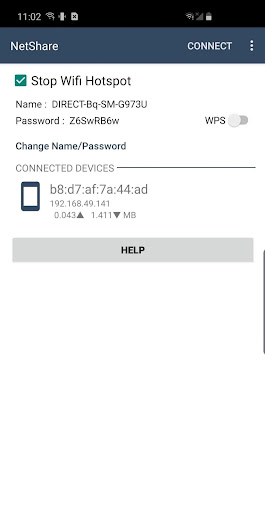
Getting started with NetShare is straightforward. The app’s intuitive interface guides you through creating a WiFi hotspot or extending your current WiFi connection with just a few taps. It is designed with all users in mind, regardless of their technical background, making internet sharing accessible for everyone. The VPN-based sharing method ensures that your connection is not only simple to set up but also secure from potential threats.
High Performance and Reliability
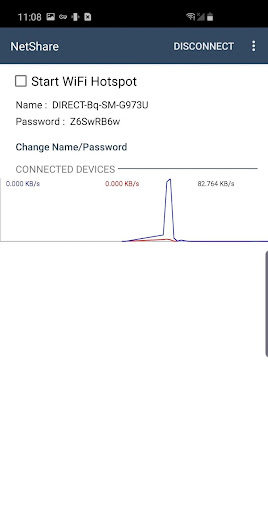
Performance-wise, NetShare does not disappoint. During testing, the app maintained a stable connection without dropped signals. It’s capable of providing a consistent internet sharing experience, which is critical for work, streaming, or online gaming. While the connection quality depends on your primary network strength, the app’s efficient algorithms help maximize data transfer speed for a smoother experience.
Enhanced Security Features
Security is a major priority in internet sharing, and NetShare addresses this by routing traffic through a VPN. This helps protect your data from unauthorized access and ensures your shared connection remains private, especially in public environments where security concerns are higher. The app’s secure tunneling feature keeps your activity confidential while enabling you to share connectivity freely.
Ideal Users for NetShare - no-root-tethering
This innovative app is perfect for digital nomads, travelers, students, or anyone who needs to share internet without restrictions or extra costs. It’s especially useful in scenarios where official tethering options are blocked or limited by carriers. Moreover, users seeking a quick and secure way to extend weak WiFi signals or create portable hotspots will find NetShare to be an essential tool in their connectivity toolkit. Its ability to work with Android 6 and above further broadens its compatibility, making it accessible to a wide user base.
Pros
- Easy to set up and operate.
- No need for root access.
- Compatible with most Android devices.
- Supports multiple connections simultaneously.
- Provides a secure connection using WPA2.
Cons
- May lead to decreased battery life.
- Limited compatibility with iOS devices.
- Performance varies depending on the device.
- Advertisements may be disruptive.
- The free version comes with some limitations.











