


Microsoft SharePoint: Powerful Collaboration and Productivity Platform
Microsoft SharePoint is a versatile platform designed to streamline teamwork, enhance collaboration, and manage content effectively across organizations. Its comprehensive features make it a staple for businesses seeking to improve document management, communication, and organizational workflows. With both cloud and on-premises deployment options, SharePoint caters to a wide range of organizational needs, offering seamless integration with the Microsoft 365 ecosystem, especially with applications like Word, Excel, and Microsoft Teams.
Mobile Experience with AI-Enhanced Features
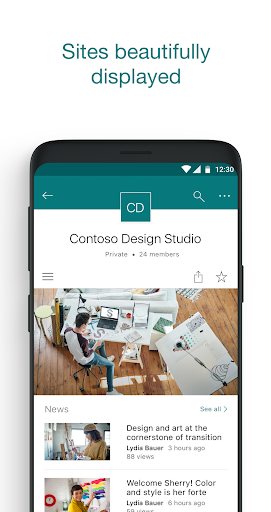
The SharePoint mobile app integrates advanced AI capabilities to keep users focused and productive while on the go. This intelligent integration helps build an understanding of what you work on, how you work, and recognizes the relationships between your work and your colleagues’ activities. Whether you're accessing important content, sharing updates, or collaborating remotely, the mobile app enhances your productivity with several handy features:
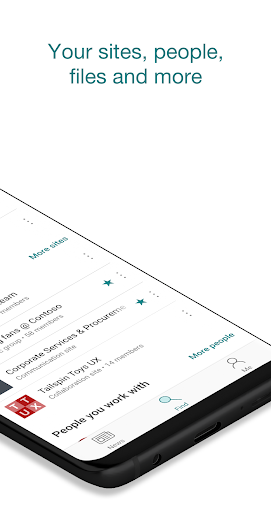
- Browse your sites, files, and colleagues to quickly return to ongoing work.
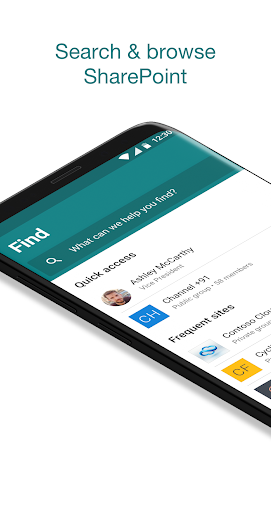
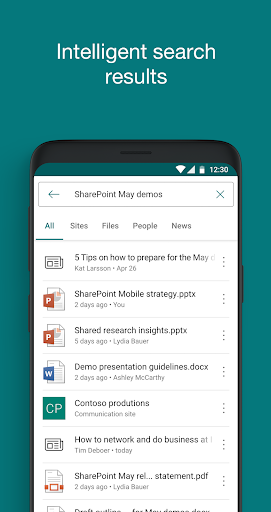
- Use search to find vital content and discover information effortlessly.
- Access personalized views of team sites, communication sites, and news posts tailored to your interests.
- Tap on user profiles to see contact details, work relationships, and recent activities.
- Create news posts directly from your device to share updates, reports, or team experiences.
- Sign in to multiple accounts with ease, whether they are cloud-based or on-premises SharePoint servers.
Getting Started with SharePoint
Onboarding with Microsoft SharePoint is designed to be intuitive, whether you're new or experienced. The app is available on both Android and iOS, making it accessible from virtually anywhere. The clean, user-friendly dashboard features essential tools like document libraries, site creation options, and collaboration tools. Initial setup might take some time, especially if integrating with other Microsoft 365 applications, but generally, it is straightforward and guided.
Key Features that Elevate Productivity
SharePoint functions as a digital Swiss Army knife for organizations. The document library serves as a centralized hub for all files, enabling easy organization, permission setting, and real-time collaboration. Its seamless integration with Word, Excel, and PowerPoint enhances teamwork and document editing efficiency. Another standout feature is the site creation tool, which allows you to quickly build team sites, communication sites, or hub sites with customizable layouts, web parts, and branding. This flexibility supports diverse organizational needs, from project management to internal communications.
Enhanced Collaboration Capabilities
At its core, SharePoint is built to facilitate collaboration. Its robust tools for sharing, lists, workflows, and task management help teams stay aligned. The tighter integration with Microsoft Teams enables seamless communication during document editing and sharing sessions. For enterprises, the platform offers advanced capabilities such as search for quick content discovery, data management, and compliance tools to secure sensitive information.The security features are comprehensive, safeguarding your data while enabling controlled sharing across teams and organizations.
Why Choose Microsoft SharePoint?
After exploring its features, it’s clear that Microsoft SharePoint is much more than a simple document repository. It is a full-fledged platform that unites people, processes, and content, turning collaboration into a streamlined process. While there is a learning curve, the long-term benefits—improved teamwork, better content management, and enhanced organizational efficiency—are well worth the effort. Whether you're looking to elevate internal communication or optimize project workflows, SharePoint stands out as a comprehensive and reliable solution, with the added benefit of integration within the Microsoft 365 suite.
Pros
- Enhances team collaboration seamlessly.
- Integrates well with Microsoft 365.
- Customizable to fit business needs.
- Robust security features.
- Facilitates efficient document management.
Cons
- Complex interface for new users.
- Requires constant internet access.
- Customization needs technical skills.
- Limited offline functionality.
- Subscription can be costly.











