

Introducing AT&T Visual Voicemail: Simplify Your Voicemail Management
Are you tired of missing important voicemails or wasting time dialing into your mailbox to listen to messages? AT&T Visual Voicemail offers an innovative solution that transforms how you handle your voicemails. Designed specifically for AT&T customers, this app allows you to review, organize, and respond to your voicemails directly from your smartphone, bringing a new level of convenience and efficiency to voicemail management.
Key Features of AT&T Visual Voicemail
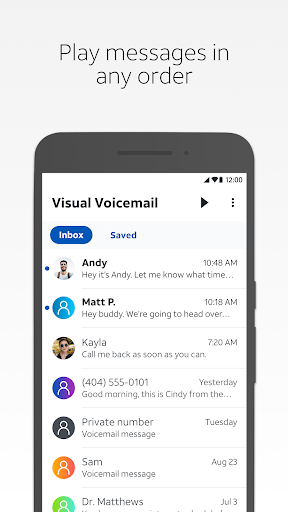
• Play messages in any order you choose – No need to listen to messages sequentially. Simply select and play your voicemails in the order you prefer.
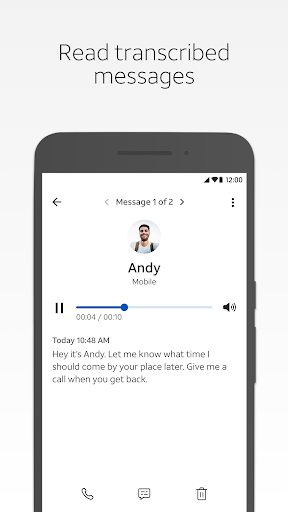
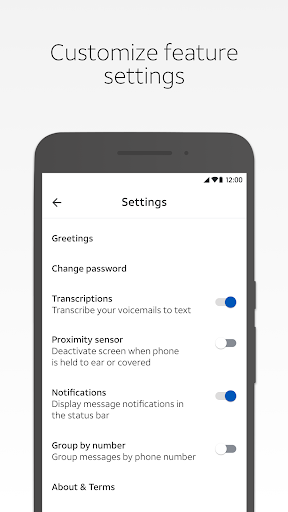
• Read text transcriptions of your messages – The app transcribes voicemails into text, making it easy to read messages without listening, which is especially handy in noisy environments or meetings.
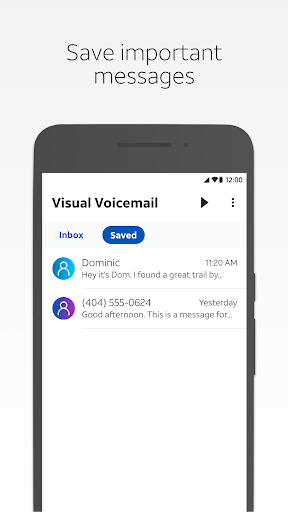
• Save messages to the app – Keep important voicemails stored within the app for quick access later.
• Share messages via email, text, or cloud drive – Easily send your voicemails to others or back them up with just a tap.
Requirements for Using AT&T Visual Voicemail
• Supported Android smartphone – Compatibility is limited to Android devices supported by AT&T. Please note, non-AT&T variant smartphones may not work with this app.
• AT&T data plan including Visual Voicemail – Ensure your plan includes this feature to enable full functionality.
Keep in mind that receiving voicemails on this app does not count against your data plan on the AT&T network. A cellular data connection or Wi-Fi Calling is required; the app does not work on Wi-Fi only networks. International data and messaging charges can apply when roaming, especially for replying, forwarding, or responding to voicemails via SMS, MMS, or email. Additional charges may also occur when downloading the app or using text transcription services.
Enhanced Voicemail Experience with AT&T Visual Voicemail
Imagine receiving a voicemail and being able to read it instantly—no more missed messages or wasted time listening to lengthy recordings. AT&T Visual Voicemail delivers just that, transforming your voicemail inbox into a manageable, user-friendly interface akin to an email inbox. The app's intuitive design makes it straightforward to navigate, organize, and respond to messages, saving you valuable time and effort.
One standout feature is the app’s ability to transcribe voicemails into readable text, providing quick previews of messages. Whether you're in a meeting, commuting, or in a noisy environment, reading voicemails becomes effortless. Additionally, managing your messages is simplified through options to delete, save, or organize voicemails with ease.
User Interface and Performance
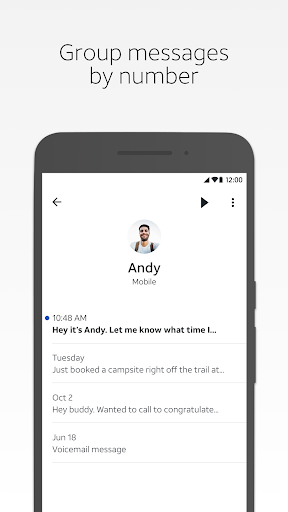
The user interface is clean and minimalistic, designed for ease of use. Voicemails are displayed in a list format, showing caller information, timestamp, and an excerpt of the message, similar to email management. The app also allows users to respond directly from the interface via call, text, or email, making communication seamless.
Performance has been reported as smooth and reliable, with accurate transcription though occasionally minor inaccuracies may occur depending on the caller’s speech clarity or background noise. Notifications about new voicemails are prompt, ensuring you're always updated. Throughout usage, the app has demonstrated stability, with no significant crashes or bugs.
If you're an AT&T subscriber seeking a better way to manage your voicemails, this app is highly recommended. It caters to busy professionals, students, and anyone who prefers reading over listening but still wants quick access to their messages.
In short, AT&T Visual Voicemail is a modern, efficient tool that makes voicemail management easier and more accessible than ever. Give it a try and upgrade your voicemail experience today!
Pros
- Intuitive user interface
- Easy voicemail organization
- Supports voicemail transcription
- Works with multiple devices
- Secure data encryption
Cons
- Requires AT&T service
- Limited customization options
- May not support older devices
- Dependent on internet connection
- Occasional transcription errors











