



Introduction to Themepack - App Icons, Widgets
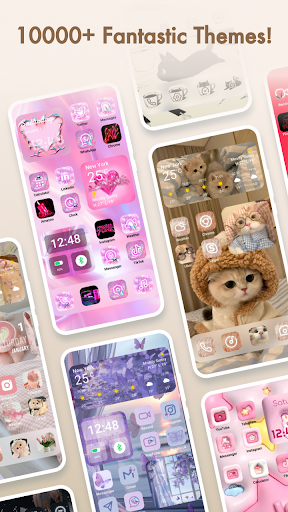
Are you tired of the default look of your smartphone and craving a more personalized and vibrant home screen? Themepack - App Icons, Widgets is the perfect Android app to help you customize your device effortlessly. With a vast collection of over 10,000 functional widgets, icons, and wallpapers, this app empowers users to design their own unique home screen layouts that truly reflect their style and personality.
Key Features of Themepack - App Icons, Widgets
Extensive Customization Options
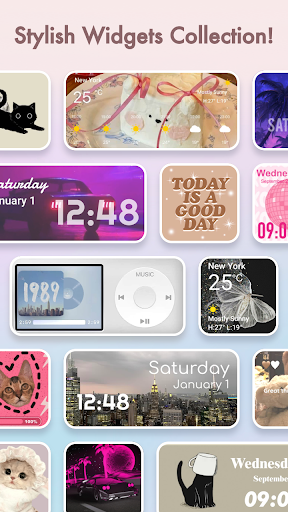
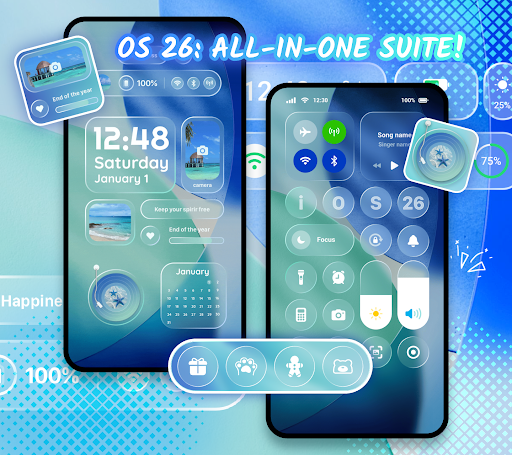
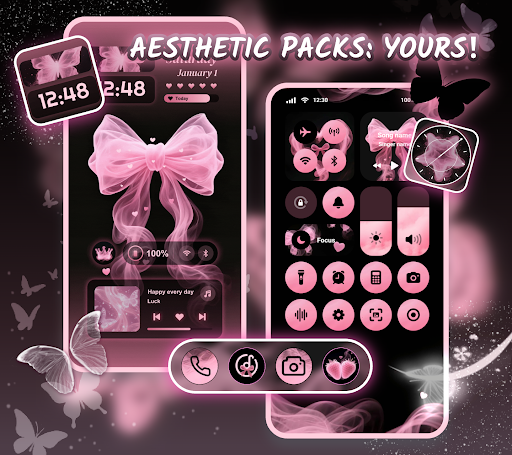
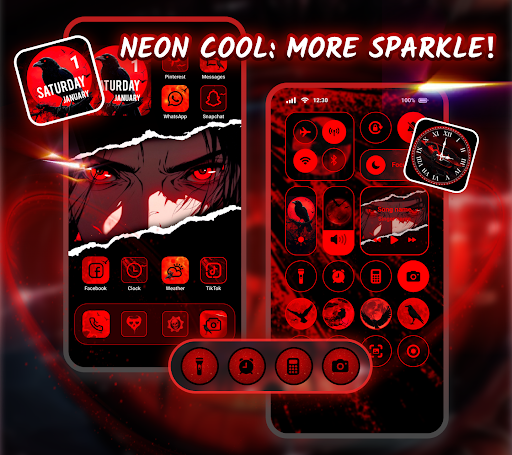
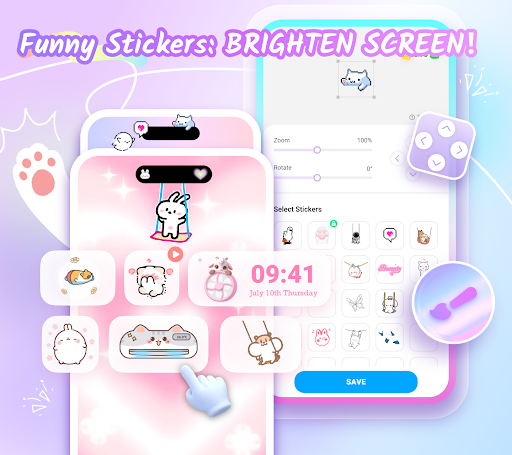
Themepack offers a wide variety of customization features, including stylish widgets and icon packs. Whether you want battery widgets displaying your device’s power status, dynamic image effect widgets, or practical tools like calendar, clock, weather, and control panel widgets, there is something for everyone. These widgets not only enhance functionality but also bring vibrant visual effects to your home screen, transforming the traditional interface into a lively and engaging environment.
Additionally, users can open their gallery and select images to personalize widgets further, showcasing their creative flair. Custom icons are also highly flexible—adjust font styles, colors, transparency levels, and background colors to create distinctive icons that match your aesthetic preferences. Renaming icons with cool fonts enables you to achieve a truly DIY device customization experience.
Visually Stunning Themes and Wallpapers
Design your device with aesthetic backgrounds and a variety of themed wallpapers, including trending genres like K-pop, anime, neon, sports, and festival themes. With just a single click, you can add these backgrounds to your home screen, saving time and effort while creating an eye-catching look. The vibrant and diverse collection makes it easy to keep your device fresh and exciting, and the quality of each wallpaper ensures your device looks stunning at all times.
Why Choose Themepack - App Icons, Widgets?
- 📱 \u003Cstrong\u003EVarious widget functions and rich themes\u003C/strong\u003E
- \u003Cstrong\u003EExquisite icon packs\u003C/strong\u003E for a sleek look
- \u003Cstrong\u003EPersonalization tailored to your taste\u003C/strong\u003E
- \u003Cstrong\u003EBeautiful wallpapers to enhance your aesthetic\u003C/strong\u003E
- One-click replacement for quick customization
- Super fast update speed ensures you always have the latest styles
How to Use Themepack - App Icons, Widgets
- Search for Themepack - App Icons, Widgets on your device’s app store and download it.
- Open the application and browse through the available icon packs, themes, and widgets.
- Select the elements you wish to apply—icons, widgets, or themes—and customize as desired.
- Tap the one-click apply button to instantly transform your home screen with your chosen style!
The app's design is crafted by top designers, ensuring each icon and widget has a unique and meaningful appearance. Whether you prefer simple shapes or intricate designs, Themepack provides enough flexibility to create a personalized interface that stands out.
Additional Notes
To enable certain features like the control center view, Themepack - App Icons, Widgets requires Accessibility Service permissions. Rest assured, this access is solely for system modifications like do-not-disturb mode, screen capture, or volume controls, and no user data is stored or shared through this permission.
Final Thoughts
In a digital world where our screens are an extension of our personality, Themepack - App Icons, Widgets is a fun and intuitive way to elevate your device's appearance. Its user-friendly interface, diverse library of icons and widgets, and stunning wallpapers make it an essential tool for anyone looking to inject a bit of personality into their smartphone. Whether you’re a minimalist or love vibrant, themed designs, this app offers endless possibilities to make your device uniquely yours. Say goodbye to boring screens and hello to a new, personalized mobile experience with Themepack.
Pros
- Customizable home screen
- Wide variety of icons
- User-friendly interface
- Regularly updated
- High-quality widgets
Cons
- Limited free features
- Possible battery drain
- Requires iOS 14 or higher
- In-app purchases required
- Occasional bugs










