

Discover the Power of the Video to MP3 - Video to Audio App
Are you ever watching a video and wish you could simply extract the audio to listen to your favorite tunes or important recordings on the go? The Video to MP3 - Video to Audio app is your perfect solution. Designed with ease of use in mind, this versatile tool allows users to convert videos into high-quality audio files effortlessly, making it a must-have for anyone who wants quick access to their media content.
Key Features of the Video to MP3 - Video to Audio App
This app excels with its wide array of functionalities tailored for media conversion, editing, and customization. Whether you're looking to convert MP4 to MP3, extract music from videos, or create personalized ringtones, this app has got you covered.
Multiple Conversion Options and Formats
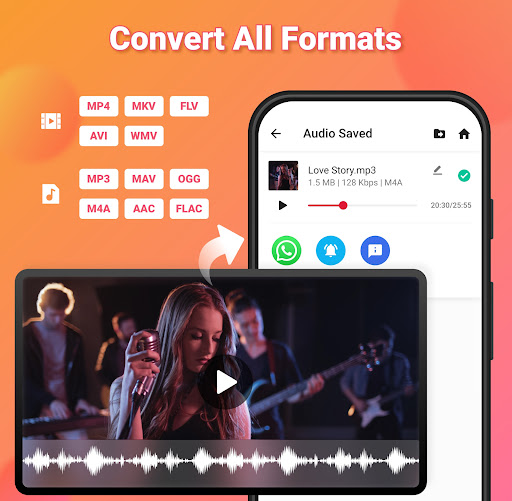
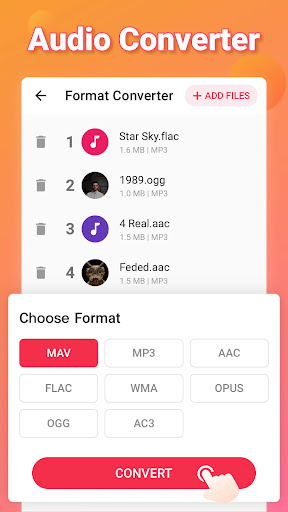
The powerful converter supports converting up to 15 videos simultaneously, saving you valuable time. It effortlessly handles a range of formats, including popular video formats like .MOV, .MKV, .AVI, and more. For audio, formats such as .MP3, .WAV, .OGG, .M4A, and .FLAC are supported to meet your needs.
Video & Audio Editing Features
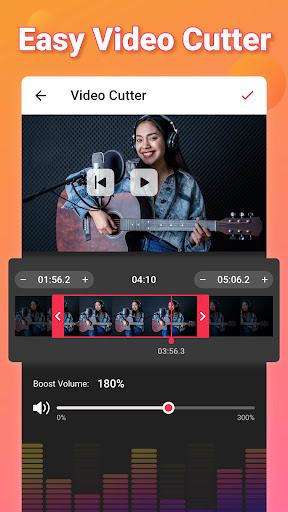
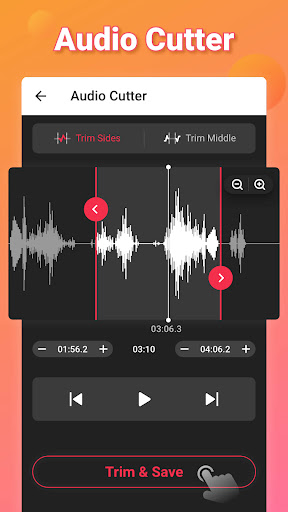
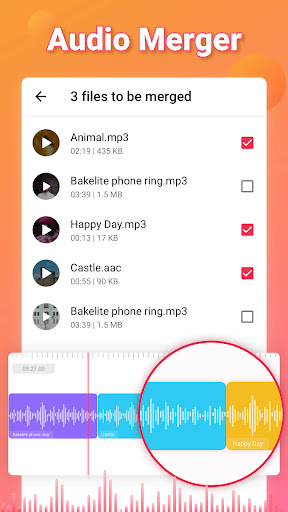
Beyond just conversion, this app offers comprehensive editing tools. You can cut and trim videos and audios to extract only the parts you want. The merge music feature allows you to combine multiple audio tracks into one, perfect for creating playlists or custom ringtones. The app also enables you to add fade in/out effects, increase volume with sound boost, and edit tag information like Title, Artist, Album, and Genre.
High-Quality Audio Extraction & Ringtone Creation
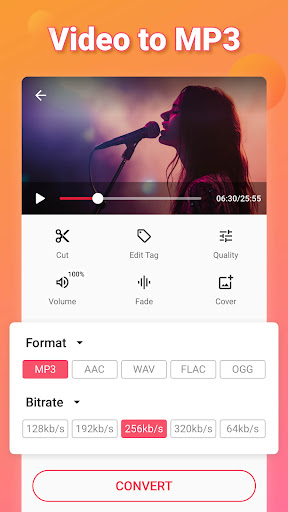
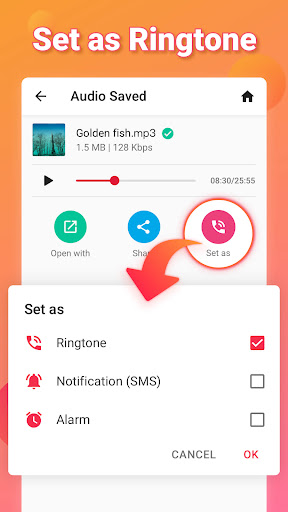
With this app, you can extract high-quality MP3 songs from your videos quickly. Its user-friendly interface makes it simple to convert a video into an MP3 file, which you can then set as a ringtone, alarm, or notification sound. This feature is especially handy for customizing your device’s alert tones with your favorite clips.
Batch & Background Conversion
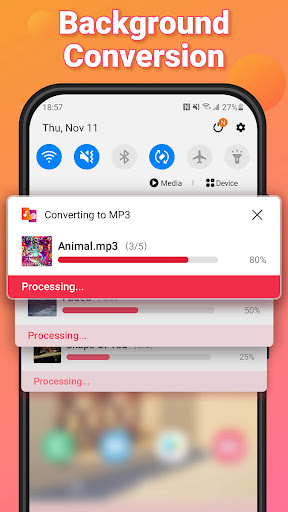
Need to convert multiple videos at once? No problem. The batch conversion feature allows you to process numerous files seamlessly. Plus, the background conversion option ensures your device remains available for other tasks while your files are being converted in the background, enhancing user convenience.
Why Choose Video to MP3 - Video to Audio?
If you’re someone who loves listening to music, podcasts, or recordings from videos, this app simplifies the process of obtaining audio content. It supports various bitrates from 32kb/s to 320kb/s, giving you options for high-fidelity sound or smaller file sizes. Whether you want to convert movies to audio, create ringtones, or extract speeches, this all-in-one media converter delivers fast, reliable results.
Effortless and Intuitive Experience
The app’s clean, intuitive interface ensures that even beginners can navigate easily. You don’t have to worry about complicated settings or confusing options—everything is logically organized. Plus, with no intrusive ads, your experience remains smooth and enjoyable from start to finish.
Conclusion
The Video to MP3 - Video to Audio app combines efficiency, versatility, and ease of use, making it one of the best tools for video to audio conversion and audio editing. Whether you want to quickly extract music for offline listening, create custom ringtones, or edit audio tracks for professional projects, this app is designed to meet all those needs in a fast and user-friendly manner. Download it today to unlock the full potential of your media files and enjoy your favorite content anytime, anywhere.
Pros
- Supports a variety of video formats.
- Quick conversion process.
- High-quality audio output.
- Intuitive and user-friendly interface.
- Allows batch conversions.
Cons
- Limited editing capabilities.
- Contains advertisements in the free version.
- Requires internet connection for certain features.
- Does not offer cloud storage options.
- Limited options for audio output formats.










