

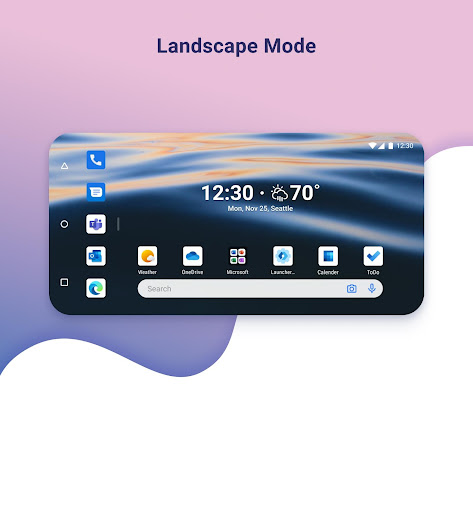
Overview of Microsoft Launcher
Microsoft Launcher is a powerful customization and productivity tool that transforms your Android device's home screen into a personalized hub. Designed to seamlessly integrate with your Microsoft ecosystem, it offers a highly customizable interface, smart features, and a sleek aesthetic. Whether you want to organize your apps, keep track of your schedule, or enjoy beautiful wallpapers, Microsoft Launcher provides an improved user experience tailored to your needs.
Key Features of Microsoft Launcher
Customizable Icons
Personalize the look of your device with custom icon packs and adaptive icons. This allows you to give your phone a consistent, stylish appearance that matches your preferences, making your interface truly unique.
Beautiful Wallpapers
Enjoy a fresh new image from Bing every day or select your own photos as wallpapers. This feature keeps your home screen vibrant and dynamic, enhancing your overall aesthetic experience.
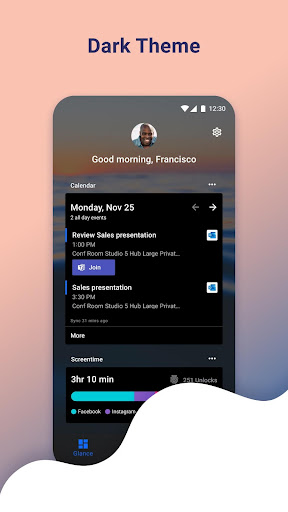
Dark Theme
Use the dark mode for a comfortable viewing experience in low light environments or during night time. This mode is compatible with Android’s native dark settings, reducing eye strain and saving battery life.
Backup and Restore
Switch devices or experiment with different home screen setups effortlessly by using the Backup and Restore feature. Your configurations can be stored locally or saved to the cloud, ensuring seamless transfer and recovery of your personalized settings.
Gestures
Navigate swiftly on your device using intuitive gestures such as swipe, pinch, or double tap. These optional gestures simplify access to apps and functions, enhancing your overall productivity.
Additional Permissions and Functionalities
Microsoft Launcher requests optional permissions like microphone for speech-to-text, photos and videos for customizing wallpapers, and notifications to keep you updated. These permissions unlock powerful features like Bing Search, Sticky Notes, Bing Chat, and weather widgets, enriching your user experience. Note that on newer Android versions, some permissions are replaced with broader file access rights.
Enhanced Customization and Personalization
Microsoft Launcher excels in offering diverse customization options. You can tweak icon shapes, choose from a wide variety of themes, and set personalized wallpapers. This level of personalization allows you to craft a home screen that reflects your unique style, making everyday interactions more enjoyable.
Productivity Boosting Features
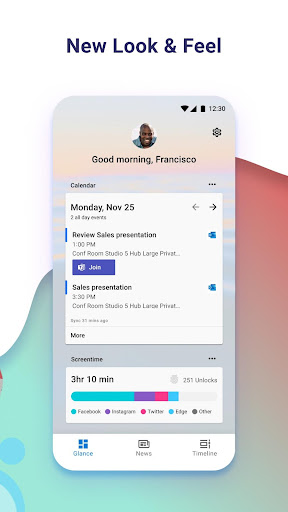
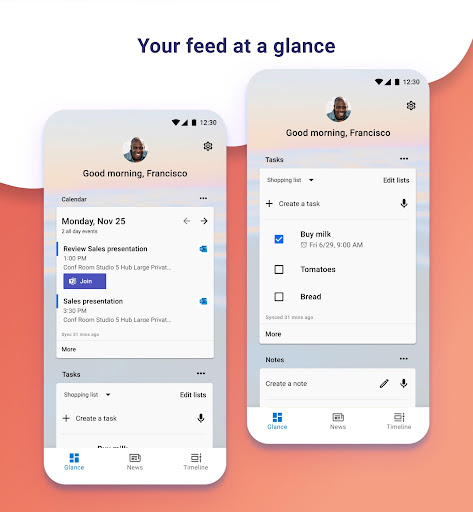
With integrated Microsoft services, Microsoft Launcher simplifies access to your calendar, documents, and notes. Its timeline feature lets you pick up where you left off on any task, whether on your phone or PC. The universal search bar is another highlight, letting you quickly find contacts, apps, or files without navigating through multiple screens.
Family Safety & Digital Well-being
If you're concerned about children’s device usage, Microsoft Launcher includes family safety features. You can monitor screen time, set app limits, and even track their location. These tools provide peace of mind by helping you manage device use responsibly and ensure a healthy digital environment for your family.
Conclusion: Is Microsoft Launcher Right for You?
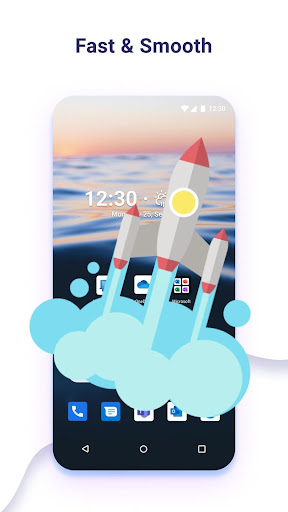
If you seek a launcher that combines sleek design, deep personalization, and productivity tools, Microsoft Launcher is an excellent choice. Its fast performance, customizable interface, and smart features make it stand out among Android launchers. Whether you want to give your device a fresh look, stay organized, or enhance your daily workflow, this launcher offers a comprehensive solution. Dive into the world of customization and let your Android device reflect the best version of yourself!
Pros
- Highly customizable interface
- Seamless integration with Microsoft services
- Smooth and fast performance
- Efficient battery usage
- Regular updates with new features
Cons
- Limited widget options
- Lacks deep customization for some users
- Occasional minor bugs
- Features can be overwhelming
- Some features require a Microsoft account










