


Discover the Power of Timestamp Camera: The Ultimate Camera App for Precise and Stylish Photos
When it comes to capturing life's moments with accuracy and flair, the Timestamp Camera app stands out as a must-have tool for smartphone users. This innovative application seamlessly combines high-quality photography with real-time timestamp watermarking, making it ideal for those who want their photos and videos to tell a story with precise timing and customized details.
Key Features That Elevate Your Photography Experience
The Timestamp Camera app offers a user-friendly interface that caters to both casual users and professional photographers. Upon launching the app, you'll be greeted with a clean, intuitive layout that simplifies navigation and allows for quick adjustments, ensuring you never miss a perfect shot.
Real-Time Timestamp Watermarking
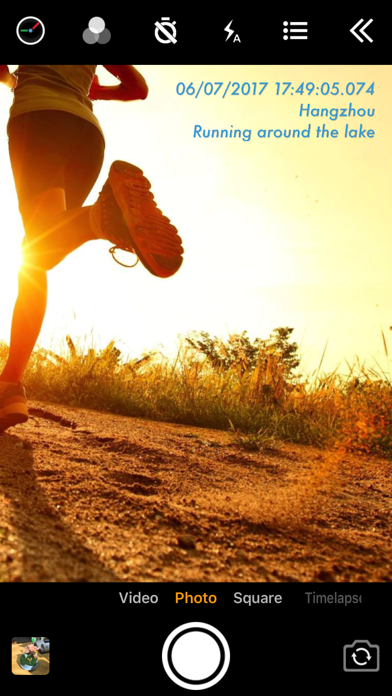
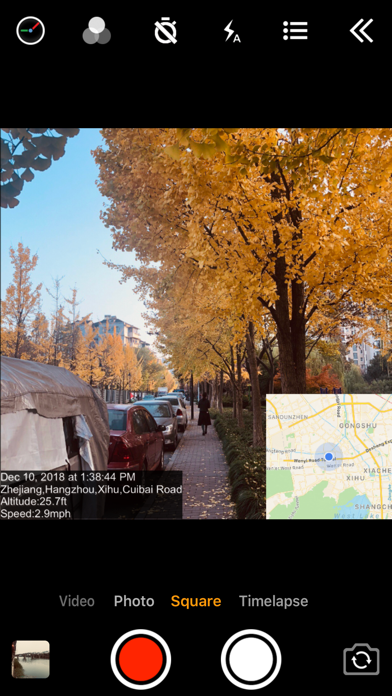
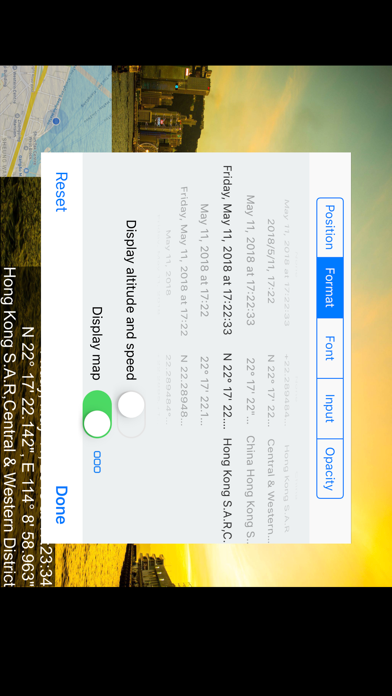
One of the app's most impressive features is its ability to add timestamp watermarks onto photos and videos in real time. Whether you're recording a video or taking a quick snapshot, the app can embed the current time with millisecond accuracy (0.001 seconds). You can select from over 61 timestamp formats, customize the font, color, size, and position of the timestamp—placing it at the top, bottom, center, or any corner of your screen.
Location and Additional Data
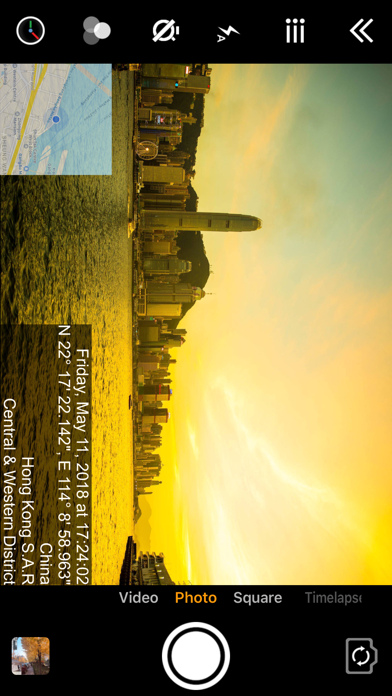
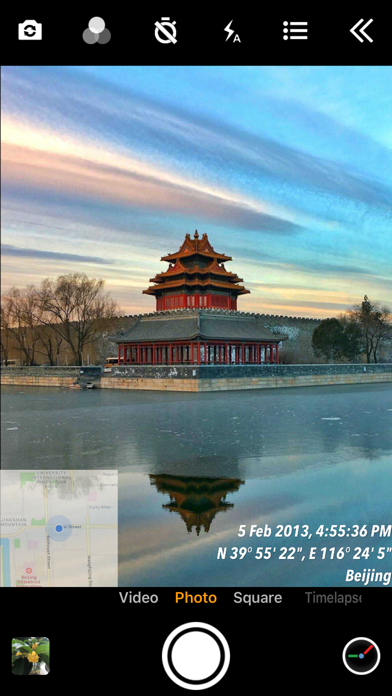
Enhance your photos with location stamps by auto-adding your current address or GPS coordinates. Want to record altitude or speed? The app supports displaying these details directly on your camera interface. It's perfect for travelers, sports enthusiasts, or anyone keen on documenting precise environmental details.
Custom Text, Emojis, and Logos
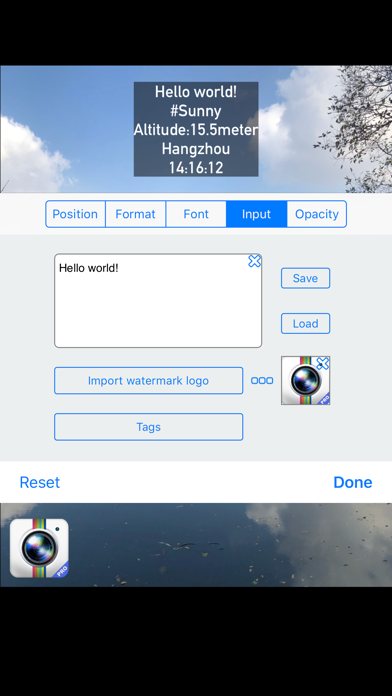
Beyond timestamps, Timestamp Camera enables you to add custom text and emojis to your shots—such as "Good day at the zoo"—making each photo more personal and expressive. Additionally, you can overlay a logo image, giving your images a unique branding touch.
Map and Compass Integration
For adventure seekers and explorers, the app provides a built-in map display that can be scaled, repositioned, and customized for transparency. The compass feature helps orient your shots perfectly, especially useful during outdoor photography.
Video Recording and Camera Settings
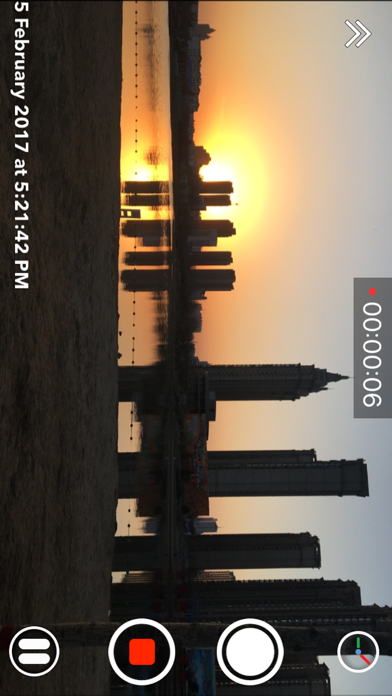
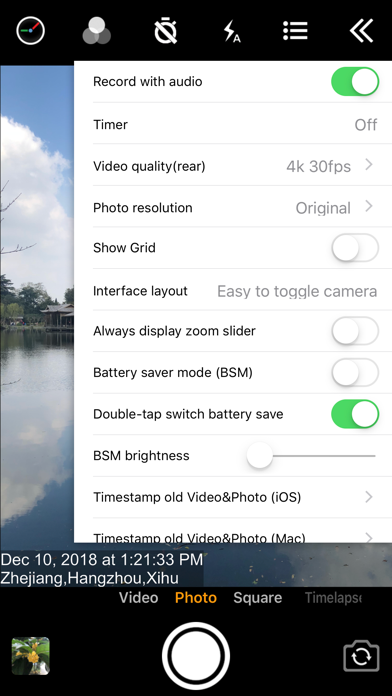
Capture high-quality videos with or without audio, while enjoying options like changing resolution, toggling between portrait and landscape modes, and recording photos during video capture. You can also enable Battery saver mode to optimize screen brightness, and switch the shutter sound off for discreet shooting. For convenience, saved photos and videos can be directly stored onto your SD card through advanced settings.
Additional Enhancements for Smooth Photography
The Timestamp Camera app supports real-time effects, enabling you to change filters, toggle the camera view during recording, and instantly switch orientations. Whether you're capturing a candid moment or professional footage, these features ensure flexibility and swift operation for perfect results.
Pro Version and Upgrades
For users seeking more advanced functionalities, a pro version is available on Google Play for a one-time fee of $4.99. This upgrade unlocks exclusive features and removes limitations, providing a superior photography experience. Remember, all payments should be made via authorized channels to avoid scams.
Why Choose Timestamp Camera?
In an era where quick, high-quality documentation is crucial, Timestamp Camera offers a versatile and reliable solution for capturing memories with precise timing and customizable overlays. From incorporating timestamps with millisecond accuracy to adding location data, emojis, and logos, this app transforms your ordinary camera into a powerful recording tool.
Whether you're photographing important events, creating content for social media, or simply wanting to keep detailed records of your adventures, Timestamp Camera delivers a seamless experience that enhances your creativity while ensuring every moment is timestamped accurately. Its straightforward interface combined with extensive customization options makes it an essential app for anyone serious about their photography.
Pros
- High accuracy timestamps.
- Supports both video and photo modes.
- Allows customization of date formats.
- Includes geotagging features.
- Intuitive and user-friendly interface.
Cons
- Limited options for editing content.
- Watermark appears in free version.
- Shows advertisements causing interruptions.
- Drains significant battery life.
- Needs location permissions to function.










