


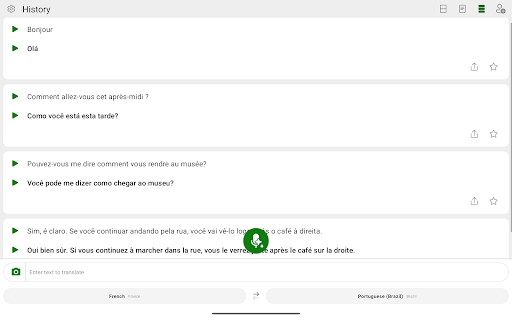
Discover the Power of Microsoft Translator for Seamless Multilingual Communication
Are you looking for an effective way to bridge language gaps and connect with people from different cultures? Microsoft Translator is a comprehensive translation application designed to help users communicate effortlessly across the world's diverse languages. Whether you're traveling abroad, working with international colleagues, or exploring new cultures, this app offers a versatile set of features to make multilingual conversations smooth and natural.
Key Features of Microsoft Translator
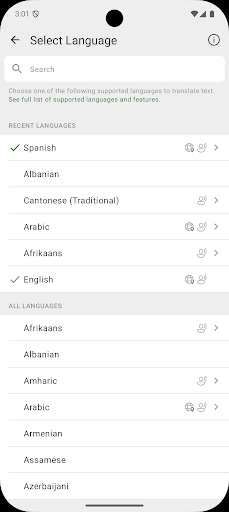
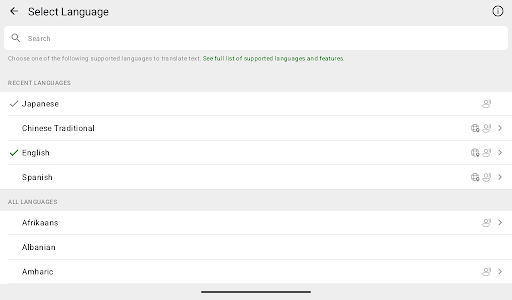
Multilingual Support for Over 100 Languages
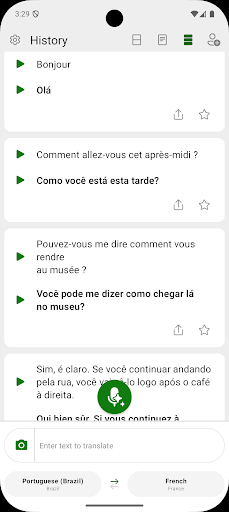
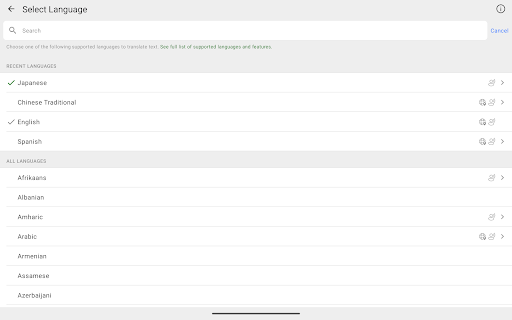
With support for more than 100 languages, Microsoft Translator enables you to translate text, speech, images, and group conversations with ease. No matter where you are or what language you need to communicate in, this app helps you stay connected without language barriers.
Versatile Translation Capabilities
One of the standout features is the ability to translate multiple types of content. Whether you're reading a foreign menu, navigating streets in an unfamiliar city, or participating in a group chat with friends from different countries, Microsoft Translator adapts to your needs. Its real-time translation functionality ensures conversations flow naturally, making interactions less stressful and more engaging.
Text, Speech, and Image Translation
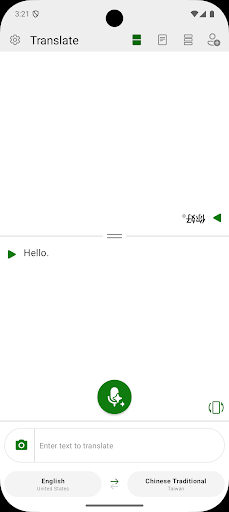
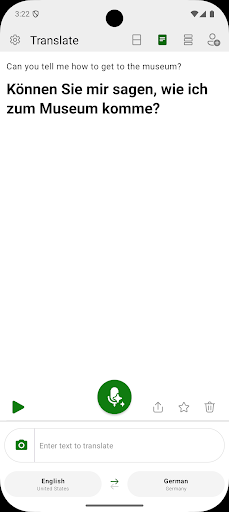
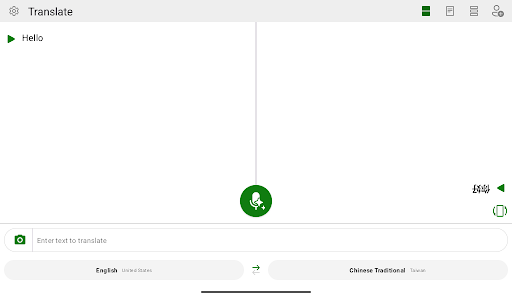
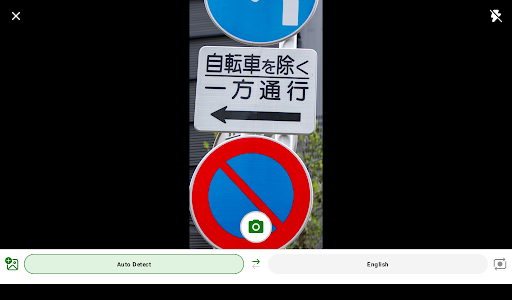
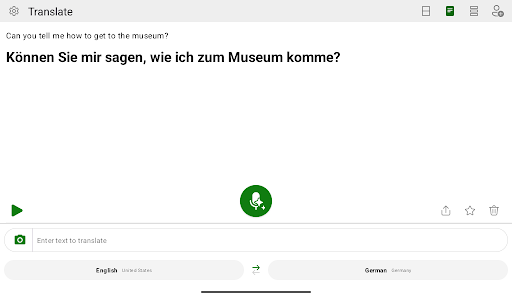
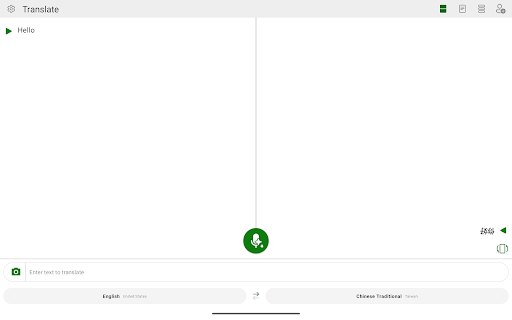
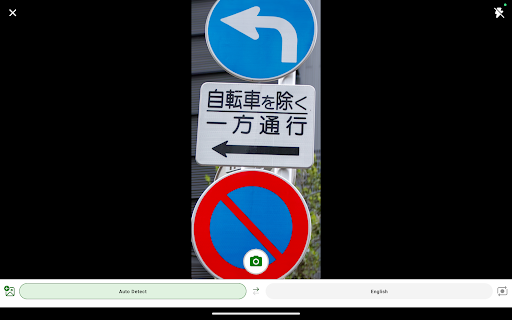
The app's core strengths lie in its text and voice translation, serving as your personal interpreter on the go. Simply type or speak into your device, and the app provides instant translations, supporting over 70 languages. Additionally, the image translation feature, utilizing your device's camera, allows you to point at signs, menus, or documents to receive quick, accurate translations—an incredible convenience during travel or daily life.
Offline Functionality and Phrasebook
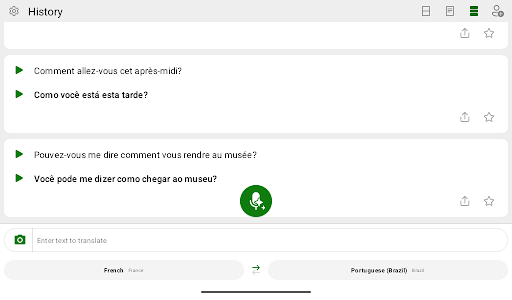
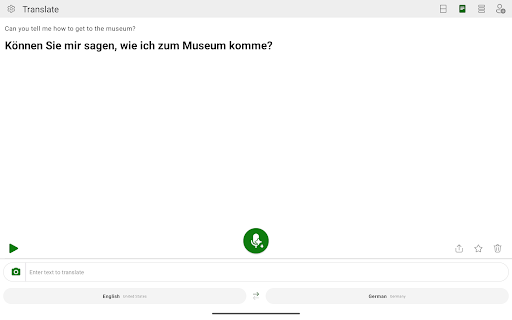
Travelers and remote users will appreciate the app's offline capabilities. You can download languages for offline use, ensuring reliable translations even without internet access. The built-in phrasebook offers quick access to common phrases, making it easy to navigate scenarios like ordering food, asking for directions, or greeting new acquaintances.
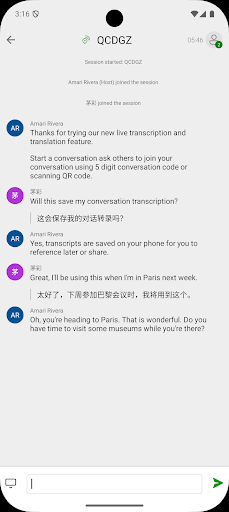
Group Conversations and User-Friendly Interface
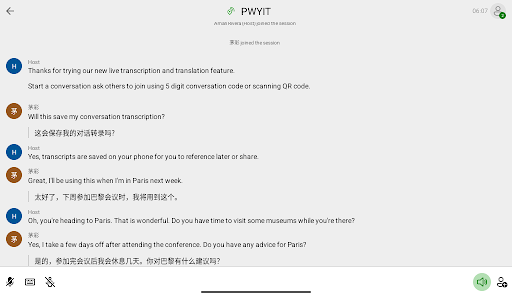
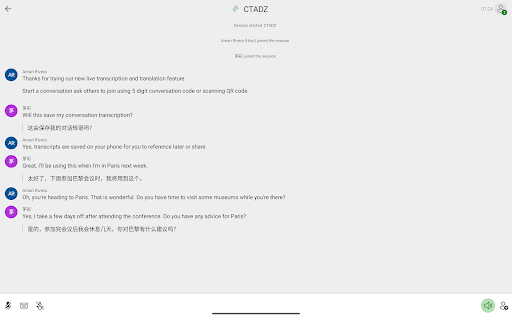
Microsoft Translator supports multi-person conversations, allowing groups speaking different languages to communicate seamlessly. Its intuitive interface makes switching between features straightforward, making it accessible for both casual users and language enthusiasts.
Why Microsoft Translator Is a Must-Have Tool for Modern Communication
In today's interconnected world, the ability to communicate across languages is more valuable than ever. Microsoft Translator acts as your virtual language assistant, breaking down barriers and enabling you to connect with confidence. Whether you're traveling abroad, studying languages, or collaborating with international teams, this app enhances your experience by providing accurate and fast translations.
Its versatility across text, voice, and image translations, combined with offline support, makes it an essential tool for anyone looking to navigate multicultural environments easily. Plus, with regular updates and a user-friendly design, Microsoft Translator continues to improve, ensuring you stay ahead in the global conversation.
Conclusion
If you're seeking a reliable, feature-rich translation app to assist with multilingual communication, look no further than Microsoft Translator. With comprehensive language support, real-time translations, and offline capabilities, it empowers you to communicate effortlessly wherever you go. Download Microsoft Translator today and experience the freedom of breaking language barriers—connecting with people from different backgrounds has never been easier!
Pros
- Supports more than 60 languages.
- Provides real-time conversation translation.
- Offers offline translation capability.
- Includes camera translation feature.
- Features an intuitive and easy-to-use interface.
Cons
- Voice recognition can be inconsistent.
- Occasional mistakes in translation accuracy.
- Limited language options for offline use.
- Full functionality depends on internet connection.
- May consume battery power rapidly.
You May Like

Google Assistant
Productivity
4.7
Google Calendar
Productivity
4.5
Microsoft OneDrive
Productivity
4.7
CamScanner- scanner, PDF maker
Productivity
4.7
Adobe Acrobat Reader: Edit PDF
Productivity
4.7
Microsoft OneNote: Save Notes
Productivity
4.6
WPS Office-PDF, Word, Sheet
Productivity
4.5
HP Print Service Plugin
Productivity
4.1
AI Chatbot - Nova
Productivity
3.8
Grammarly-AI Writing Assistant
Productivity
4.7
VPN Proxy Speed - Super VPN
Productivity
4.7
Grok • Smartest AI Advisor
Productivity
4.8