



Webex Meetings: Connect Anytime, Anywhere
Experience seamless video conferencing with Webex Meetings, the industry-leading application trusted by millions worldwide. With the ability to host over 25 billion meetings per month, this platform ensures a rich and reliable meeting experience. Whether you're working remotely, collaborating with a team, or catching up with friends, Webex Meetings offers a comprehensive set of features designed to make your virtual interactions smooth and productive.
Key Features of Webex Meetings
Effortless Meeting Participation and Hosting
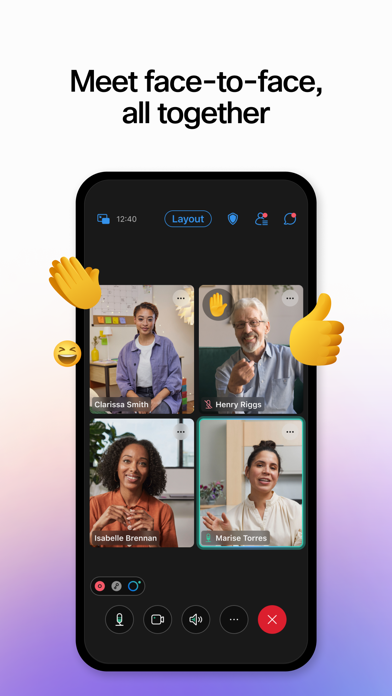
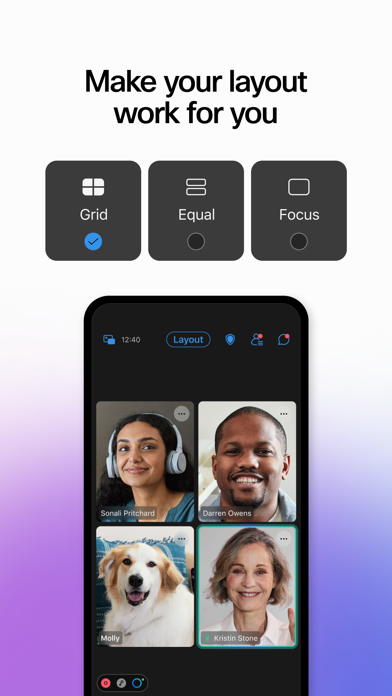
Join and present from any meeting or webinar effortlessly. The app allows you to customize your video layout to focus on what matters most, whether it’s a presentation or a group discussion. Share your screen, use polls, or annotate in real-time to enhance collaboration.
Enhanced Interaction and Communication
Engage with participants through chat and in-meeting reactions. The platform also supports instant translation into over 100 languages, breaking down language barriers during international meetings.
Content Sharing and Recording
Share important content seamlessly and record meetings for later review, ensuring everyone stays aligned even if they couldn’t attend live. This feature makes Webex ideal for educational settings, team collaborations, and client presentations.
Security and Privacy
Prioritize privacy with end-to-end encryption. Protect your conversations from unauthorized access, maintaining confidentiality across all your video calls.
Getting Started with Webex Meetings
Downloading and setting up Webex Meetings is straightforward. Compatible with both Android and iOS devices, installation is quick and easy. The intuitive interface enables you to join meetings, share screens, or send messages without hassle.
The app offers a free plan, making it accessible for personal use and small teams. You can also schedule meetings directly within the app, with seamless integration into your calendar to ensure you never miss an appointment.
For optimal performance, ensure your device runs Android 8.0+. The app is lightweight, ensuring your device’s resources are preserved during video calls. For the best experience, dual-core CPUs are recommended for high-quality video.
Superior Performance and User Experience
During testing, users have reported consistently high-quality video and audio. Webex Meetings minimizes lag and disconnects, providing a reliable platform for professional and personal interactions alike. The app's design is intuitive, making it easy for novices and experienced users to navigate and utilize all available features.
Multiple features, such as background noise cancellation, help create a distraction-free environment, even when participating from noisy locations. Plus, the app’s lightweight nature ensures it doesn't drain your phone's battery or performance.
Stay Connected and Up-to-Date
Webex constantly updates its software to enhance usability and fix bugs. The latest version, 44.9.1, introduces various usability improvements and bug fixes to ensure a smooth user experience.
Interested in learning more? Visit the Webex Help Center for detailed guides and support. You can also follow Twitter and Facebook to stay updated on new features and community news.
Conclusion
All in all, Webex Meetings stands out as a reliable, versatile, and feature-rich video conferencing solution suitable for professionals, educators, and personal users alike. Its ease of use, robust security, and powerful collaboration tools make it a top choice in the crowded market of video communication apps. Whether you need to connect with distant colleagues or stay in touch with loved ones, Webex offers all the tools you need to communicate effectively—anytime, anywhere.
If you haven't tried it yet, now is a great time to experience the benefits of this comprehensive online meeting platform. Give Webex Meetings a try and discover how it can become an essential part of your digital interaction toolbox.
Pros
- High-quality video conferencing
- Compatibility across multiple platforms
- End-to-end encryption for privacy
- Simple scheduling of meetings
- Comprehensive collaboration tools
Cons
- Limited features in the free plan
- Occasional connectivity problems
- Complex interface for new users
- Demands significant device resources
- Needs a strong internet connection











