

Introduction to Yahoo Mail: Your Ultimate Email Companion
Imagine a mail app that streamlines your email management with speed, security, and simplicity. The Yahoo Mail app is designed to meet this need, offering a user-friendly interface and a range of powerful features that help you stay organized and productive. Whether you're managing personal emails, work correspondence, or subscriptions, Yahoo Mail makes your inbox a cleaner, more efficient space. With its emphasis on security and customization, this app is an excellent choice for users seeking a reliable email solution. Download Yahoo Mail today and experience a seamless email experience with innovative features tailored for modern users.
Main Features of Yahoo Mail
Catch Up in Seconds: Fast and Gamified Email Management
One of Yahoo Mail's standout features is its ability to help you quickly sort through unread emails with a single tap. The app presents a fast, gamified view that simplifies inbox cleanup by allowing you to keep or delete emails effortlessly. This intuitive approach transforms the often tedious task of inbox management into a quick and engaging activity, saving you precious time every day.
Eliminate Junk and Organize with Ease
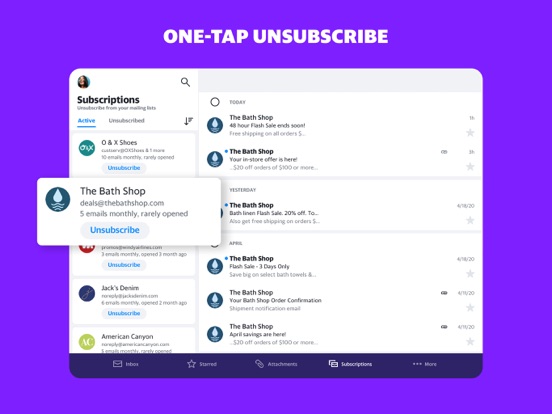
Decluttering has never been easier thanks to Yahoo Mail's delete by sender and one-tap unsubscribe shortcuts. These features enable you to instantly remove unwanted emails and subscriptions, keeping your inbox clean and focused. Say goodbye to spam and promotional clutter, and enjoy a more organized email environment that makes accessing important messages much faster.
Track Packages and Find Receipts Instantly
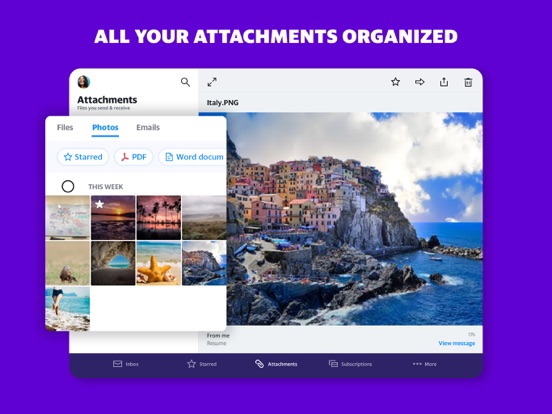
In addition to messaging, Yahoo Mail simplifies tracking packages and locating receipts. The app displays order statuses right at the top of your inbox, allowing you to monitor recent purchases efficiently. This seamless integration helps you stay on top of deliveries and important transaction details without juggling multiple apps or browsing through email archives.
Secure Your Inbox with Advanced Features
Safety is a top priority in Yahoo Mail. With features like warning about suspicious emails and built-in spam filters, your account remains protected from threats. The app’s emphasis on security offers peace of mind—so you can focus on your emails without worry about scams or data breaches.
Connect Multiple Accounts for Unified Management
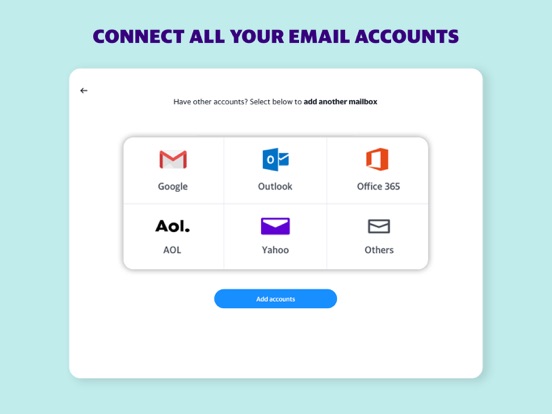
Yahoo Mail allows you to add your Gmail, Outlook, AOL, or Hotmail accounts, enabling you to manage all your emails from a single app. This multi-account support streamlines your digital communication, helping you stay organized without switching between different apps or logins.
Accessibility for Everyone
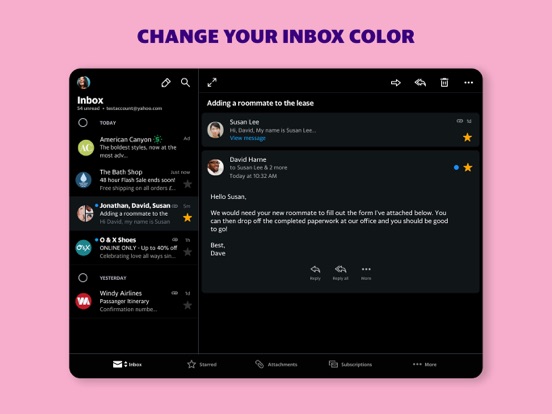
Designed with inclusivity in mind, Yahoo Mail offers various accessibility options. Users can customize high contrast themes, adjust dynamic text resizing, and enjoy VoiceOver screen reader compatibility. These features make navigating your inbox easier for users with visual impairments or specific accessibility needs.
Exclusive Yahoo Mail+ Subscription
For users seeking extra features, Yahoo Mail+ provides ad-free mail, enhanced organization tools, increased privacy, and 24/7 technical support. Available as an in-app purchase at $1.99/month, this subscription auto-renews each month and can be managed through your account settings. It’s an excellent upgrade for those wanting a premium email experience.
Why Choose Yahoo Mail?
Yahoo Mail isn’t just about sending and receiving emails; it’s about transforming how you manage your digital communication. Its intuitive design, combined with powerful organizational tools and robust security, make it perfect for users who value efficiency and privacy. Whether you’re a professional juggling multiple accounts or a casual user looking to declutter, Yahoo Mail offers a tailored experience that keeps your inbox tidy, secure, and easily accessible. Download now to unlock these features and enjoy a smarter, more streamlined email experience.
Pros
- User-friendly interface for easy navigation.
- Seamless integration with other Yahoo services.
- Effective spam filter to keep inbox clean.
- Supports management of multiple email accounts.
- Customizable themes for a personalized experience.
Cons
- Advertisements can sometimes be intrusive.
- Limited cloud storage compared to competitors.
- Occasional synchronization issues across devices.
- Lacks advanced customization features.
- Does not offer end-to-end email encryption.











