
Discover the Ultimate Gaming Experience with the Xbox App
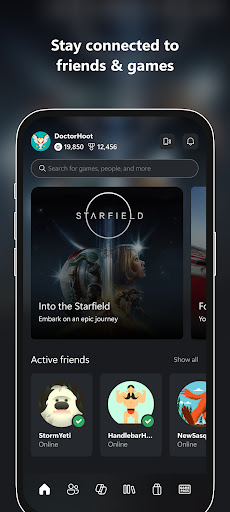
The Xbox app is a powerful and versatile tool designed to enhance your gaming lifestyle, whether you’re a casual gamer or a dedicated enthusiast. Available for both Android and iOS devices, this app seamlessly connects you to your gaming universe anytime and anywhere. With its intuitive interface and a host of exciting features, the Xbox app makes staying connected with friends, managing your game library, and exploring new content easier than ever before.
Stay Connected with Friends and Navigate Your Gaming World
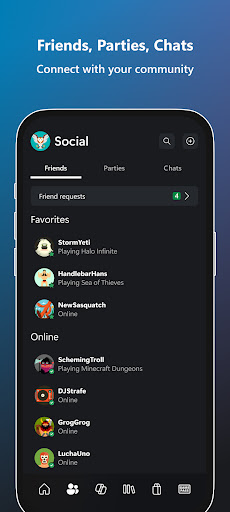
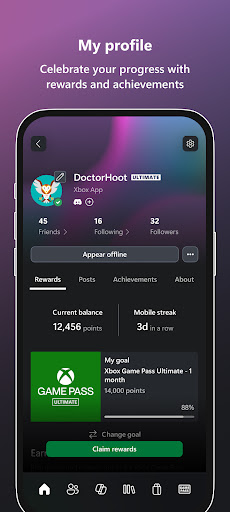
One of the core strengths of the Xbox app is its social integration. It allows you to follow friends and join parties using voice and text chat—regardless of whether your friends are on console or PC. You’ll receive notifications for achievement unlocks, messages, party invites, and new game launches, ensuring you stay in the loop. The app also facilitates sharing game clips and screenshots directly to your favorite social networks, helping you showcase your best gaming moments with ease.
Effortless Game Management and Purchases
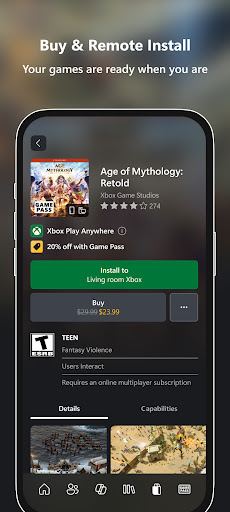
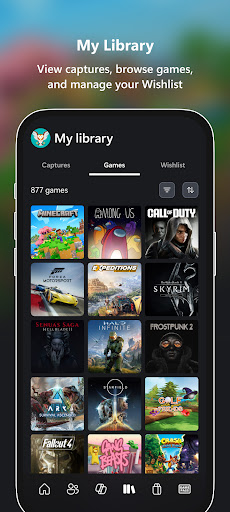
With the Xbox app, buying games and add-on content is straightforward—you can browse and purchase without ever leaving the app. Additionally, you can download games directly to your console, so they’re ready to play whenever you want. The app serves as a convenient hub for managing your game library, allowing you to install, uninstall, and even set up your console remotely. This level of control makes the gaming experience smoother and more responsive.
Explore the Game Pass Catalog and Perks
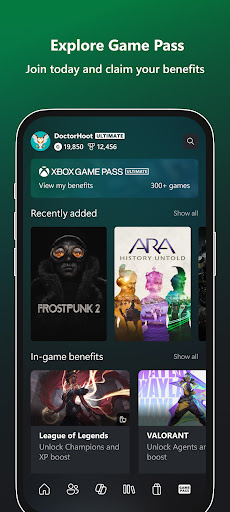
Another highlight of the Xbox app is its access to the vast Game Pass catalog. Subscribers can browse through a wide selection of titles and redeem special Perks to enhance their gaming journey. Whether you’re looking for new releases or classic favorites, the app provides a one-stop platform to discover and enjoy a diverse range of games, right from your mobile device.
Share and Play Anytime, Anywhere
One of the most innovative features of the Xbox app is the ability to enable remote play. This feature allows you to stream your Xbox games directly to your smartphone, letting you enjoy gaming on the go—whether you’re lounging at home or traveling. The app’s smooth performance ensures minimal lag, providing a console-like experience in the palm of your hand. Plus, with integrated support for voice and text chat, you can communicate with friends or coordinate multiplayer sessions effortlessly.
Optimized Performance for All Devices
Designed to work across various devices, the Xbox app is optimized for performance even on older smartphones. The interface is user-friendly, ensuring smooth navigation and quick access to essential features. Whether you’re managing a large library of games or just exploring new titles, the app adapts seamlessly to your device, offering a consistent and enjoyable experience.
Final Thoughts: Why the Xbox App is a Must-Have for Gamers
In summary, the Xbox app combines social connectivity, game management, and remote play into a single, easy-to-use platform. It empowers gamers to stay connected with friends, manage their gaming library, discover new titles, and share their gaming achievements—all from their mobile device. Whether you’re on the move or relaxing at home, this app ensures you’re always connected to your gaming community and your favorite Xbox content. If you haven’t tried it yet, the Xbox app is undoubtedly a must-have for anyone looking to elevate their gaming experience.
Pros
- Seamless integration with Xbox consoles.
- Access to a large game library.
- High-quality graphics and performance.
- Strong online multiplayer features.
- Regular updates and new features.
Cons
- Subscription required for full access.
- Requires significant storage space.
- Some games need additional purchases.
- Occasional connectivity problems.
- Limited backward compatibility.









