

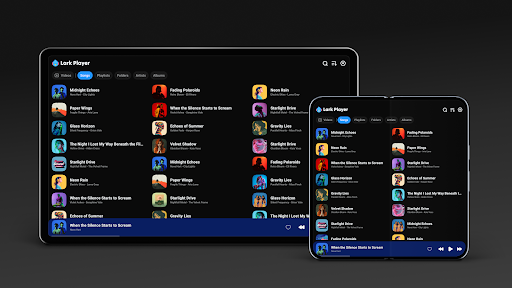
Introduction to Lark Player: Music Player & MP3
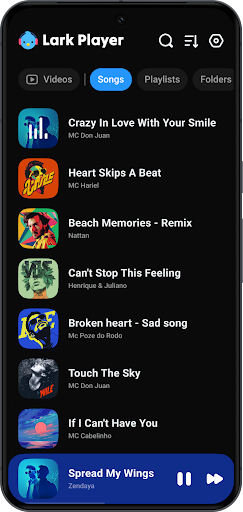
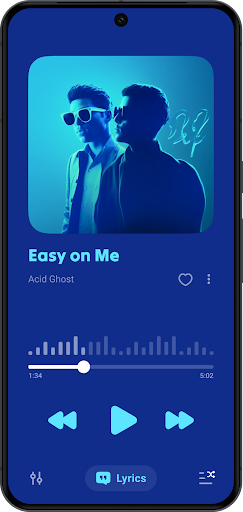
Lark Player is a stylish and free offline music player and video player designed for Android devices. Supporting all major formats for both music and videos, this robust media app offers an impressive range of features to elevate your entertainment experience. With its powerful equalizer, seamless lyrics integration, and sleek user interface, Lark Player stands out as a top choice for music lovers worldwide. Currently boasting over 100 million users globally, it enables users to enjoy offline music playback with ease, manage files efficiently, and customize their sound preferences to match their mood or genre. Whether you're into classical, jazz, rock, or pop, Lark Player is built to cater to diverse tastes and preferences, making it an essential app for music enthusiasts seeking high-quality offline media playback.
Key Features of Lark Player
Support for Multiple Formats
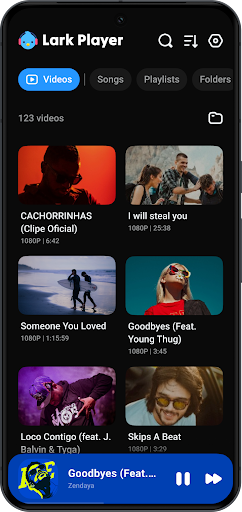
Lark Player excels in supporting a wide range of audio formats including MP3, MIDI, WAV, FLAC, AC3, AAC, M4A, ACC, among others. Additionally, this versatile media player also handles video formats such as MP4, 3GP, WEBM, MOV, and MKV. This wide support ensures you can play virtually any media file stored on your device without hassle, making it an all-in-one solution for media playback.
Advanced Music Customization & Preset Modes
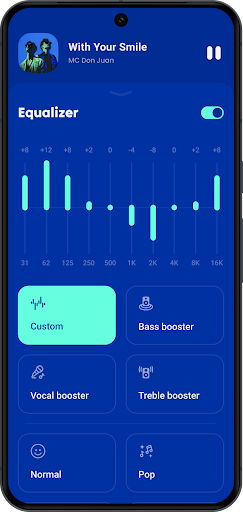
Personalizing your listening experience is straightforward with Lark Player’s preset modes and powerful equalizer. The app offers dedicated modes like Normal, Classical, Dance, Flat, Folk, Heavy Metal, Hip-hop, Jazz, Pop, and Rock. Users can easily adjust sound effects, bass, treble, reverb, and sound field settings to create their ideal audio profile, whether they prefer a rich bass boost or crystal-clear treble. This level of customization helps deliver a personalized and immersive listening experience every time.
File and Playlist Management
Easily browse your offline music library by song, artist, album, genre, or folder with the intuitive interface. Managing your music files is simple—create, delete, and organize playlists or manage individual files directly within the app. Plus, you can set your favorite local music tracks as ringtones, making Lark Player a multifunctional tool for personalizing your device.
Lyric Support & Offline Lyrics
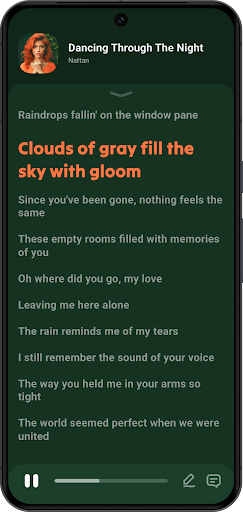
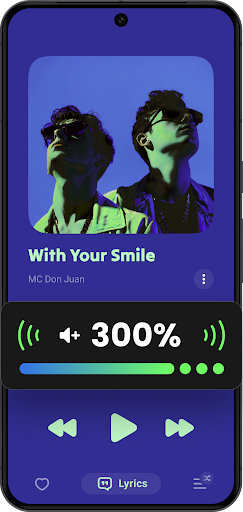
Enjoy singing along with your favorite songs thanks to Lark Player’s offline lyrics feature. You can download song lyrics and have them displayed in sync with your music, transforming your device into a karaoke machine whenever you desire. This makes for a fun and engaging way to connect deeper with your music collection.
Floating Window & Multitasking
Take advantage of the floating video and music player features, which allow you to resize and position a mini window on your screen. This enables seamless multitasking, such as watching videos or listening to music while browsing other apps or performing tasks on your device.
Additional Features
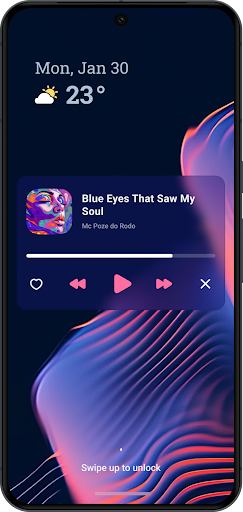
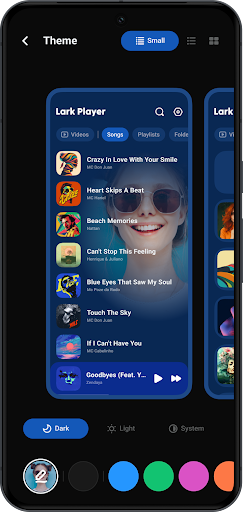
Other notable features include a beautiful day/night theme that you can toggle at your convenience, shuffle-, order-, or loop playback, and a handy sleep timer to automatically stop playback after a set duration. You can listen to music in the background or from the notification bar, ensuring continuous entertainment without interruption. The app also supports sharing your music via Bluetooth, Facebook, WhatsApp, and more.
Why Choose Lark Player?
Lark Player isn’t just a typical music and video player; it’s a comprehensive entertainment app crafted for the true music enthusiast. Its intuitive interface and sleek design provide a smooth user experience, whether navigating through playlists or customizing sound effects. The app’s support for a vast array of formats means you don’t need multiple apps to handle different media. Plus, its offline lyrics feature enhances your engagement with your music library, allowing you to sing along anytime. And since it’s completely free, you gain access to all these features without any cost, making it a highly accessible option for users worldwide.
Conclusion
If you’re searching for an offline music player that combines versatility, ease of use, and a sleek design, Lark Player: Music Player & MP3 is an excellent choice. With support for various formats, advanced customization options, and handy multitasking features like floating windows, it’s undoubtedly a top-tier media application for Android users. Whether you want to enjoy your favorite songs with rich bass or watch videos without switching apps, Lark Player has you covered. Download it today for an unmatched offline entertainment experience and make every moment musical.
Pros
- Highly customizable interface
- Supports various audio formats
- Offline music playback
- Equalizer with presets
- Low battery consumption
Cons
- Contains ads in free version
- Limited features without subscription
- In-app purchases required
- No podcast support
- Occasional playback glitches










