

Introduction to Voice Recorder Pro
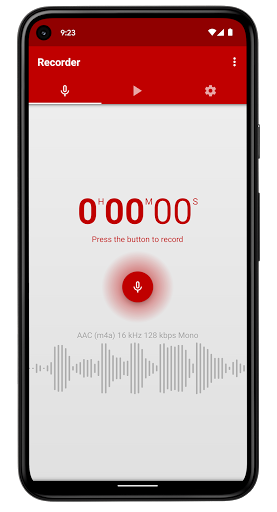
Voice Recorder Pro is an exceptional audio recorder application designed for Android devices. Renowned for its full-featured and visually appealing interface, this app provides users with a seamless experience in capturing high-quality sound recordings. Whether you need it for professional purposes like interviews and lectures or personal reasons such as memos and sleep talking, Voice Recorder Pro has you covered.
Core Features of Voice Recorder Pro
High-Quality Audio Recording
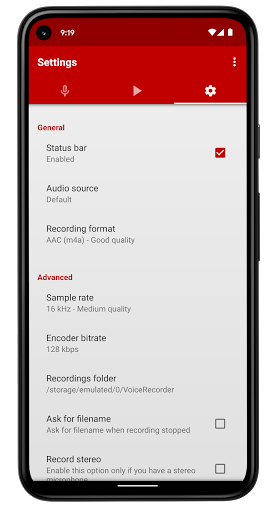
The app supports 4 different audio formats: MP3, high-quality PCM (WAV), AAC (M4A/MP4), and AMR (3GP), allowing you to choose the best setup for your storage and quality needs. You can also adjust the sample rate from 8 kHz to 44 kHz, catering to everything from phone-quality recordings to studio-level sound capture. Additionally, you can modify the bitrate from 32 to 320 kbps for optimal sound clarity.
Flexible Recording Options
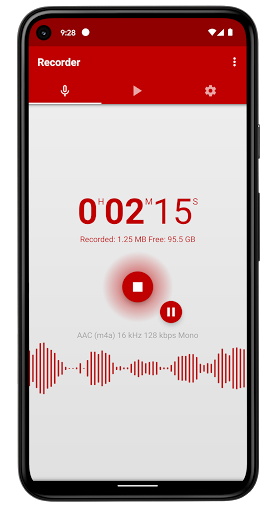
This app supports stereo and mono recordings, making it versatile for various scenarios. It features a live audio spectrum analyzer that visually displays sound waves in real-time, enhancing the recording experience. The ability to record in the background—even when your screen is off—is a significant advantage, ensuring uninterrupted capture of important moments.
User-Friendly Management
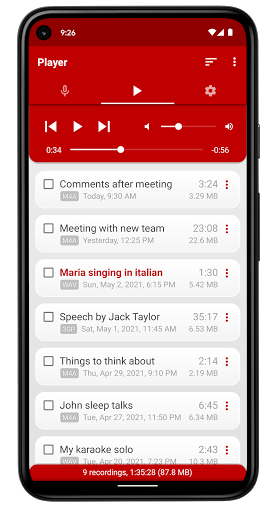
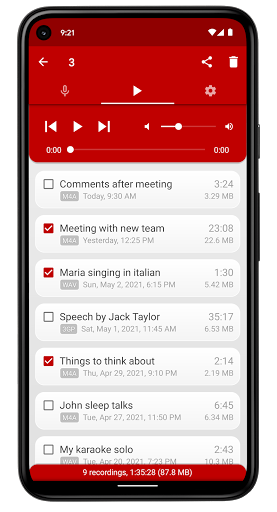
You can customize your recordings folder, easily rename or delete files, and organize your recordings by date, name, size, or duration. The app includes a built-in media player with volume control, reverse of a typical mp3 player, for effortless playback. Moreover, you can share recordings via email or social media, and even set them as ringtone, alarm, or notification sounds.
Advanced Features and Compatibility
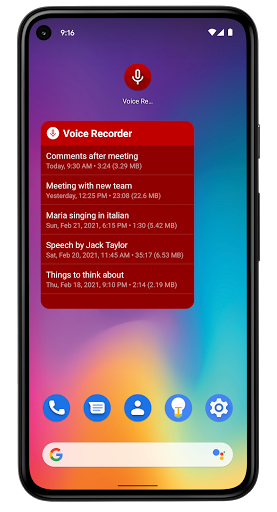
Additional capabilities include the ability to select an audio source (microphones or phone call), control recorder and playback from the status bar, and display a resizable widget for quick access. During recordings, a blinking LED notification indicates active recording or playback, especially on devices with notification LEDs. The app also automatically stops recording when the device runs out of memory or during active calls, providing reliable performance without interruptions.
Ease of Use and Customization
Voice Recorder Pro simplifies the user experience with the option to auto-start recording, share and delete multiple files simultaneously, and sort recordings by various parameters. Its intuitive interface ensures that even beginners can start recording within minutes of download, while advanced users can leverage its extensive settings to fine-tune their recordings.
Integration and Support
Beyond just recording, Voice Recorder Pro integrates smoothly with Android's media library, enabling easy management and playback of sounds. The app supports cloud uploads via popular services like Google Drive and Dropbox, providing an extra layer of data security. For further assistance or feedback, users can access the Privacy Policy and contact support through the official website.
Why Choose Voice Recorder Pro?
If you're searching for a reliable, feature-rich, and easy-to-use audio recording app, Voice Recorder Pro ticks all the boxes. Its comprehensive set of tools caters to casual users, students, journalists, and professionals alike who need to capture clear recordings without limitations. The app’s continual updates demonstrate the developer’s commitment to enhancing functionality and user satisfaction.
From recording important interviews to capturing personal thoughts or lectures, Voice Recorder Pro ensures your audio is safe, organized, and easily shareable. With its robust feature set and intuitive design, this app stands out as a top choice in the realm of voice recording applications for Android.
Pros
- High-quality audio recording
- User-friendly interface
- Supports multiple audio formats
- Easy editing features
- Great customer support
Cons
- Contains ads
- No cloud backup
- Limited free features
- Requires in-app purchases
- Occasional bugs











