


Overview of Collage Maker | Photo Editor
In today's digital age, capturing memories has become an integral part of our lives, and having the right tools to craft those moments into stunning visuals is essential. Collage Maker | Photo Editor stands out as a comprehensive all-in-one application designed to elevate your photo editing and collage creation experience. Whether you're a casual user looking to spice up your social media posts or a hobbyist seeking a versatile photo editing companion, this app offers a suite of features tailored to meet your creative needs.
This powerful app combines intuitive design with a rich set of tools, making it easy for users of all skill levels to produce professional-looking collages, edited photos, and personalized image stories. With seamless integration for sharing on popular social media platforms like Instagram, Facebook, and Snapchat, Collage Maker | Photo Editor ensures your memories are not only beautifully crafted but also effortlessly shared with the world.
From classic photo grids to freestyle scrapbook layouts, the app provides endless possibilities to showcase your images creatively. Its innovative features, including AI Photo Enhancer, diverse templates, and customizable layouts, make it a must-have for anyone passionate about photography and visual storytelling.
Key Features of Collage Maker | Photo Editor
Intuitive Collage Creation
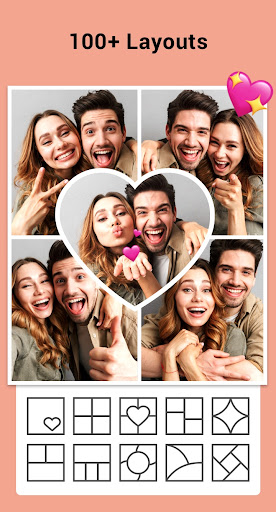
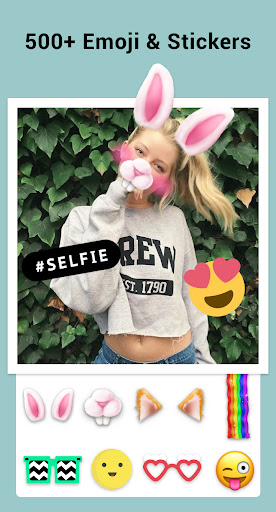
Create stunning photo collages by selecting up to • combine 100 photos into a single masterpiece. Choose from over 100+ layouts of frames or grids, allowing you to craft everything from simple arrangements to intricate designs. Adjust the ratio of collage and customize the border to match your style. Whether you prefer a freeform layout or a structured grid, this app has you covered. Additionally, users can crop images, apply filters, add texts, and decorate with stickers—all within an easy-to-navigate interface.
Creative Templates and Special Effects
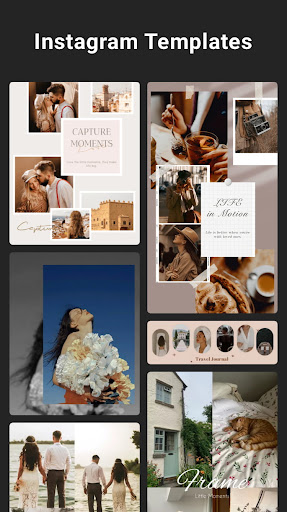
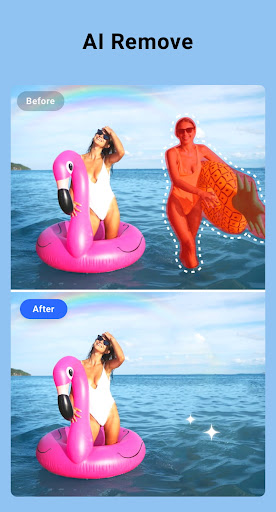
Express your unique style with story templates such as Film, Magazine, and Ripped Paper. Share your most memorable moments through Instagram Stories or Snapchat Stories using these stylish presets. For those who want to post entire photos without cropping, the app offers multi-fit options in ratios like 1:1, 4:5, and 9:16, with blur or white backgrounds. Moreover, the recently launched AI Photo Enhancer feature transforms blurry, damaged, or old photos into high-definition images with just a tap, making your nostalgic photos look new and vibrant.
Side-by-Side and Grid Photo Features
For creative comparisons or before-and-after presentations, the app supports side-by-side photos—perfect for SNS covers or YouTube thumbnails. The grid photo tool enables users to design custom layouts with flexible sizes, borders, and backgrounds, facilitating easy creation of eye-catching photo collages in seconds.
Advanced Photo Editing Tools
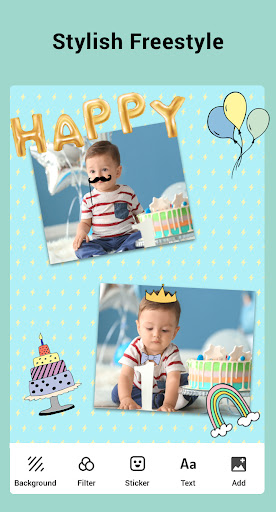
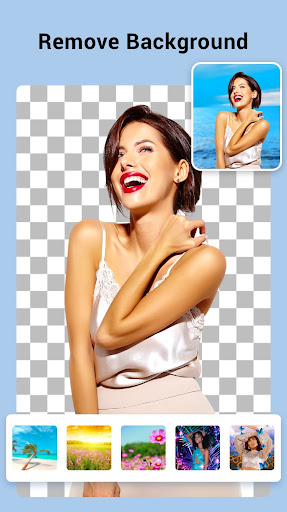
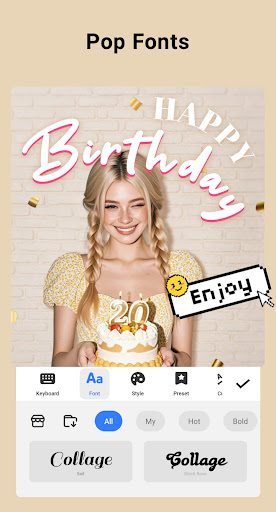
This app doubles as a robust photo editor, offering tools like cropping, applying filters, adding stickers and text, doodling, flipping, and rotating images. Create personalized scrapbook pages with full-screen backgrounds and decorative elements. Want to add a humorous caption or inspiring quote? The customizable font options make it simple to match your message to your visual theme.
Easy Sharing and Saving
Once your project is complete, share your creations directly to social media platforms with a single tap. The app saves high-resolution images, ensuring your photos look crisp whether you're posting online or printing for personal keepsakes.
Why Choose Collage Maker | Photo Editor?
Designed with user experience in mind, Collage Maker | Photo Editor offers a smooth performance without glitches, even with extensive features active. Its simple yet powerful interface makes it accessible for beginners while providing enough depth for advanced users. The app's versatility makes it ideal for a variety of creative projects—from instant social media posts to detailed photo stories.
Whether you want to craft a beautiful photo collage for your next Instagram post, create a fun side-by-side comparison, or enhance old photos using AI technology, this app delivers top-notch tools in one convenient package. Its wide array of templates, effects, and editing options ensures your photos reflect your personality and style perfectly.
Overall, Collage Maker | Photo Editor is your go-to application for elevating your photos and making your memories more vibrant and shareable. Stay inspired, get creative, and let your images tell your story—beautifully and effortlessly.
Pros
- User-friendly interface with intuitive controls.
- A wide variety of templates and layouts are available.
- Offers high-quality photo editing tools.
- Simple options for sharing directly on social media.
- Regular updates introduce new features.
Cons
- Includes in-app purchases and advertisements.
- Limited free features are accessible.
- The app occasionally crashes.
- An internet connection is needed for full use.
- Large file size could be problematic.











