
Open Camera: The Free, Open-Source Photography App for Android
If you're an enthusiast looking to gain more control over your smartphone photography, Open Camera is definitely worth exploring. This free and open-source camera application packs an impressive array of features that rival those found in high-end DSLR cameras, all accessible through a straightforward interface. Designed for users who want to elevate their photography experience without the clutter of ads or premium price tags, Open Camera provides a powerful toolkit suitable for both beginners and seasoned photographers alike.
Key Features of Open Camera
Advanced Photography Controls
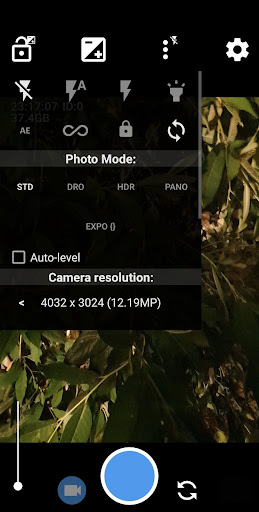
Open Camera offers a variety of professional-grade controls including support for scene modes, color effects, white balance, ISO, and exposure compensation/lock. Whether you're shooting in bright sunlight or low-light conditions, these settings help fine-tune your images for optimal quality. The app also supports HDR (High Dynamic Range) with auto-alignment and ghost removal, allowing you to capture scenes with balanced light and shadow details. Additionally, features like exposure bracketing enable capturing multiple shots at different exposures for later merging into a single high-quality image.
Remote and Timed Shooting
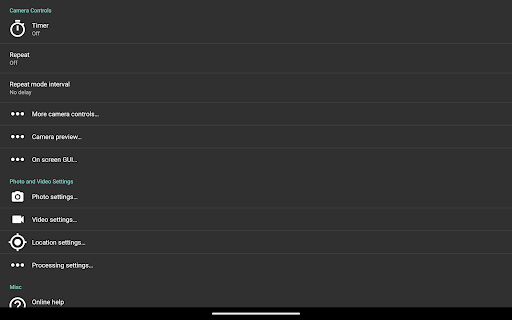
For convenience, Open Camera provides handy remote controls. You can set a timer with an optional voice countdown, ideal for group shots or selfie photography. The app also includes an auto-repeat mode with configurable delays, making it easier to take multiple shots in succession. One of its unique features is the ability to take photos remotely by making a noise, which is perfect for discreet or hands-free shooting.
Customizable User Interface and Settings
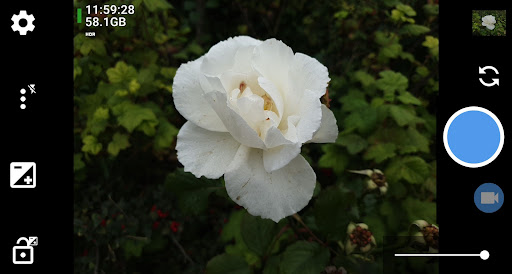
With configurable volume keys and user interface options, you can tailor the app to suit your preferences. The upside-down preview feature is particularly useful when using attachable lenses, ensuring flexible framing. You can overlay grids and crop guides to aid composition, and enable or disable GPS location tagging (geotagging) for photos and videos, including compass direction data.
Specialized Photo and Video Capabilities
Open Camera supports a host of specialized features including panorama shots even with the front camera, and advanced video controls such as manual controls, burst mode, RAW (DNG) files, and support for camera vendor extensions. For videographers, options like slow motion and log profile video are available to enhance creative possibilities.
Image Enhancement and Metadata Options
It offers powerful tools such as noise reduction, particularly effective in low-light scenarios, and dynamic range optimization. Visual aids like histogram, zebra stripes, and focus peaking help in capturing sharp, well-exposed images. Additionally, users can overlay date and timestamp, location coordinates, or custom text on their photos, and store date/time and location as subtitles in videos. For privacy or file management, there’s also an option to remove device exif metadata from images.
Why Choose Open Camera?
Open Camera stands out because it combines comprehensive functionality with no advertising, providing an uninterrupted user experience. Its open-source nature means continuous improvements driven by a dedicated community of developers. Whether you're capturing HD videos, experimenting with RAW photography, or exploring creative shots with focus bracketing, this app has tools tailored for every need.
While some features may vary depending on your device's hardware and Android version, the app’s versatility makes it an excellent choice for anyone wanting more control over their smartphone camera. Just keep in mind that it's a good idea to test Open Camera on your specific device before using it for important events like weddings or professional shoots.
Beyond the features, the thoughtful design and dedication to functionality make Open Camera a trustworthy companion in your photography journey. With regular updates and a welcoming open-source community, this app continues to grow and adapt to new camera technologies.
Get started today by visiting the official website. Remember, a powerful camera is only as good as the app controlling it, and Open Camera might just be the missing piece to elevate your mobile photography to new heights.
Pros
- Free and open-source application
- Customizable user interface
- Supports external microphones
- Remote control options
- Regular updates and support
Cons
- Complex configuration for beginners
- Limited editing capabilities
- Rare bugs following updates
- Lacks integrated tutorials
- Requires Android version 5.0 or higher











