


Introduction to File Manager
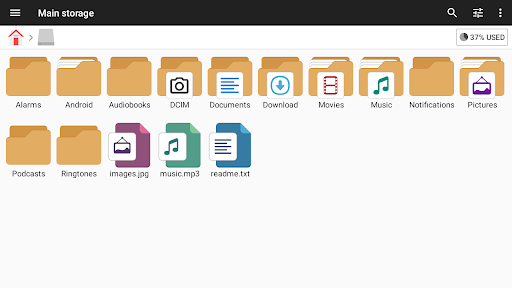
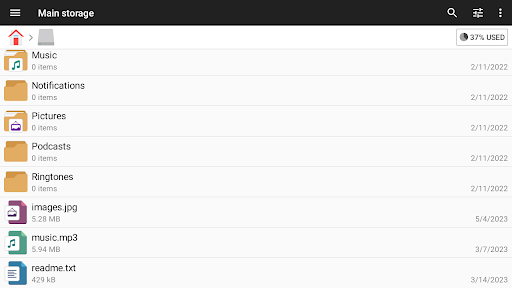
File Manager is an easy and powerful file explorer designed for Android devices. It stands out as a free, fast, and full-featured solution for managing your digital files. With its simple UI, users can navigate and organize files effortlessly, making it suitable for both tech novices and experienced users alike. Whether you want to manage files on your device, NAS (Network-attached storage), or cloud storages, File Manager covers all your needs.
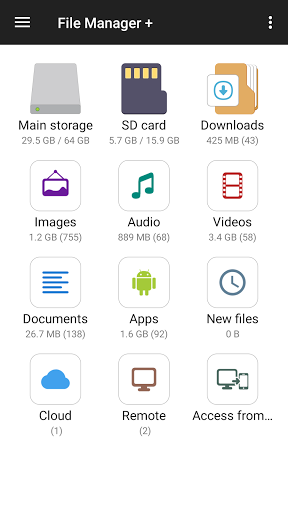
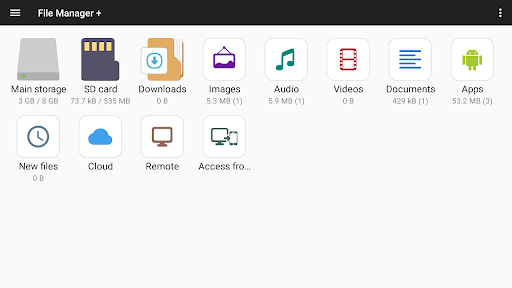
Immediately after opening the app, you can quickly see the number of files and apps on your device, giving you a clear overview at a glance. It supports a wide range of functions including open, search, navigate directory, copy and paste, cut, delete, rename, compress, decompress, transfer, download, bookmark, and organize files across various formats such as media files and APK apps.
Major Features of File Manager
Main Storage and External Devices
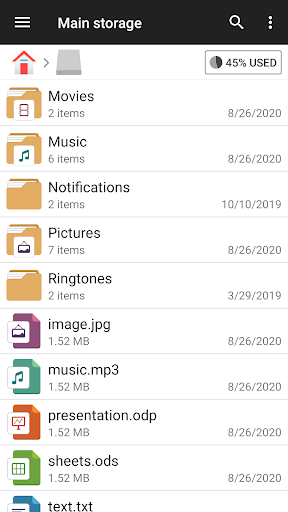
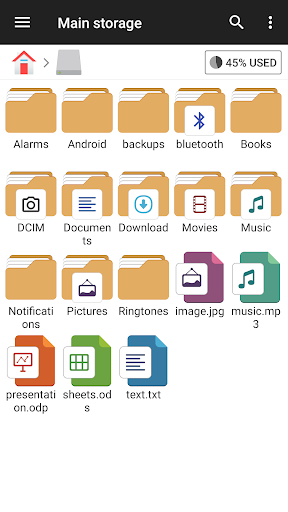
Manage all files and folders on internal storage, SD card, and USB OTG, ensuring seamless access and organization across connected devices.
File Sorting and Management
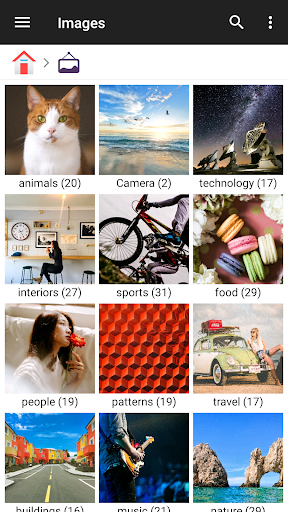
Your files are automatically categorized into sections like Downloads, New files, Images, Audio, Videos, and Documents. This categorization helps you find what you need quickly and efficiently.
Application Management
You can view and manage all applications installed on your device directly from the app, giving you control over your app environment.
Cloud and Remote Storage Access
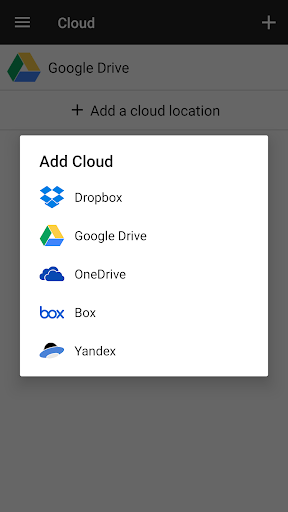
The app supports connecting to various cloud storage services like Google Drive™, OneDrive, Dropbox, Box, and Yandex. It also provides remote access to shared storages such as NAS and FTP servers.
PC Access and Storage Analysis
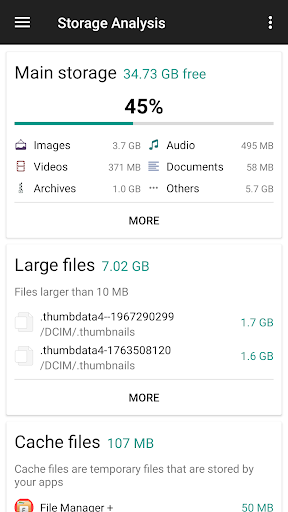
With FTP functionality, you can access your Android device storage from your PC. Additionally, the storage analysis feature helps you identify and clean up unnecessary files, as well as analyze space usage by large files and applications.
Built-in Utilities
The app includes integrated tools such as an internal image viewer, music player, and text editor for quick, smooth performance without switching between multiple apps.
Archive Management
Compress and decompress archive files effortlessly, supporting formats like zip for compression and zip, gz, xz, and tar for decompression.
Device Compatibility
File Manager Plus runs smoothly on various Android TV devices, as well as phones and tablets, making it versatile for all your Android-based devices.
Real User Experience and Benefits
Many users find that managing their Android files becomes much simpler and more efficient with File Manager. Its sleek and intuitive interface feels like having a personal assistant that quickly locates your files, helping eliminate the frustration of digital clutter. The app's lightweight design ensures it won't slow down your device, which is especially important for users with limited storage space.
One of the standout features is its support for numerous file formats, from PDFs and images to videos. The ability to compress and decompress files is particularly useful when sharing large files or backing up data. The cloud storage integration provides easy access to your cloud accounts, making file synchronization and transfer seamless, just like having your personal cloud hub.
The user experience is further enhanced by smooth navigation with a clean layout and intuitive icons. Finding files by name, size, or date is effortless, thanks to the powerful search function. For those who like to keep things organized, features such as customizable folders and tags help maintain order within your digital space, akin to a digital Marie Kondo.
Security is also a key aspect of File Manager. It offers options like password protection and encryption to keep sensitive files private. Plus, the absence of intrusive ads makes for a more pleasant and less disruptive user experience.
In conclusion, whether you need a comprehensive tool for file management, a way to organize your storage space, or an efficient app with cloud support, File Manager is an excellent choice. It simplifies managing, securing, and sharing your files with ease, all while providing a user-friendly experience. Embrace a clutter-free digital life by giving this powerful file explorer a try today!
Pros
- User-friendly interface for easy navigation.
- Supports multiple file formats seamlessly.
- Built-in search function for quick file access.
- Efficient file transfer between devices.
- Secure file encryption for privacy protection.
Cons
- Ad-supported version can be intrusive.
- Limited cloud integration options.
- Occasional lag with large files.
- Some features are paywalled.
- No built-in media player.











