
Introduction to Nova Launcher
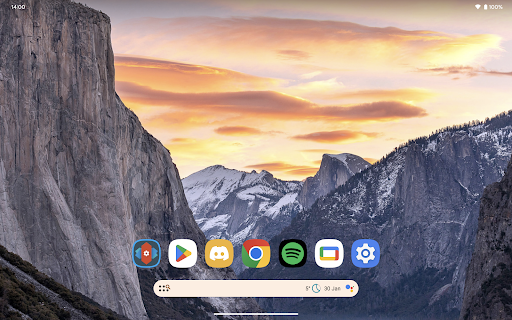
Nova Launcher is a powerful, customizable, and versatile home screen replacement designed to elevate your Android device experience. It offers an extensive array of features to enhance your home screens, making them more efficient and visually appealing. Even with its advanced capabilities, Nova Launcher remains user-friendly, catering to both beginners and tech enthusiasts alike. Whether you wish to completely overhaul your home screen layout or prefer a clean, fast launcher, Nova serves as the ultimate solution for personalization and performance.
Latest Features of Nova Launcher
The newest version of Nova Launcher brings the latest Android launcher features to all compatible devices, ensuring you stay ahead with cutting-edge functionality. From supporting custom icon themes to integrating system-specific color schemes, Nova keeps your home screen modern and dynamic. Its continuous updates ensure compatibility with the latest Android versions, offering users an optimized and seamless experience.
Custom Icon Support
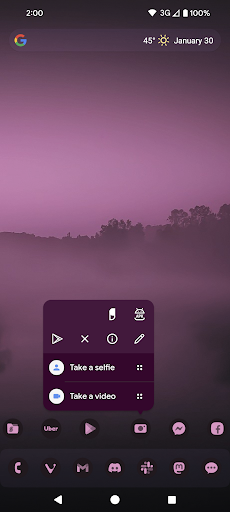
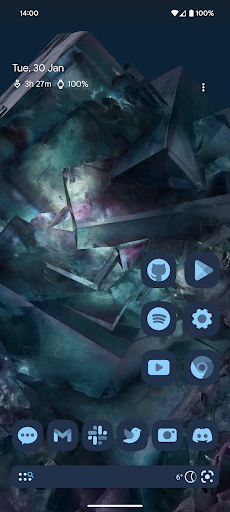
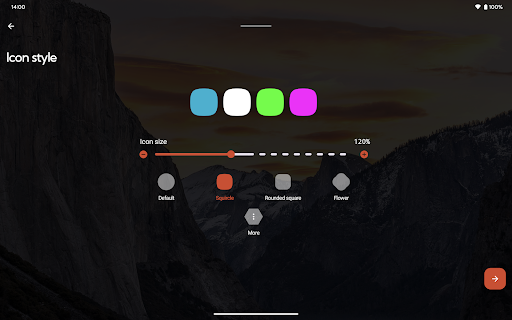
One of Nova Launcher's standout features is its support for thousands of icon themes available on the Play Store. Users can easily browse and apply new icon packs to give their device a personalized look. Additionally, Nova allows reshaping all icons into a shape of your choosing—be it circles, squares, or custom styles—for a uniform and cohesive appearance across your home screen and app drawer.
Color and Theme Customization
Use Material You Colors
Nova Launcher seamlessly integrates with your system's Material You colors, enabling your home screen to adapt dynamically to your device's theme. This results in a cohesive visual experience that matches your wallpaper and overall aesthetic.
Light and Dark Themes
Customize your device's visual ambiance with light and dark themes. You can sync dark mode with your system settings, or set it to stay on permanently. This flexibility ensures your home screen remains comfortable to view, whether during daytime or nocturnal usage.
Enhanced Search System
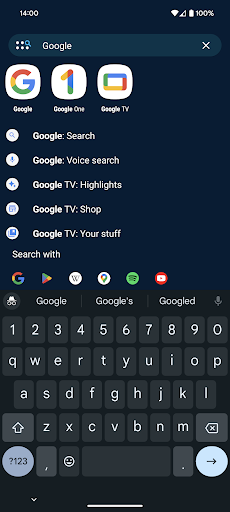
Nova Launcher offers a powerful search system that allows you to find content within your apps, contacts, and online services swiftly. Its integrations enable quick calculations, unit conversions, package tracking, and more—bringing useful micro-results directly to your fingertips without opening separate apps.
Advanced Home Screen and App Drawer Customization
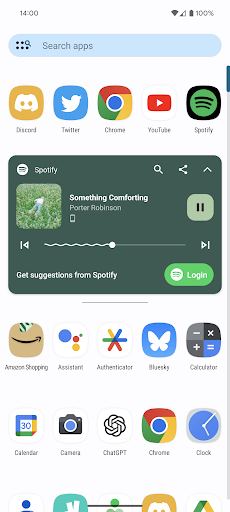
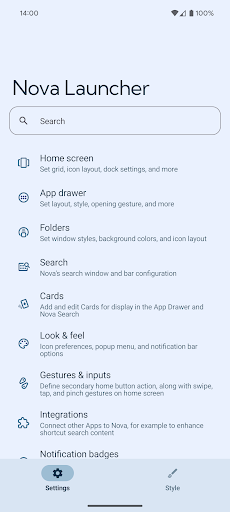
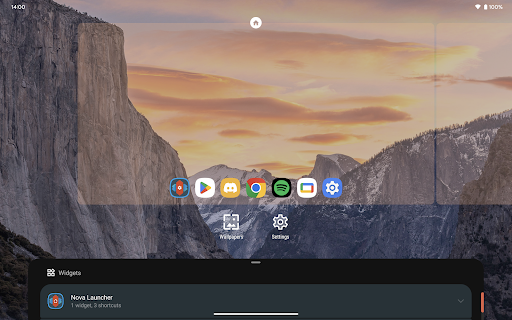
The app supports customizable home screens, including icon size, label colors, and scrolling direction. Search bar positioning can also be adjusted to suit your preferences. The app drawer features innovative custom cards that display relevant information, making your app organization more efficient.
Precise Layout with Subgrid Positioning
Nova's subgrid positioning allows you to snap icons and widgets precisely between grid cells. This precision control results in a clean, well-organized layout that is difficult to achieve with most other launchers.
Backup, Restore, and Easy Transfers
Easily transfer your personalized setup using Nova's backup and restore features. Backups can be stored locally or in the cloud, allowing effortless migration to new devices or restoring from resets—saving hours of reconfiguration time.
Support and Accessibility
Nova Launcher offers quick support options within the app and an active Discord community. It uses AccessibilityService for optional support of system functions like gestures, screen off, or recent apps access, all while ensuring user data remains private.
Nova Launcher Prime: Unlock the Full Power
Upgrade to Nova Launcher Prime to unlock its full potential, including features like:
- Gestures: Swipe, pinch, or double-tap to execute custom commands.
- App drawer groups: Create tabs or folders for better organization.
- Hide apps: Keep certain apps hidden from view without uninstalling.
- Icon swipe gestures: Assign actions to swipe up/down on icons for quick access.
- And more, such as additional scrolling effects, notification badges, and media controls.
Design and Icon Packs
Nova Launcher supports a wide array of icon packs, including those from popular designers like PashaPuma Design. This allows for a highly personalized and aesthetic home screen experience that matches your style.
Performance and Optimization
A significant advantage of Nova Launcher is its lightweight design. It runs smoothly without slowing down your device, even with numerous widgets and animations active. Optimized for speed, Nova gives your Android phone a noticeable performance boost.
Conclusion
In summary, Nova Launcher is a comprehensive home screen customization tool that empowers users to tailor every aspect of their Android experience. Its extensive features—from icon theming and layout precision to gestures and backup options—make it ideal for users seeking both simplicity and depth in personalization. If you're ready to transform your phone into a uniquely yours device, Nova Launcher is undoubtedly the app to explore.
Pros
- Highly customizable interface
- Smooth and responsive performance
- Ability to backup and restore data
- Receives regular updates
- Includes gestures for quick access
Cons
- Some features available only with a premium subscription
- May be complicated for new users
- Occasional minor bugs
- Limited widgets in the free version
- Drains battery on older devices











