
Introduction to VivaCut - The Ultimate Video Editor & Video Maker
VivaCut is an amazing video editor and video maker that empowers users to create stunning videos whether for social media, professional projects, or personal memories. Designed with both beginners and experienced editors in mind, VivaCut offers a comprehensive suite of features that facilitate cinematic storytelling and quick video production.
This professional video editing app supports multi-layer editing, chroma key, green screen effects, and an array of dynamic transition templates. With VivaCut, you can craft compelling videos optimized for platforms like YouTube, Instagram, TikTok, and Snapchat. Looking to boost your social media likes and engagement? Download VivaCut now and elevate your content creation game!
Basic Video Editing Features
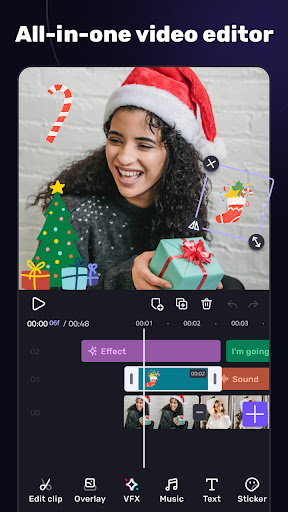
Multi-layer Timeline
VivaCut boasts an intuitive and sleek editing interface that includes a multi-layer timeline for complex editing. The zoom feature allows for frame-by-frame precision, ensuring that every cut and overlay is perfect.
Text Editing
Customize your videos with a variety of text styles—edit, duplicate, and modify fonts, emojis, colors, opacity, shadows, and strokes to make your message stand out.
Trim & Split Videos
Use professional trimming and splitting tools to refine your footage. Easily split videos to remove unwanted sections and optimize clips for sharing.
Combine Clips & Transitions
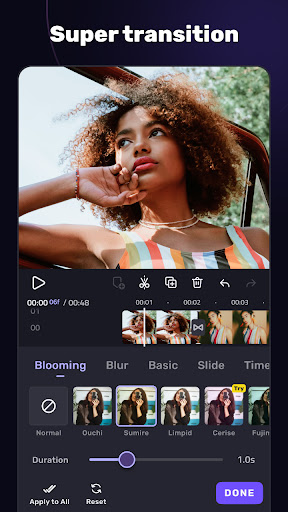
Merge multiple video clips seamlessly into a single stunning video. Add smooth transitions to enhance the cinematic quality of your projects with just one click.
Speed Control
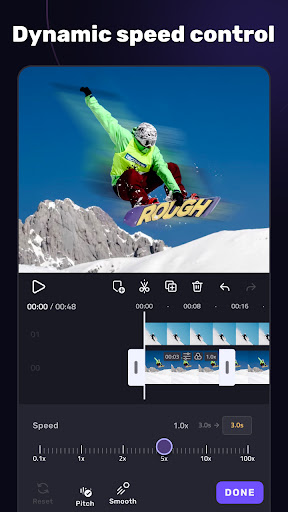
Create professional slow-motion or fast-motion videos effortlessly. VivaCut makes speed adjustments straightforward for dramatic effects.
Advanced Video Editing Capabilities
Green Screen & Chroma Key
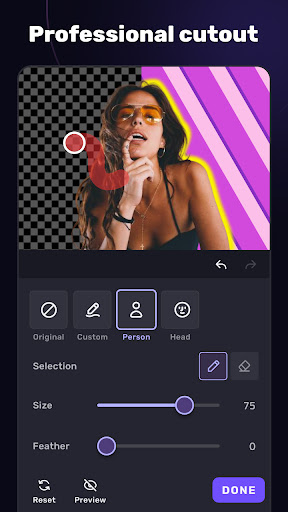
Transform your videos with Hollywood-level chroma key effects. Replace backgrounds and create clips that look like they were shot in a professional studio.
Keyframe Animation
Apply animations to masks, text, stickers, and videos. Use keyframes to animate and customize effects for a pro aesthetic finish.
Masking & Shape Effects
Utilize linear, mirror, radial, rectangle, and oval masks to craft unique scenes. Perfect for creative video compositions when editing for YouTube or social media.
Picture in Picture & Collage
Overlay multiple clips and images to produce eye-catching videos and collages. This feature is ideal for creating double exposures and engaging visual effects.
Overlay & Blend Modes
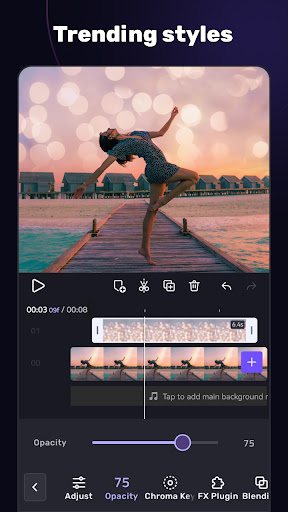
Customize layers with opacity and blending tools. Mix videos using modes like Color Burn, Multiply, Screen, and Soft Light for artistic effects.
Effects, Filters & Transitions
Video Transition & Effects
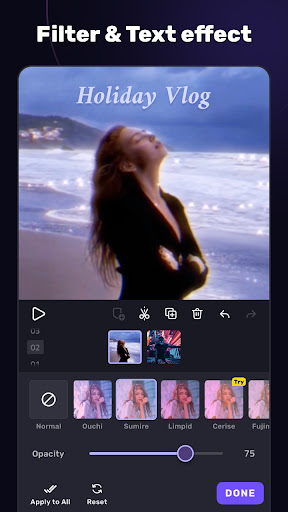
Design cinematic effects with transition overlays that give your videos a movie-level quality. Add trendy filters and glitch effects to keep your content fresh and engaging.
Filter & Glitch Effects
Enhance your videos with adjustable filters and trendy glitch effects, making your creations modern and visually captivating.
Music & Audio Features
Music Marker & Sync
Highlight specific parts of your soundtrack to synchronize effects or transitions precisely with the music rhythm. This feature helps create more professional and dynamic videos.
Audio Extraction & Sound Effects
Extract audio from videos or add background music easily. VivaCut supports a variety of sound effects to enhance your audio experience.
Templates for Music Videos
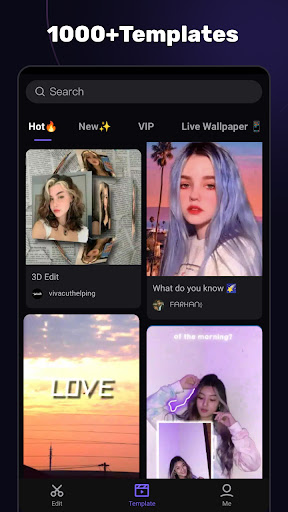
Create music videos quickly by applying customizable templates, adding unique filters, and slick effects that match your chosen track.
Save & Share Your Masterpieces
Export Options
Export your videos in various resolutions, including 720p, 1080p, and 4K. Rename files and save high-quality content directly to your device’s gallery with transition effects preserved.
One-Click Sharing
Share your creations effortlessly on social media platforms such as YouTube, Instagram, TikTok, and Snapchat with just one click, helping your videos go viral easily.
Why Choose VivaCut?
VivaCut stands out as a pro-level video editing app packed with features designed for both casual and professional use. Its all-in-one platform supports multi-layer editing, cinematic effects, green screen, advanced masking, and audio synchronization, making it a top choice for content creators aiming for high-quality productions.
Whether you're working on social media clips, marketing videos, or personal projects, VivaCut provides the tools to bring your vision to life. The intuitive interface paired with powerful editing capabilities ensures that you spend less time troubleshooting and more time creating.
For those looking to step up their video editing game, VivaCut is a must-try app. Download today and start making your videos stand out with impressive effects, cinematic transitions, and professional-quality edits!
Pros
- Intuitive interface suitable for users of all skill levels.
- Powerful editing tools enabling professional-grade results.
- A diverse selection of effects and transition options.
- Capability to export videos in high resolution.
- Frequent updates introducing new features.
Cons
- Occasional prompts for in-app purchases.
- Free version offers limited functionalities.
- Some features require a subscription plan.
- May be demanding on older or less powerful devices.
- Possibility of experiencing occasional application crashes.











