
Introducing the Video Maker App: Your Ultimate Video Editing Companion
Are you eager to create stunning videos but feel overwhelmed by complicated editing tools? Look no further! Video Maker is designed to simplify the video editing process, transforming you from a novice into a professional video creator effortlessly. Whether you're crafting a quick social media clip, a memorable travel montage, or a polished vlog, this app provides all the features you need to produce high-quality videos with ease and fun.
Intuitive Interface for Effortless Editing
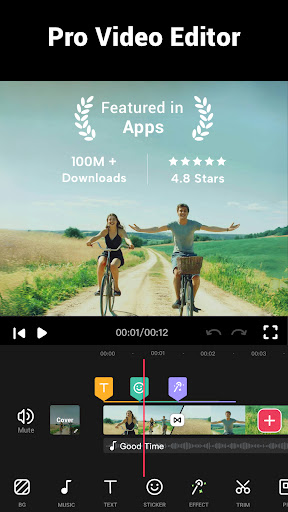
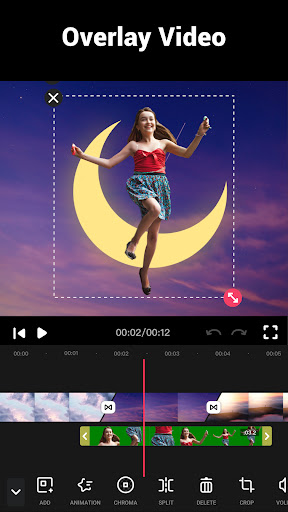
Once you launch Video Maker, you'll be greeted with a sleek, user-friendly interface that makes navigation a breeze. The clean layout ensures that even beginners can dive straight into editing without wasting time figuring out where tools are located. The app offers a variety of ready-made templates suited for different occasions like birthdays, travel adventures, or special events. Simply select a template, add your media clips—photos or videos—and instantly generate a captivating video ready to share.
Powerful Features to Enhance Your Videos
Music Library & Sound Effects
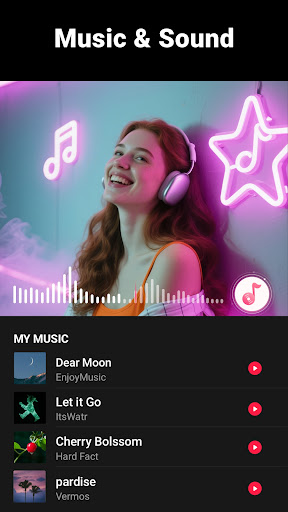
A standout feature of Video Maker is its extensive music library. Featuring a wide collection of high-definition tracks, the app ensures you'll find the perfect soundtrack for any mood or theme. You can also add your own music from your device, adjust volume levels, and create fade-in or fade-out effects seamlessly.
Transition Effects & Styles
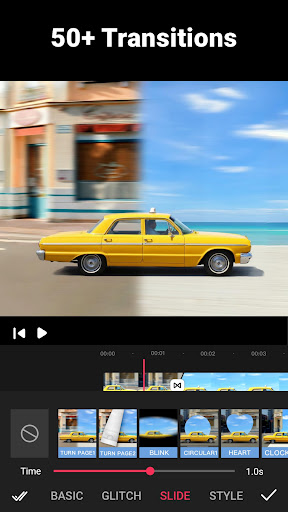
Smooth transition effects are vital for professional-looking videos, and this app offers over 50 options including Glitch, VHS, and Noise effects. Easily drag and drop these transitions between clips to craft visually engaging stories or tutorials.
Text & Sticker Customization
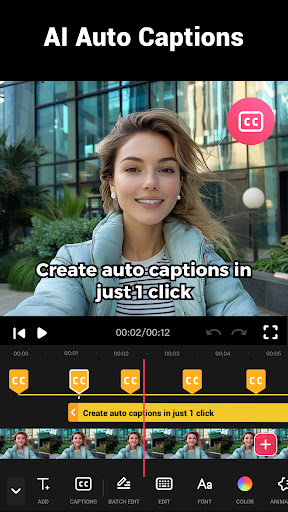
Make your videos more lively with a variety of fun fonts, captions, and stickers. Adding personalized text and decorative elements ensures your content resonates with your audience and stands out on social media platforms.
Speed & Background Editing
Adjust the speed of your videos from slow motion to ultra-fast clips, with options ranging from 0.2x to 100x. Additionally, you can add multi-ratio borders, change background colors, or apply a blur effect to adapt your video for different social media feeds like Instagram, TikTok, or Facebook.
Advanced Editing Tools for Creators of All Skill Levels
Both beginners and pros will appreciate the comprehensive editing tools of Video Maker. Trim, split, crop, and merge clips effortlessly, all while maintaining stunning HD quality output—including support for up to 4K resolution. The app also allows precise video cropping in standard ratios such as 1:1 for Instagram or 16:9 for YouTube, ensuring your videos fit perfectly on any platform.
Share & Export Your Creations Instantly
Once editing is complete, exporting your video is quick and straightforward. Choose from various resolutions and formats, optimize your video quality, and easily share your masterpiece directly to social media platforms like YouTube, Instagram, Facebook, TikTok, and more. The app ensures your content is ready for the spotlight without watermarks or ads, giving you a truly professional look.
Why Choose Video Maker?
Designed for all users—be it a beginner or a seasoned creator—Video Maker combines ease of use with an extensive suite of features. Its multi-layer editing capabilities, rich library of effects, and flexible exporting options make it the ideal tool for crafting captivating videos quickly. Plus, with continual updates adding new effects, fonts, and transition styles, your creative options keep expanding.
Get Started Today and Unleash Your Creativity!
Transform your video projects from simple clips to cinematic masterpieces with Video Maker. The app is free, requires no registration, and is accessible across multiple platforms. Whether you're creating content for social media or making a professional-grade video, Video Maker provides all the tools you need in one convenient package. Dive in today, have fun, and share your stories with the world!
Pros
- User-friendly interface suitable for beginners.
- Offers a wide array of editing tools.
- Compatible with multiple video formats.
- Accelerated rendering and export speeds.
- Produces high-quality video outputs.
Cons
- Limited features in the free version.
- Reports of occasional application crashes.
- Advertisements in the free version can be disruptive.
- Lacks advanced editing capabilities.
- Free version does not support 4K videos.











