
Introduction to VN - Video Editor & Maker
Have you ever captured an amazing video that just needed a little extra touch to truly make it stand out? VN - Video Editor & Maker is the perfect app designed to transform your footage into stunning videos effortlessly. Whether you're a beginner or a seasoned video creator, this free, easy-to-use editing tool offers a myriad of features to help bring your creative vision to life. With no watermark and an intuitive interface, VN streamlines the editing process, ensuring you can craft high-quality videos without hassle.
Key Features of VN - Video Editor & Maker
Simple and Professional Video Editing
VN is renowned for its user-friendly design that makes video editing accessible to everyone. The app provides all necessary features to produce professional-grade videos, suitable for social media, personal projects, or professional content. From trimming to sophisticated effects, VN has it all, catering to both amateur and professional editors.
Intuitive Multi-Track Video Editor
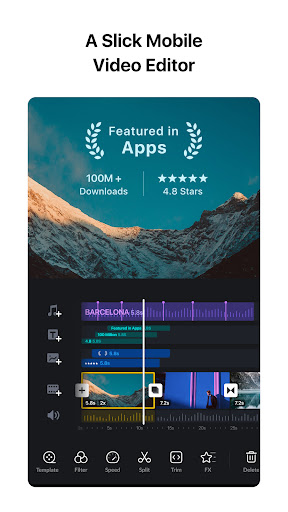
The app includes a robust multi-track timeline, allowing layered editing with videos, images, stickers, and texts. Features like quick rough cut make editing precise, with the ability to select keyframes as short as 0.05 seconds. You can easily delete clips by swiping and reorder your materials with drag-and-drop gestures, making complex edits straightforward.
Music and Audio Enhancements
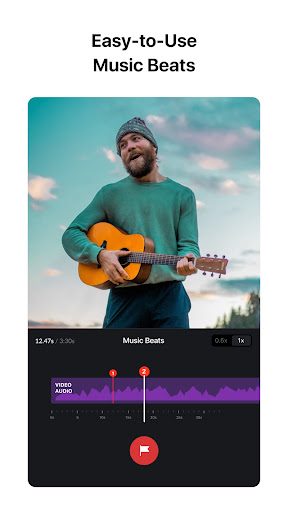
Adding music beats synchronization is simple. You can insert markers to match your video clips to the beat of your music, elevating the cinematic quality. The app also supports convenient voice-over recordings, enabling you to add narration or commentary quickly, enhancing the storytelling aspect of your videos.
Trending Effects and Color Grading
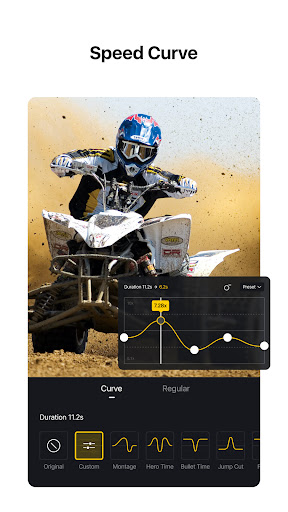
VN offers a rich kit of visual effects, including transitions like overlays and blurs, with adjustable timing and speed. The speed curve feature allows you to create dynamic slow-motion or fast-motion segments, similar to professional editing software like Adobe Premiere Pro. Furthermore, importing LUT (.cube) files lets you apply cinematic filters for a professional, polished look.
Advanced Editing Tools
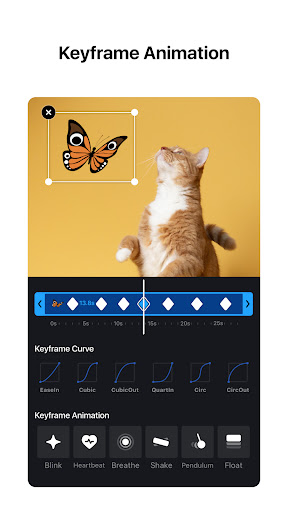
For more creative control, VN includes keyframe animation with 19 built-in effects, reverse and zoom functions, and a simple freeze frame feature to make moments more dramatic. You can also create customizable templates for music videos, making repeated projects quick and easy to produce.
Flexible Material Management
Import your music, sound effects, fonts, and stickers seamlessly via Wi-Fi, WhatsApp, or Telegram—also supporting bulk import through Zip files. The robust material library enriches your editing palette, allowing you to add fun stickers and stylish fonts to match your video’s vibe.
Rich Text Templates & Customization
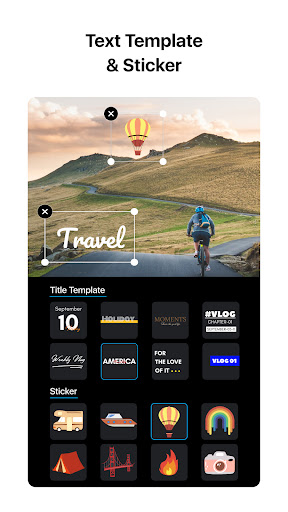
Select from diverse text templates and fonts, then customize font color, size, and spacing to align with your video style, making your content more engaging and personalized.
Quick Sharing and Collaboration
Finish your project and share it easily across social media platforms in 4K resolution at up to 60FPS. The app supports project transfer via Google Drive or OneDrive, enabling seamless collaboration across devices. You can also secure your drafts with passwords and expiration dates, protecting your creative assets.
Why Choose VN - Video Editor & Maker?
VN - Video Editor & Maker stands out as a comprehensive yet intuitive tool that empowers users to craft professional-looking videos with minimal effort. Its extensive feature set includes precise editing, creative effects, and flexible material management, all within a free app free from watermarks. Whether you're editing personal videos for social media or producing content for professional channels, VN offers the tools needed to create visually stunning videos that captivate audiences.
Additionally, the app’s support for collaboration and secure project management makes it ideal for users who work across multiple devices or need to share projects safely. Its cinematic filters and advanced editing options bring your footage to the next level, making VN a top choice for aspiring and experienced video editors alike.
Pros
- User-friendly interface for easy editing
- Supports high-resolution video exports
- Wide range of effects and transitions
- Fast rendering times for quick results
- Includes a variety of background music options
Cons
- Limited advanced editing features
- Some features are locked behind a paywall
- Occasional app crashes reported
- Large file size may require additional storage
- Ads can be intrusive during editing