


Overview of Screen Recorder - AZ Recorder
Featured on renowned platforms such as Google Play Home Page, BusinessInsider, CNET, HuffPost, Yahoo News, and more, AZ Screen Recorder stands out as a dependable and high-quality screen recording application for Android. Designed to capture your screen with audio seamlessly, this app offers a suite of versatile features that cater to gamers, content creators, educators, and casual users alike. Whether you're aiming to record gameplay, produce educational tutorials, or save important video calls, AZ Screen Recorder provides an intuitive interface coupled with powerful functionalities to enhance your recording experience.
Main Advantages of AZ Screen Recorder
Using AZ Screen Recorder, users benefit from several key advantages:
- Ease of Use: The straightforward controls make recording effortless for users of all skill levels.
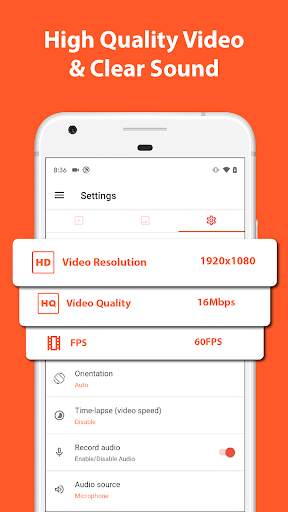
- High-Quality Videos: Capture crisp, HD, and even 4K videos on compatible devices, ensuring professional results.
- No Watermark: Save your recordings without distracting watermarks, maintaining a clean look.
- No Time Limit: Record lengthy videos without restrictions, perfect for tutorials or gaming sessions.
Key Features that Make AZ Screen Recorder Essential
Screen Recording Capabilities
AZ Screen Recorder offers robust recording features designed for maximum flexibility:
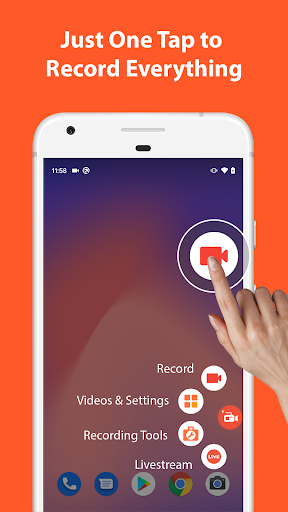
- Start/Stop Easily: Utilize control buttons for quick access to initiate or end recordings.
- Pause and Resume: Flexibly pause your recording and continue when ready, ensuring perfect clips.
- Audio Options: Record internal audio (Android 10 and above) or mic input for voiceovers and commentary.
- Facecam Overlay: Show your face in a floating window, ideal for tutorials or reactions.
- GIF Recording: Convert your screen activity into GIF animations for sharing on social media.
- Drawing Tool: Draw on your screen during recording to highlight points or illustrate concepts.
- Shake to Stop: Use device shake as a quick method to end recording.
- Wifi Transfer: Seamlessly transfer videos and screenshots to your PC via WiFi.
Video Editing Features
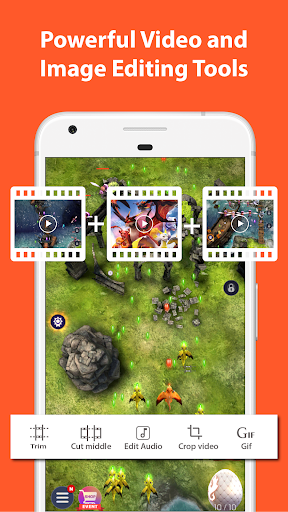
The app doubles as a mini video editor, allowing you to refine your recordings with features such as:
- Trim and Cut: Remove unwanted sections for a cleaner final product.
- Merge Clips: Combine multiple recordings into a single video.
- Add Background Music and Subtitles: Enhance your videos visually and audibly.
- Extract Frames and Crop: Edit visuals precisely and focus on specific parts.
- Rotate and Compress: Orient your videos correctly and reduce file size for easy sharing.
Streaming and Screenshot Tools
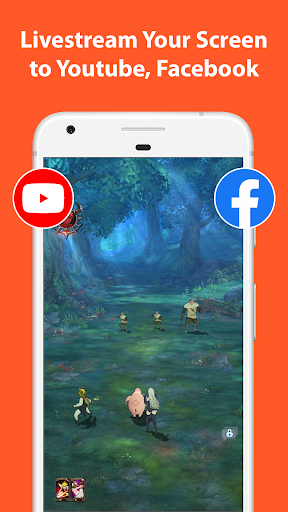
This versatile app also supports live streaming to platforms like YouTube and Facebook, enabling you to broadcast your screen and audio directly to your viewers. Additionally, it offers powerful screenshot capturing and editing tools:
- Screenshots: Capture your screen with a single tap.
- Image Editing: Stitch images together, crop, blur sensitive areas, or add text and emojis for personalization.
Multi-Purpose Use Cases
AZ Screen Recorder is suitable for multiple scenarios:
- Screen Recording with Audio: Perfect for recording video calls, tutorials, or gameplay with voice commentary.
- Internal Audio Recording: Supported on Android 10 and above, allowing you to capture the original sound from apps or games.
- Game Recording: Supports resolutions up to 4K and frame rates like 60fps, making it an ideal game recorder for high-quality gameplay videos.
- Video Call Recorder: Save important conversations with family, friends, or colleagues.
Why Choose AZ Screen Recorder?
If you're seeking a reliable and feature-rich screen recording app, AZ Screen Recorder is undoubtedly a top contender. Its user-friendly interface, high-quality output, and extensive tools make it suitable for both amateurs and professionals. The app's ability to support internal audio recording, alongside its editing and live streaming features, sets it apart from many competitors. Whether you're a YouTuber, gamer, teacher, or casual user, AZ Screen Recorder empowers you to create engaging content effortlessly.
Download AZ Recorder today and discover how easy it is to capture your screen activities with exceptional quality. With continuous updates and customer-first features, this app is committed to making your screen recording experience exceptional.
Pros
- Easy to use interface
- High-quality video recording
- No watermark
- Flexible settings
- Supports live streaming
Cons
- Contains ads
- Consumes a lot of battery
- No internal audio recording on some devices
- Limited video editing features
- May lag on older devices











