








Discover the Ultimate Video Downloader - Downloader for Seamless Offline Video Saving
Are you tired of browsing endlessly on the internet in search of a trustworthy tool to save your favorite videos? Look no further than Video Downloader - Downloader, an innovative app designed to simplify the process of downloading videos and music directly onto your device. Whether you're aiming to enjoy content offline or want a convenient way to store videos from your preferred platforms, this app offers a comprehensive solution that’s both powerful and user-friendly.
Easy Installation and User-Friendly Interface
Getting started with Video Downloader - Downloader is effortless. The installation process is straightforward, taking just a few taps to set up on your device. Once launched, you'll be greeted with a clean and intuitive interface that even beginners can navigate confidently. The main screen features a simple search bar alongside a list of trending videos, making discovery and downloads quick and hassle-free. Whether you are tech-savvy or new to video downloading apps, you'll find this tool accessible and easy to use.
Robust Features for Video and Music Downloads
What truly distinguishes Video Downloader - Downloader is its rich feature set, tailored to meet all your download needs. This app supports all formats, including popular options like MP4, AVI, MP3, M4A, MOV, and many more, ensuring compatibility across various devices. With the built-in browser, you can surf your favorite websites directly within the app, identify videos effortlessly, and initiate downloads without switching applications.
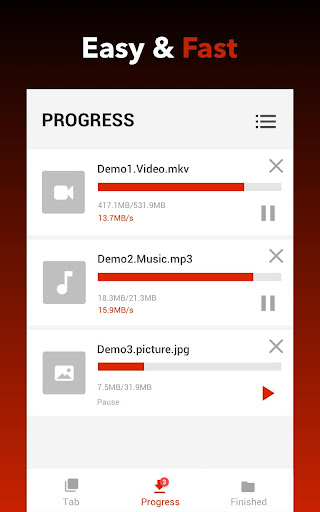
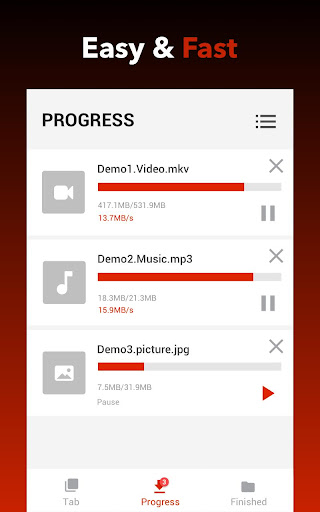
One of the standout capabilities is auto-detection of videos. As you browse websites, the app automatically recognizes video content, allowing you to download with a single tap. You can choose your preferred quality and resolution, from standard to HD, for the best viewing experience offline. The app’s download manager offers full control—pause, resume, or cancel ongoing downloads—while enabling multiple files to be downloaded simultaneously, saving you time.
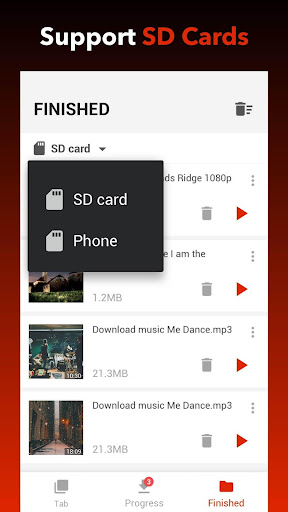
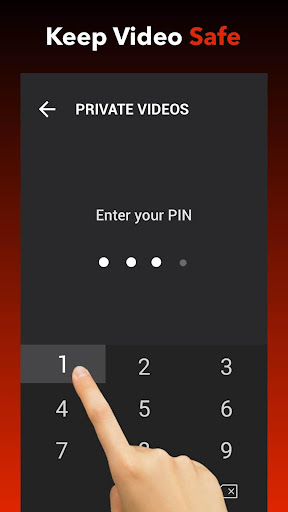
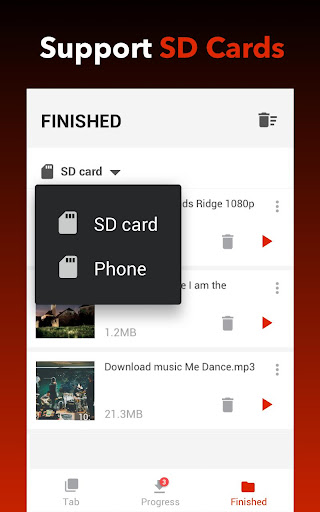
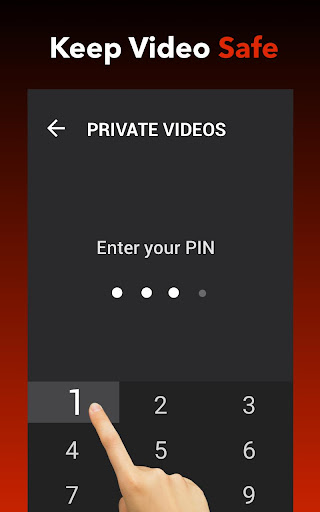
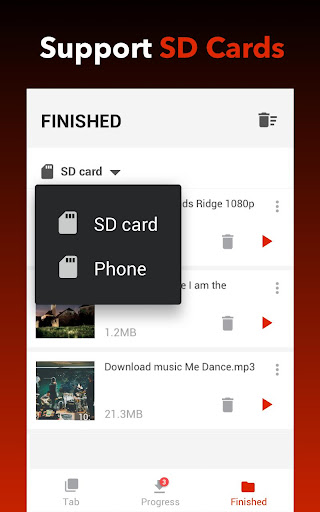
Additionally, you can store downloaded files securely in a password-protected folder, and the app supports downloading in the background, so you can multitask without interruption. For users with limited storage, SD card support makes it easy to save large files conveniently.
One of the standout capabilities is auto-detection of videos. As you browse websites, the app automatically recognizes video content, allowing you to download with a single tap. You can choose your preferred quality and resolution, from standard to HD, for the best viewing experience offline. The app’s download manager offers full control—pause, resume, or cancel ongoing downloads—while enabling multiple files to be downloaded simultaneously, saving you time.
Additionally, you can store downloaded files securely in a password-protected folder, and the app supports downloading in the background, so you can multitask without interruption. For users with limited storage, SD card support makes it easy to save large files conveniently.
Performance and Download Management
When it comes to performance, Video Downloader - Downloader shines with its fast download speeds and smooth operation. Whether on Wi-Fi or mobile data, the app handles large files efficiently, including HD videos. You can monitor your download progress via an insightful progress bar, giving you real-time updates. Should a download fail or be interrupted, the app features an automatic resume function, ensuring you don’t lose progress.
The integrated download manager keeps your files organized, letting you easily access, delete, or queue new downloads. Thanks to its lightweight design and optimized algorithms, this app provides a seamless experience, even during multiple concurrent downloads.
The integrated download manager keeps your files organized, letting you easily access, delete, or queue new downloads. Thanks to its lightweight design and optimized algorithms, this app provides a seamless experience, even during multiple concurrent downloads.
Additional Features for Better User Experience
Beyond basic downloading, Video Downloader - Downloader offers several advanced features to enhance your media management. You can add bookmarks for your favorite websites for quicker access, or preview videos in HD before downloading to ensure quality. The app also allows you to download a variety of media types, including videos, music, and images, making it versatile for all your media needs.
Enjoy the convenience of background downloads, multi-language support, and a simple interface that makes managing your media library straightforward. Whether you're on a mobile device or SD card storage, this app adapts to your preferences seamlessly.
Enjoy the convenience of background downloads, multi-language support, and a simple interface that makes managing your media library straightforward. Whether you're on a mobile device or SD card storage, this app adapts to your preferences seamlessly.
How to Use This Powerful Video and Music Downloader
Using Video Downloader - Downloader is as simple as browsing your favorite sites and tapping a few buttons. Open the built-in browser, navigate to your preferred platform, and observe as the app automatically detects available videos. Tap the download button, select your desired format and quality, and watch as your chosen content begins downloading swiftly. It's perfect for saving videos for offline viewing or creating a local library of your favorite music and images.
Why Choose Video Downloader - Downloader?
If you're seeking a fast, reliable, and feature-rich video downloader, this app ticks all the boxes. It combines ease of use, extensive format support, and robust download management, making it one of the best tools available for offline media access. Whether you're a casual user wanting to save videos for a commute or a power user regularly downloading large files, Video Downloader - Downloader stands out with its performance and versatility.
Conclusion
In summary, Video Downloader - Downloader offers a comprehensive solution for downloading videos, music, and images quickly and efficiently. Its user-centric design, support for multiple formats, and batch downloading features make it a top choice for anyone in need of a dependable offline media downloader. With ongoing updates and a focus on performance, this app is poised to become your go-to tool for all your video and music saving needs.
Pros
- Supports multiple formats for download
- Fast download speeds
- Simple and intuitive interface
- Allows background downloading
- Supports HD video quality
Cons
- Contains ads during usage
- Limited to certain websites
- Requires in-app purchases for some features
- No built-in video player
- Occasional download failures











