
Introduction to the Move to iOS App
Switching from an Android device to an iPhone or iPad has never been easier thanks to the Move to iOS app. Designed with user convenience in mind, this app simplifies the process of transferring your essential data securely and seamlessly. Whether you're concerned about migrating your contacts, message history, or multimedia content, Move to iOS provides a reliable solution that minimizes hassle and maximizes efficiency.
How Does the Move to iOS App Work?
Easy and Secure Migration
Using Move to iOS is straightforward. After downloading the app on your Android device, your Android and new iOS device will establish a private Wi-Fi connection, creating a safe environment for data transfer. The process begins by powering on your new iPhone or iPad, which sets up a private network. When you select the data migration option during setup, your device will prompt you to enter a security code displayed on your Android device, initiating the transfer process.
Step-by-Step Process
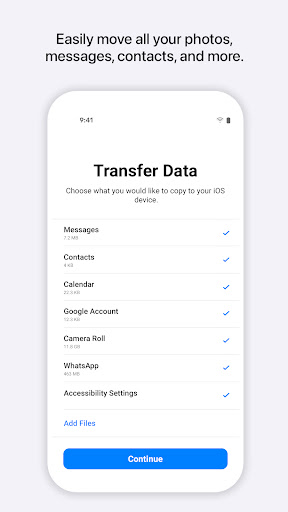
Once the devices are connected, Move to iOS automatically begins transferring your data. Keep both devices nearby and make sure they stay connected to power to prevent interruptions. The app securely migrates various content types including:
- Contacts
- Message history
- Camera photos and videos
- Mail accounts
- Calendars
- WhatsApp content
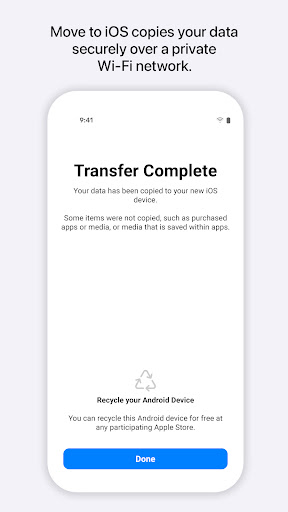
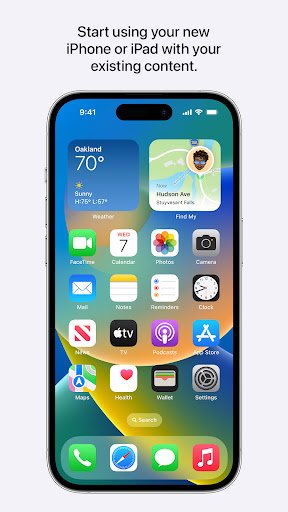
When the transfer completes, your new iOS device will have all your selected content organized in its respective apps and locations, making the transition smooth and hassle-free.
What Content Can You Transfer?
Move to iOS excels at migrating a broad spectrum of data, ensuring your new device feels just like your old one. You can transfer contact information, message history, multimedia files such as photos and videos, and even web bookmarks and calendar events. Plus, your device wallpaper can also be transferred, giving your new iPhone or iPad a familiar look right from the start.
It’s worth noting that some content, like apps and music, will need to be re-downloaded from the App Store or other sources. Nonetheless, the core data and settings are seamlessly moved, providing a near-identical transition experience.
User Experience and Additional Benefits
Simple and Intuitive Interface
The Move to iOS app is designed for users of all tech levels. The setup process is intuitive: after starting your new device, select the option to transfer data and follow on-screen instructions. The app will generate a security code, which you will then enter on your Android device to establish the connection.
Time Efficiency and Final Steps
The transfer duration varies depending on the amount of data, but it’s generally quick. While waiting, you can relax or prepare your new device for use. Additionally, the app encourages recycling your old Android device, promoting eco-friendly practices and helping you find a new purpose for your device.
Final Verdict: Is Move to iOS Worth It?
Absolutely. Move to iOS is a reliable partner for anyone considering a switch from Android to iOS. It performs its core functions effectively, making the daunting task of data migration feel like a walk in the park. Although occasional connection hiccups may occur, they are minor compared to the overall convenience offered by the app.
For prospective iPhone or iPad users, this app acts as a friendly guide, turning the complex process of transferring data into a straightforward experience. If you’ve been contemplating switching ecosystems, giving Move to iOS a try might just persuade you that the grass is truly greener on the Apple side.
Pros
- Seamlessly transfers data from Android to iOS.
- User-friendly interface.
- Supports a wide range of data types.
- Free to use without in-app purchases.
- Reliable and secure transfers.
Cons
- Requires both devices to be connected to Wi-Fi.
- Some data types may not transfer.
- Can be slow with large data.
- Only works with new or reset iOS devices.
- Occasional connectivity issues.











