
Introduction to Google Classroom
Are you tired of juggling multiple platforms just to manage coursework or teaching tasks? Google Classroom is your all-in-one solution, designed to simplify the educational experience for both students and educators. Seamlessly integrating with Google’s suite of services, this innovative application streamlines communication, assignment management, and organization, transforming the way you teach and learn.
Key Features of Google Classroom
User-Friendly Interface
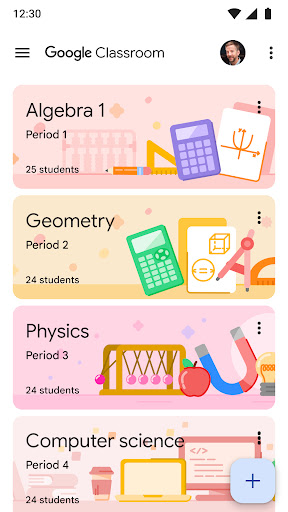
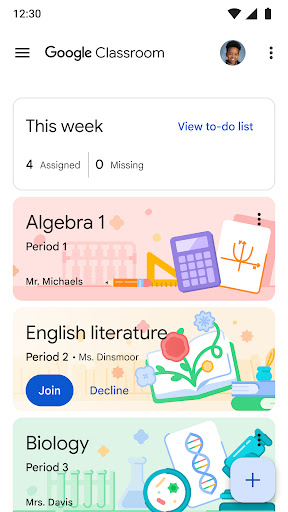
Google Classroom is crafted with simplicity and ease of use in mind. Its clean, intuitive layout ensures that users can navigate effortlessly without feeling overwhelmed by complex menus or numerous tabs. Everything—from class materials to assignments—is accessible within just a few clicks, making the platform suitable for users of all ages and tech proficiency levels.
Streamlined Communication
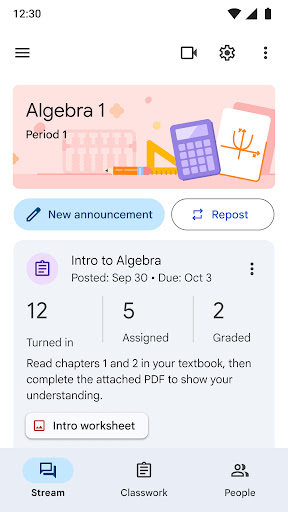
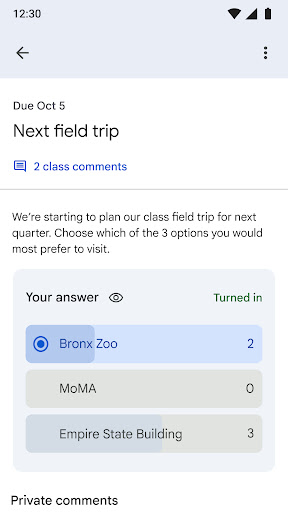
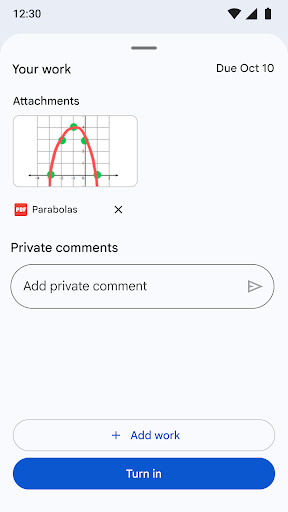
One of the standout advantages of Google Classroom is its effective communication tools. Teachers can easily post announcements and facilitate class discussions through the stream feature. Students, on the other hand, can comment, ask questions, and share resources directly within the platform, promoting active engagement. Additionally, private comment options enable shy students to communicate confidentially with their teachers, fostering a supportive learning environment.
Integration with Google Services
If you're already familiar with Google Docs, Sheets, and Slides, you'll find Google Classroom especially convenient. The platform smoothly integrates with these services, allowing for real-time collaboration and easy sharing of documents, presentations, and spreadsheets—all without leaving the app. This interconnected setup saves valuable time and keeps all your learning or teaching resources organized in Google Drive.
Assignment Management Made Easy
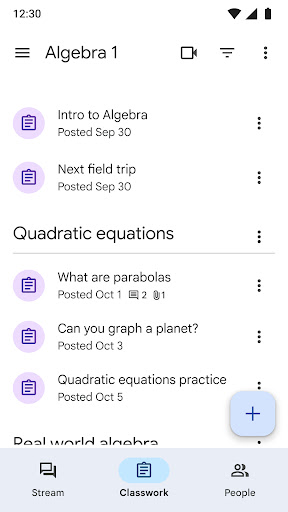
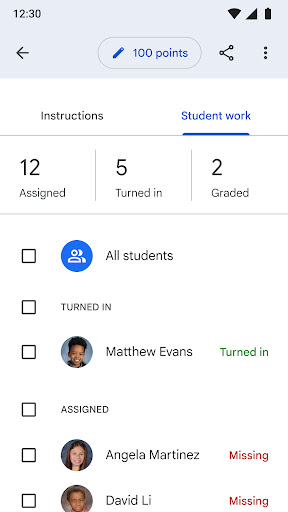
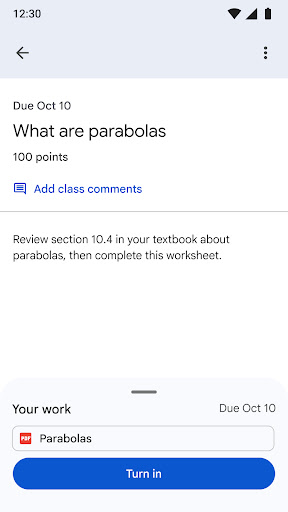
Managing assignments is effortless with Google Classroom. Educators can create, distribute, and grade assignments directly within the platform. The to-do list feature helps students keep track of upcoming deadlines, ensuring they stay organized and on schedule. The paperless workflow not only accelerates grading but also reduces paper waste, making education more sustainable.
Accessibility and Device Compatibility
Google Classroom works seamlessly across multiple devices—be it computers, tablets, or smartphones. This cross-platform synchronization allows students and teachers to access their coursework anytime, anywhere, facilitating flexible, on-the-go learning and teaching. Whether at home or on the move, users can stay connected and productive.
Security and Privacy
As part of Google Workspace for Education, Google Classroom prioritizes student privacy and data security. The platform contains no ads and does not utilize student content for advertising purposes. Permissions such as camera access, storage, and account management are required solely to enhance functionality—like attaching media files, taking photos, or choosing the best account to use—ensuring a safe and secure environment without compromising privacy.
Conclusion
In conclusion, Google Classroom is revolutionizing the educational landscape by offering a comprehensive, easy-to-use platform that enhances learning and teaching efficiency. Whether you're a student seeking organized coursework or an instructor aiming to streamline lesson delivery, Google Classroom integrates all essential tools into one user-friendly interface. Give it a try and experience how it can elevate your academic routine—making education more accessible, organized, and engaging for everyone involved.
Pros
- Seamless integration with Google services
- User-friendly interface for students and teachers
- Efficient assignment management
- Real-time collaboration features
- Supports multimedia content sharing
Cons
- Limited customization options
- Requires internet access
- No offline mode for assignments
- Notifications can be overwhelming
- Limited grading options










