


Introduction to Family Space
In today’s digital age, maintaining a healthy and secure connection within your family is more important than ever. Family Space is a thoughtfully designed app that offers peace of mind for families who want to stay connected while promoting productive, safe, and healthy digital interactions with their devices. Recognizing that each family has unique technology needs, Family Space provides a customizable platform to create a secure digital environment tailored to your loved ones.
Key Features of Family Space
Spaces for Young Children
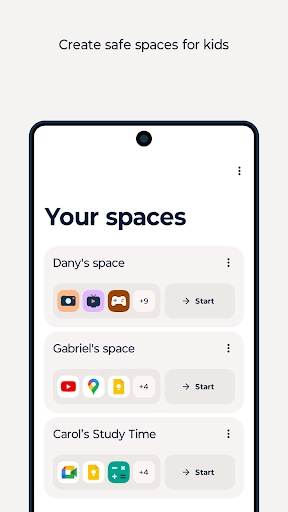
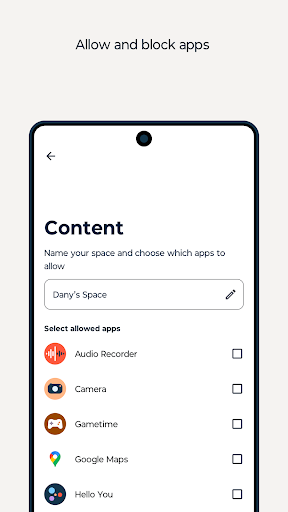
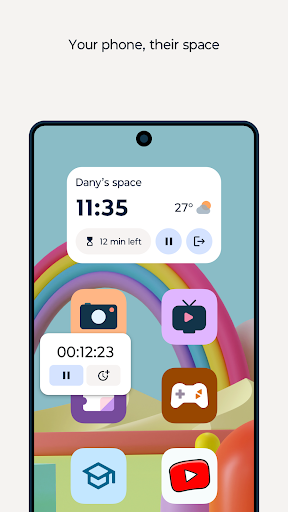
The Spaces feature is ideal for the youngest family members who are not yet ready for their own devices. It allows you to lend your device, ensuring children access only specific apps that you consider age-appropriate. This setup eliminates worries about accidental message replies, in-app purchases, or exposure to inappropriate content. It provides safe, educational fun for your children, fostering learning without compromising their safety.
Family Hub for Parental Control
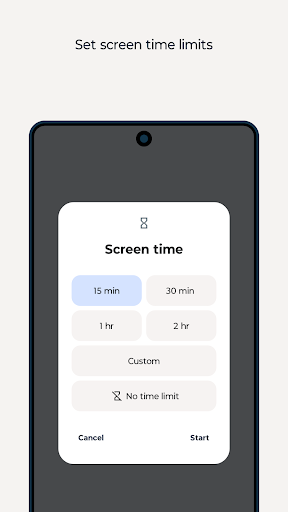
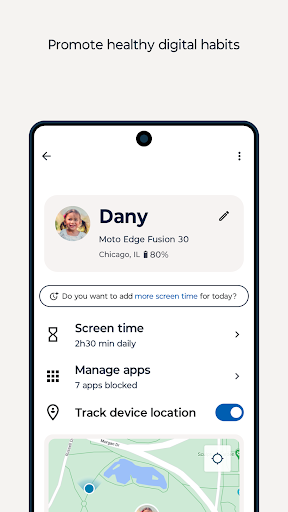
The Family hub feature empowers parents and guardians with comprehensive control over their family's digital experience. You can set time limits, monitor app usage, track locations, and ensure your children engage with content aligned with your family values. This facilitates a healthy balance between screen time and quality family moments, encouraging responsible device use.
Customizable Experience
Understanding that every family is unique, Family Space offers extensive customization options to cater to your specific needs. You can tailor the app’s settings to fit your family's dynamics, making it your own digital environment. Whether adjusting restrictions or customizing notifications, it’s designed to adapt seamlessly with your lifestyle.
Technical Requirements and Permissions
This app utilizes Accessibility services to effectively monitor and manage screen time. These permissions support features like App blocking — on-demand or scheduled — especially on children’s devices. By implementing these permissions, Family Space ensures a secure and controlled digital experience for every family member.
Enhanced Family Connectivity and Coordination
Beyond safety features, Family Space functions as a comprehensive family coordination tool. Its intuitive and warm user interface makes managing daily activities effortless. Think of it as a digital family bulletin board that simplifies scheduling through a shared calendar. You can add events, set reminders, and synchronize everyone’s schedules to avoid missed appointments or activities.
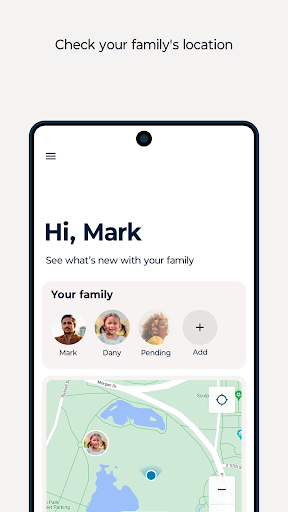
The app also includes a family chat feature, facilitating private and secure communication among family members. Share updates, photos, or funny memes to keep everyone connected no matter how far apart. Additionally, location sharing helps parents keep tabs on children’s whereabouts while ensuring robust privacy controls are in place.
An integrated task manager allows families to assign chores, grocery lists, or responsibilities, teaching responsibility to children and promoting organization within the household.
Performance and Usability
Family Space runs smoothly on both Android and iOS platforms, offering efficient performance without draining device resources. Its straightforward layout and user-friendly design make navigation simple for both tech-savvy and less experienced family members. Easy installation, combined with helpful tooltips and a comprehensive FAQ section, ensures a hassle-free setup process, allowing families to start managing their digital lives within minutes.
Final Thoughts
In conclusion, Family Space is a versatile and family-friendly app suitable for modern households seeking to enhance family communication, ensure digital safety, and manage screen time effectively. Whether you're a parent aiming to control device usage or a family member wanting to stay connected, this app acts as your personal family assistant in your pocket. Its intuitive design and comprehensive features make it an essential tool for fostering a secure and harmonious digital environment. Once you start using Family Space, you’ll appreciate how it makes managing family digital life easier and more enjoyable—making every family moment safer and more connected.
Pros
- User-friendly interface suitable for all ages.
- Customizable parental controls.
- Supports multiple child profiles.
- Real-time location tracking feature.
- Provides comprehensive activity reports.
Cons
- Some features require a premium subscription.
- Occasional app crashes have been reported.
- Limited social media monitoring capabilities.
- High battery consumption potential.
- Not compatible with certain devices.











