

Discover the Power of Ringtone Maker: create ringtone
Are you tired of default ringtones and want to add a personal touch to your smartphone? Ringtone Maker: create ringtone is a versatile and free application designed to help you craft customized ringtones, alarms, notification sounds, and more. Whether you want to extract your favorite part of a song or record your own voice, this app makes it straightforward and enjoyable to transform ordinary audio files into unique sounds tailored for your device.
Intuitive Interface for Effortless Ringtone Creation
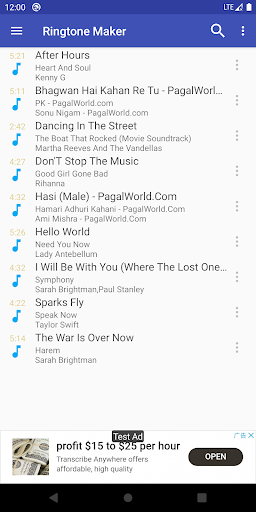
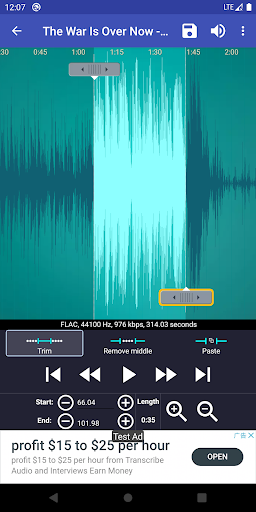
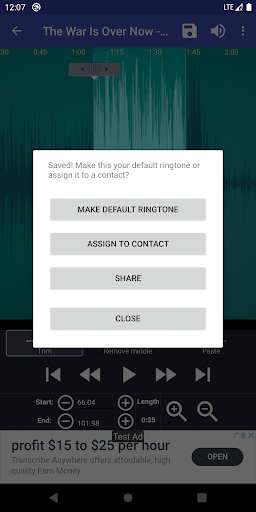
From the moment you open Ringtone Maker: create ringtone, you'll be greeted with a simple and user-friendly interface. You don’t need any technical skills to start customizing your ringtone. The app supports a broad range of audio formats including MP3, WAV, AAC, AMR, FLAC, OGG, MIDI, and MP4, ensuring that virtually all your favorite music or sound files can be edited. With features like sliding arrows along a waveform timeline, manual input of timestamp positions, or recording directly within the app, selecting the perfect clip is a breeze. Whether you want to cut, merge, fade, or adjust the volume, all tools are easily accessible.
Powerful Features for Personalized Sound Design
One of the standout features of Ringtone Maker is its ability to help you create a truly personalized audio experience. The app allows you to:
- Trim and cut your favorite parts of songs or recordings with precision, simply by dragging or inputting timestamps.
- Merge multiple audio files seamlessly through copy, cut, and paste functions, creating complex sound combinations.
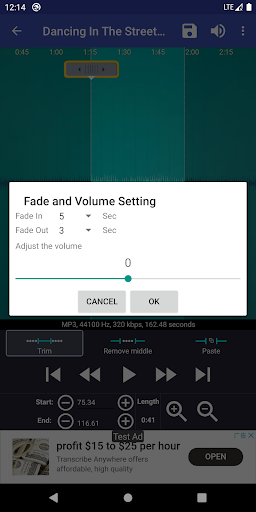
- Apply fade in/out effects and adjust volume levels for a polished, professional sound.
- Preview your edits easily with a waveform visualization that supports six zoom levels, making precise editing straightforward.
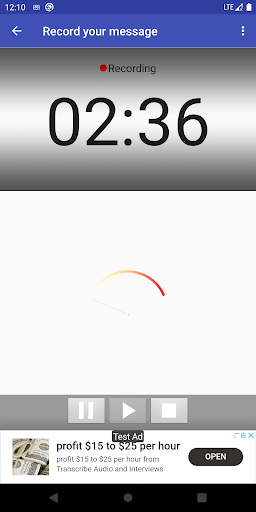
- Record your own voice or your children’s funny sounds, then set them as personalized ringtones or notifications—perfect for memorable call alerts.
Easy Management and Device Integration
Beyond creating sounds, Ringtone Maker simplifies assigning your custom creations directly to contacts or various alert types. You can set your newly crafted ringtone as a contact’s specific ringtone, alarm sound, notification tone, or music track. The app even supports sorting music by tracks, albums, or artists for easier navigation. Managing and organizing your personalized sounds is effortless, thanks to the intuitive interface.
Flexible Storage and Compatibility
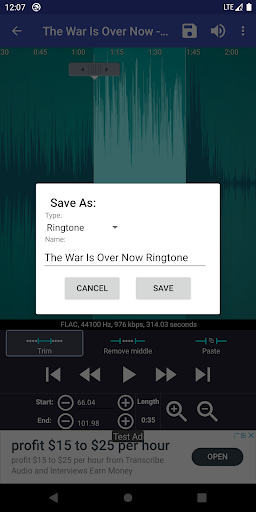
All your developed ringtones and notification sounds are saved in your device’s internal storage, with customizable save paths available in the app settings. Whether you want to keep your ringtones in the “ringtones” folder or organize notifications separately, you have full control. Additionally, the app facilitates syncing with your device's existing music library, though some system delays in database updates can occur. If needed, you can perform a manual scan to ensure your music is recognized.
Additional Features and Compatibility Tips
Ringtone Maker supports free music downloads within the app and offers an ad-free version for an optimized experience. For music from platforms like Google Play Music, a workaround involves downloading tracks via Chrome’s desktop mode and then importing them into the app for editing. The app is built on open-source code bases such as Ringdroid and SoundRecorder, ensuring open-source transparency and community support.
Why Choose Ringtone Maker: create ringtone?
This app is perfect for anyone wanting to stand out with personalized ringtones, alarms, or notifications. Its combination of user-friendly design, powerful editing tools, and wide format support makes it the go-to solution for customizing your device's sounds. Whether you’re creating a special ringtone for a loved one, setting up distinct alerts for different contacts, or simply want to experiment with audio editing, Ringtone Maker offers all the features you need in one convenient app.
Get Creative and Make Your Device Truly Yours
Say goodbye to generic sounds and hello to your own creative expressions. Download the ad-free version of Ringtone Maker today and start customizing your phone’s sounds effortlessly. The possibilities are endless—let your imagination run wild and make every call and notification a reflection of your personality!
Pros
- User-friendly interface.
- Supports a wide range of sound formats.
- Provides precision editing tools.
- Operates offline without internet connection.
- Free to use with minimal advertisements.
Cons
- Limited selection of sound effects.
- May occasionally crash.
- Advertisements can be disruptive.
- Requires storage access permissions.
- Does not include advanced editing features.











