


Introducing ZArchiver: Your Ultimate Android File Management App
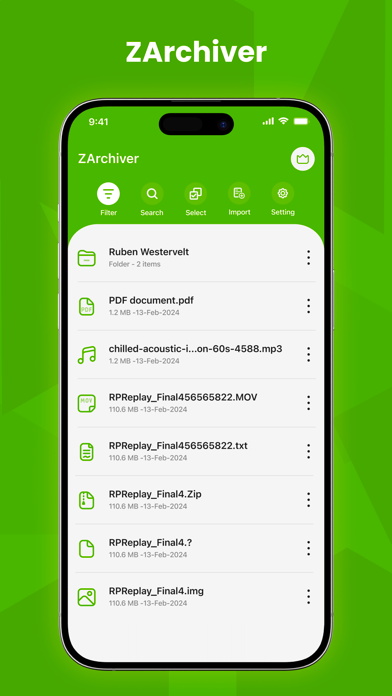
Managing files on your Android device can often be a cumbersome task, especially when dealing with compressed archives. However, with ZArchiver, file management becomes a seamless experience. This powerful app is designed to help users create, extract, and manage a wide variety of archive formats effortlessly. Whether you need to compress files to save space or access contents within an archive, ZArchiver has you covered. Its intuitive interface and comprehensive features make it a must-have tool for anyone looking to stay organized and efficient on their Android device.
Comprehensive Archive Format Support
One of the standout features of ZArchiver is its extensive support for numerous archive formats. The app enables you to create 7z (7zip), zip, bzip2 (bz2), gzip (gz), Xz, lz4, tar, and zst (zstd) archives. It also facilitates decompression and viewing of archive contents across a broad spectrum, including rar, rar5, iso, arj, cab, lzh, lha, lzma, xar, tgz, tbz, Z, deb, rpm, zipx, mtz, chm, dmg, cpio, cramfs, img (fat, ntfs, ubf), wim, ecm, lzip, egg, alz.
Password Protection and Editing
Security is a top priority, and ZArchiver allows you to create and decompress password-protected archives. Additionally, the app offers the ability to edit archives by adding or removing files directly within the archive without needing to recreate it. This flexibility simplifies managing your compressed files and ensures your sensitive data remains secure.
Advanced Features for Power Users
For users who deal with complex archives, ZArchiver supports the creation and decompression of multi-part archives, such as 7z and RAR (decompression only). The app also enables partial archive decompression and allows you to install APK and OBB files directly from backups stored in archives. Its capability to handle split archives (like 7z.001, zip.001, part1.rar, z01) makes it versatile for various file management needs.
Enhanced User Experience
Designed with simplicity in mind, ZArchiver features a user-friendly interface that appeals to both beginners and experienced users. The app is responsive, ensuring actions such as opening, extracting, and compressing files happen quickly and smoothly. It supports UTF-8/UTF-16 for filenames, making it capable of handling national symbols and non-Latin characters effortlessly. Additionally, starting from Android 9, the app can open small files (<10MB) directly without extracting to temporary folders, saving time and storage space.
Multithreading and Performance
To maximize efficiency, ZArchiver leverages multithreading support, utilizing multicore processors to speed up compression and decompression tasks. This ensures that even large archives are handled swiftly, enhancing your overall productivity.
Additional Convenience Features
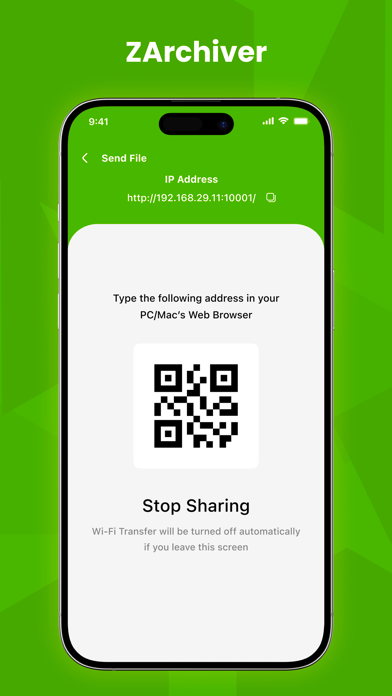
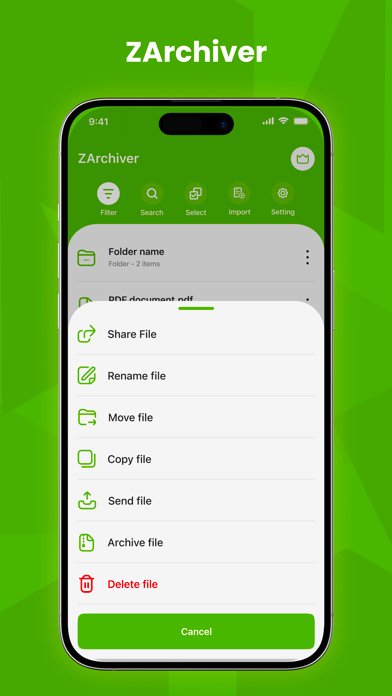
The app can open compressed files from email attachments, making it convenient to access your files no matter where they are received. It also supports extraction of split archives and provides straightforward options for file management, such as sharing or opening files from other applications seamlessly.
Why Choose ZArchiver?
In an era where managing mobile files efficiently is essential, ZArchiver offers a reliable, secure, and feature-rich solution. Its ability to work without internet access ensures your privacy remains intact. Whether you’re compressing files to free up space, extracting data from archives, or editing backups, ZArchiver’s versatile toolset adapts to your needs. Easy to use and packed with advanced features, it’s an indispensable app for Android users who seek a powerful yet straightforward archive management solution.
Pros
- Rapid file compression and extraction
- Supports a variety of archive formats
- Intuitive and user-friendly interface
- No advertisements in the free version
- Includes file management capabilities
Cons
- Lacks cloud storage synchronization
- Limited capability to handle corrupted files
- Archives are not encrypted
- Paid features require additional purchase
- Not optimized for tablet devices











