

Auto Clicker - Automatic tap: Your Ultimate Automation Tool for Repetitive Tapping
Are you tired of endlessly tapping your screen for your favorite mobile games or repetitive tasks? Auto Clicker is here to revolutionize your mobile experience by automating those monotonous taps and swipes with ease. This innovative app allows users to set up automatic screen touches at any location, with customizable intervals, providing a seamless way to automate actions without rooting your device. Whether you're a casual gamer or someone who needs to perform repetitive actions regularly, Auto Clicker - Automatic tap can be your perfect productivity partner.
Key Features of Auto Clicker - Automatic tap
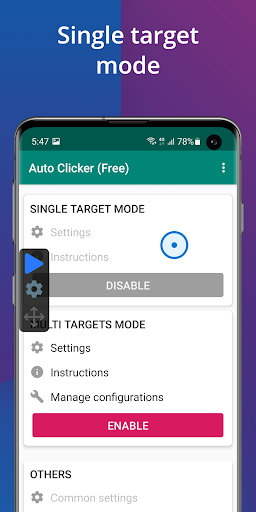
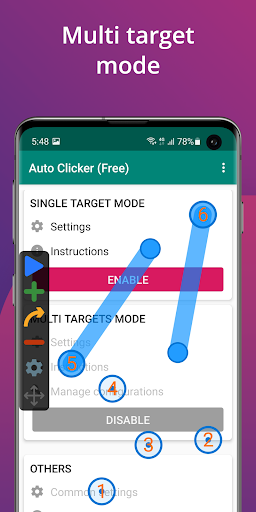
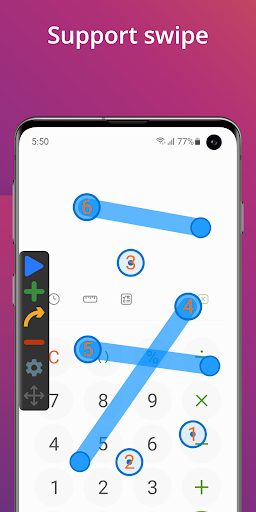
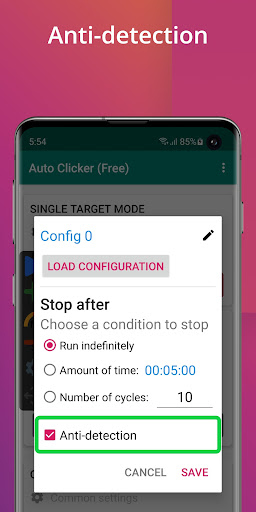
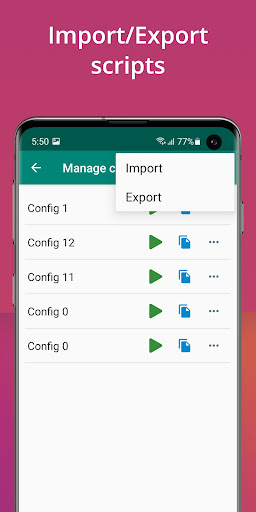
This app boasts an intuitive and user-friendly interface that makes setup quick and straightforward. Users can effortlessly define multiple click points and swipe actions, accommodating various automation needs. The floating control panel offers quick start and stop functionality, adding to user convenience. One of the standout features is the global timer, which allows the app to run for a specified duration, ideal for timed tasks. Additionally, it supports importing and exporting scripts, enabling users to save and restore their automation setups efficiently.
Easy setup and compatibility
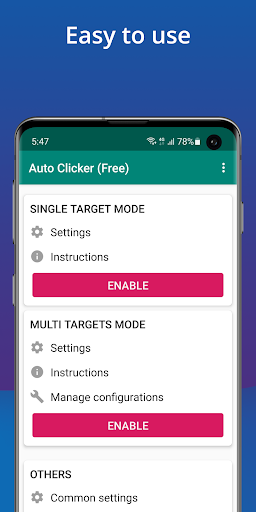
Getting started with Auto Clicker is hassle-free. The app guides you through a simple setup process that requires no technical expertise. Designed to work smoothly on devices running Android 7.0 and up, it leverages the AccessibilityService API to simulate taps and swipes without rooting your phone. Rest assured, the app does not collect any private data through this permission, prioritizing user privacy and security. This makes it a safe choice for automating repetitive actions reliably and legally.
Why choose Auto Clicker? Key advantages
Automating repetitive tasks can significantly enhance your smartphone efficiency. Whether you're grinding in a game, clicking on ads, or automating daily chores within apps, Auto Clicker - Automatic tap streamlines these processes effortlessly. The ability to customize click rates—from quick hundreds of taps per minute to slower, precise intervals—adds great flexibility. The reliable performance ensures that your automation runs smoothly in the background, saving you time and effort without draining your device’s battery excessively.
Ideal for gaming and productivity
Gamers will benefit immensely from automating repetitive clicks that are often required in idle or clicker games. Moreover, the app offers a global timer function, enabling timed operations for specific tasks, making it a versatile tool for various use cases. Its import/export feature allows users to save complex scripts, which can be reused across different sessions, increasing productivity and reducing setup time. This functionality turns the app into a flexible automation assistant, capable of handling multiple actions seamlessly.
Final thoughts: Is Auto Clicker worth your attention?
Overall, Auto Clicker - Automatic tap is a powerful utility designed to make repetitive tasks on your Android device easier and more efficient. Its straightforward setup, high customization level, and reliable performance make it a valuable tool for both casual users and power users alike. Whether you want to automate game actions or simplify daily chores, this app provides a hassle-free experience that enhances your mobile usage. Installing and exploring its features could open the door to a more productive and less tedious digital life.
Pros
- User-friendly interface for effortless setup.
- Highly customizable tapping options.
- Supports multiple click points.
- No root access needed for Android devices.
- Efficient in conserving battery.
Cons
- May cause security warnings.
- Limited compatibility with iOS devices.
- Advertisements may be intrusive.
- Difficult to stop once activated.
- May not function properly with all applications.











