

Discover the Child-Friendly World of YouTube Kids
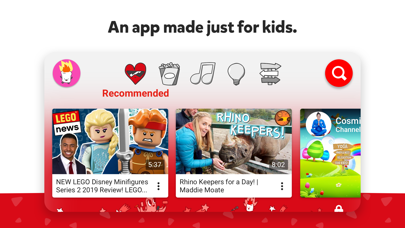
In today’s digital age, finding a safe and engaging platform for children to explore videos online can be challenging. YouTube Kids offers a kid-friendly environment that inspires young viewers to uncover their unique interests while giving parents peace of mind. With its colorful, intuitive interface and comprehensive parental controls, this app transforms the way children interact with online content, making screen time both safe and educational.
Inspire Your Kids to Uncover Their Unique Interests
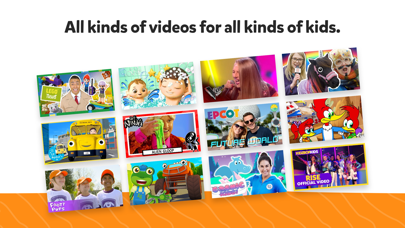
Help your kids explore video content they love and parents trust with YouTube Kids. Designed specifically for children, this app provides an engaging platform where kids can discover new hobbies, uncover creative passions, and build their confidence within a safe digital space. Features such as easy navigation tools and a curated suite of content allow children to delve into their favorite topics—from animated cartoons to DIY crafts—unleashing their imagination and nurturing curiosity. Whether your child is just starting to learn the alphabet or exploring their love for music and gaming, YouTube Kids offers tailored experiences that grow alongside them.
Help Your Kids Grow at Their Own Pace
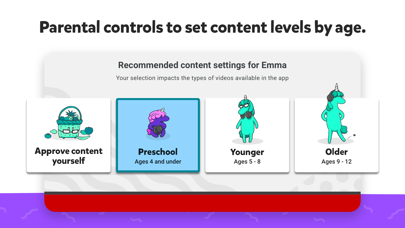
Every child develops at a different rate, and YouTube Kids respects this individuality through customizable profiles and content filters. You can decide what videos are appropriate for your child's age and interests, ensuring they only see content that supports their growth. The app offers different modes:
- Preschool mode: Perfect for your youngest learners to begin their early education by learning ABCs, exploring playful songs, and engaging with simple educational content.
- Yonger mode: Ideal for expanding interests with cartoons, songs, and craft tutorials.
- Older mode: Provides older kids the freedom to explore popular music videos, gaming channels, and more complex topics.
Rewatch Favorites and Build Family Bonding
The Watch it Again feature makes it easy to find and revisit your child's favorite videos. This function fosters shared moments and bonding over favorite shows or educational content. It also helps you keep track of the videos your child enjoys most, reaffirming a family-friendly viewing environment where content both entertains and educates.
Parental Controls for a Safer Viewing Experience
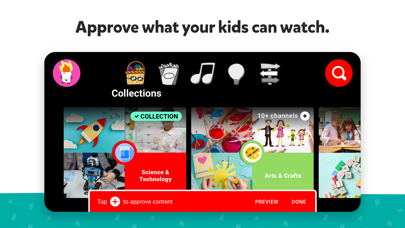
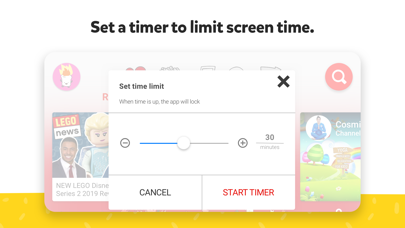
Parental Controls are at the heart of YouTube Kids, empowering parents to guide and limit what their children watch. You can set screen-time limits using the built-in Timer, ensuring your kids take healthy breaks. Additionally, blocking specific videos or channels keeps inappropriate content at bay—any flagged videos can be reviewed by the team to maintain a safe environment.
Offline Viewing and Additional Features
Another standout feature of YouTube Kids is the ability to download videos for offline viewing. Whether on long car trips or in areas with unreliable internet, this functionality guarantees uninterrupted entertainment. It’s like having a portable personal theater for your child, keeping them engaged in educational and fun videos whenever needed.
Creating a Safe and Fun Digital Space for Children
Overall, YouTube Kids creates a safe, colorful, and intuitive environment for children to explore age-appropriate content. It respects the need for children to learn, play, and discover under the watchful eye of parents who want control over what their kids watch. With features that encourage safe viewing, customization, and offline access, this app is a fantastic tool for nurturing curiosity and ensuring safe digital engagement.
Conclusion
If you’re searching for a reliable and engaging way to introduce your children to the digital world, YouTube Kids stands out as a top choice. Its kid-friendly interface, personalized content options, and parental controls make it an ideal platform for safe exploration, creative learning, and family bonding. Give your children the gift of discovering their passions while maintaining peace of mind—YouTube Kids is designed to be a trusted digital companion for your child's development.
Pros
- Child-friendly content
- Easy navigation
- Parental control features
- Educational videos
- Ad-free experience with premium subscription
Cons
- Limited variety of content
- Potential for age-inappropriate videos to appear
- Costly subscription for ad-free access
- Requires internet connection
- Limited options for offline downloads










