








Introduction to LINE: Calls & Messages
LINE is revolutionizing digital communication by bridging the gap between family, friends, and loved ones—all at no cost. This versatile messaging app offers a wide array of features that allow users to connect through voice calls, video chats, and text messages, seamlessly integrating with many devices worldwide. The platform emphasizes fun and personalization with an extensive collection of stickers, emojis, and customizable themes, helping users express themselves more creatively and vividly. Available across multiple devices—including mobile phones, desktops, and Wear OS smartwatches—LINE continues to expand its services, making everyday communication more joyful and convenient.
Core Features of LINE: Calls & Messages
Messages, Voice Calls, and Video Calls
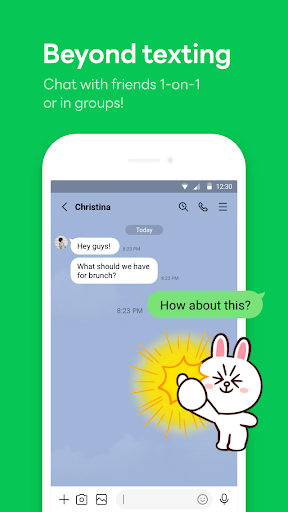
At its core, LINE offers reliable and high-quality voice and video calls, allowing users to catch up face-to-face or have long conversations with friends and family. Exchanging messages is straightforward, with the ability to send text, photos, videos, and voice notes effortlessly. The app ensures smooth communication even over mobile data, maintaining clear audio and video quality with minimal lag, which enhances user experience whether you're on the go or relaxing at home.
Express Yourself with Stickers, Emojis, and Themes
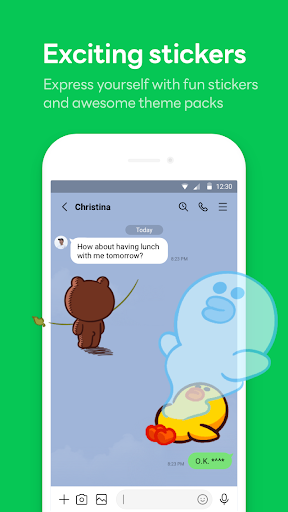
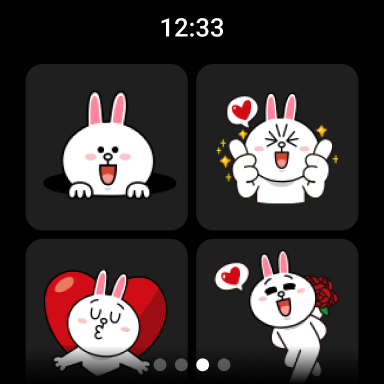
One of LINE's most popular features is its lively sticker shop. There’s a vast library of fun, adorable, and expressive stickers suitable for every mood and occasion—adding personality to your chats. Alongside emojis, they allow for nuanced communication that words alone can't capture. Users can also customize the look of their app by choosing from a variety of themes, giving their LINE experience a personalized touch to match their style and preferences.
Home and Navigation Convenience
The Home section provides quick access to your friends list, upcoming birthdays, the sticker shop, and other LINE services and content. Its user-friendly layout ensures you stay organized and easily find everything you need without hassle.
Multi-Device Seamless Connection
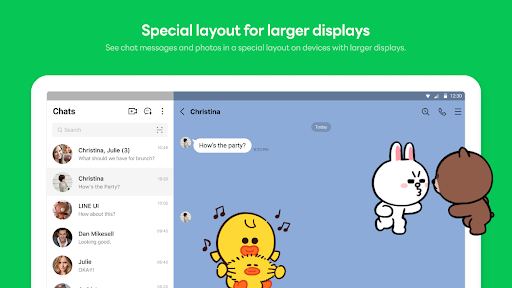
Whether you're using a smartphone, a Wear OS smartwatch, or a desktop computer, LINE offers seamless connectivity. This flexibility means you can stay in touch anytime, anywhere—whether you're commuting, working remotely, or relaxing at home. The app adapts to your preferred device, maintaining smooth synchronization across all platforms.
Storage and Privacy Features
The Keep Memo feature allows you to securely store personal information, including messages, photos, and videos, in a private space. For added security, LINE employs Letter Sealing, which encrypts your chats, call history, and location data to protect your privacy diligently. Additionally, users can easily block or report unwanted contacts, ensuring a safe and comfortable communication environment.
Smartwatch Compatibility
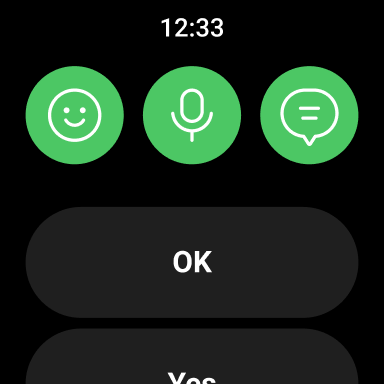
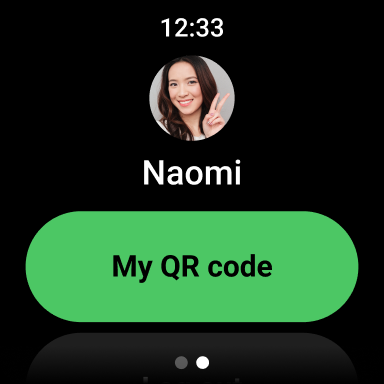
If you wear a Wear OS smartwatch, LINE enables you to quickly check messages and notifications directly from your watch. You can even add the LINE app complication to your watch face for instant updates, providing convenience for busy users who want to stay connected without pulling out their phones.
Getting Started with LINE: Calls & Messages
Signing up for LINE is quick and straightforward—requiring only your phone number to create an account. The app is compatible with both Android and iOS devices, ensuring access for most users. Once installed, the intuitive and clean interface makes navigation simple even for beginners. Whether you're new to messaging apps or switching from another platform, you'll find LINE easy to get started with and full of features to explore.
Why Choose LINE: Calls & Messages
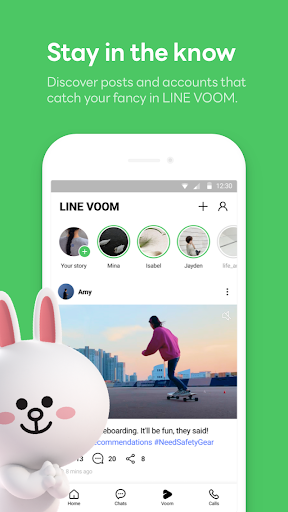
Beyond basic messaging, LINE offers a comprehensive communication ecosystem. The app's impressive call quality, combined with rich personalization options like stickers and themes, makes chatting more engaging. Its strong commitment to privacy—through encryption and features like Hidden Chat—ensures that your conversations stay secure. LINE also serves as a social hub, allowing users to share updates, follow official accounts, and stay informed with LINE Today, making it more than just a messaging tool. Whether you're looking for a reliable app to stay connected or seeking a fun social experience, LINE: Calls & Messages delivers on all fronts.
Final Thoughts
In summary, LINE: Calls & Messages features a robust set of tools designed to keep you connected with loved ones and the world at large. From crystal-clear voice and video calls to expressive stickers and secure privacy features, it’s a comprehensive platform that combines practicality with fun. Its compatibility across devices and continuous service improvements make it an excellent choice for anyone seeking a versatile and user-friendly communication app. So, give LINE a try—let your conversations flourish with an array of expressive options and seamless cross-platform connectivity.
Pros
- User-friendly interface
- Free voice and video calls
- Extensive sticker collection
- Supports group chats
- Cross-platform compatibility
Cons
- Requires internet connection
- Can drain battery quickly
- Ads in free version
- Limited customization options
- Privacy concerns with data usage











