

Introducing Gallery: Your Ultimate Photo and Video Organizer
Meet Gallery, a smart, light, and fast photo and video gallery developed by Google that revolutionizes how you manage your digital memories. Designed to help you find photos faster, enhance images effortlessly, and work offline with minimal storage, Gallery offers an intuitive experience tailored to your needs. Whether you're seeking an efficient way to organize your vast collection of pictures or want quick editing tools at your fingertips, Gallery delivers all this and more.
Key Features of Gallery
- ✨ Find photos faster with automatic organization
- ? Look your best with editing tools like auto-enhance
- ?️ Use less data — works offline, all in a small app size
Automatic Organization for Effortless Management
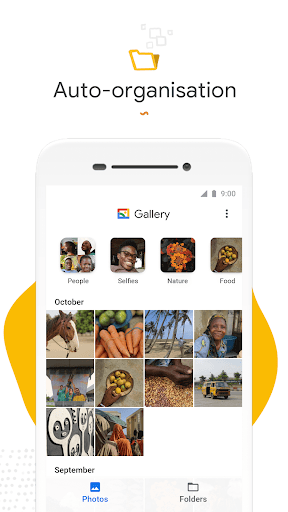
One of Gallery's standout features is its automatic organization. Each night, the app categorizes your photos into meaningful groups such as People, Selfies, Nature, Animals, Documents, Videos, and Movies. This intelligent sorting significantly reduces the time spent scrolling through endless albums, allowing you to quickly locate your favorite moments—be it a family gathering or a scenic landscape. This smart grouping makes managing large collections simple, so you can focus more on sharing memories rather than searching for them.
Easy Photo Editing with Auto-Enhance
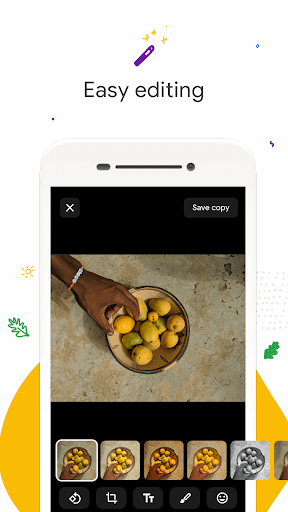
Gallery offers user-friendly editing tools that help you enhance your photos with just a tap. The auto-enhance feature intelligently adjusts brightness, contrast, and color balance to make your images look their best. Whether you're polishing a selfie or brightening a sunset shot, these tools ensure your memories are always picture-perfect. Plus, the app supports a wide array of photo formats, so regardless of the source, Gallery can handle your files seamlessly.
Flexible Folder and SD Card Support
Organize your photos using custom folders, giving you full control over how your images are stored. Additionally, Gallery supports SD card integration, allowing you to view, copy, and transfer photos effortlessly to and from your external storage. This flexibility ensures your media management aligns with your unique preferences and device setup.
Optimized Performance and Offline Functionality
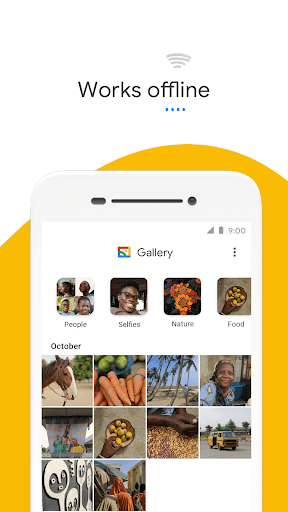
Designed with efficiency in mind, Gallery features a small file size that preserves storage space on your device. Its optimized architecture means less memory usage and smoother performance, even with extensive photo libraries. Importantly, the app operates offline, enabling you to access, organize, and edit your media without relying on internet connectivity, which saves data and enhances privacy.
Enhanced User Experience and Reliability
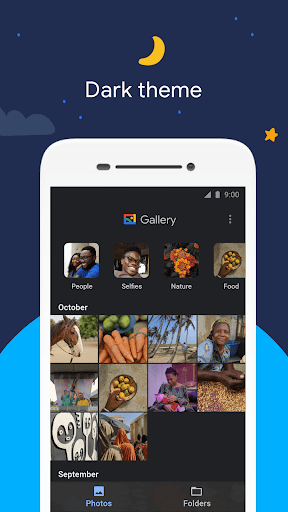
The interface of Gallery is clean, intuitive, and responsive, making navigation a breeze. Whether you're browsing through albums, searching by date or location, or hiding sensitive content, the app ensures a seamless experience. Moreover, its backup and sync features provide peace of mind, securely storing your memories and allowing access across multiple devices—think of it as a personal cloud with no monthly fees! Should any issues arise, customer support is attentive and dedicated to providing the best possible assistance.
The Perfect Solution for Photo Enthusiasts
If you've ever found yourself overwhelmed by the vast sea of photos on your phone, Gallery is your ideal companion. Its intelligent categorization, powerful editing suite, and offline capabilities make organizing and sharing memories easier than ever. Whether you're sorting through years of snapshots or quickly editing a photo for social media, Gallery simplifies your digital life. Its performance ensures quick access without draining your device's resources, while its versatile support for various formats makes it adaptable to any user.
In summary, Gallery is more than just a photo gallery app; it's a comprehensive tool that enhances how you store, manage, and share your multimedia content. With features designed for ease of use, efficiency, and security, Gallery transforms your photo experience, turning chaos into order and memories into easily accessible treasures. Give it a try today and enjoy a smarter way to cherish your visual stories.
Pros
- User-friendly interface design.
- Fast and responsive performance.
- Supports various image formats.
- Cloud backup for photos.
- Secure with fingerprint lock.
Cons
- Limited editing tools.
- Ads in free version.
- No video editing support.
- Requires internet for backup.
- Occasional sync issues.











