

Microsoft Word: Edit Documents – The Ultimate Mobile Word Processing App
Microsoft Word: Edit Documents stands out as a leading word processing application designed for users who need to create, edit, and collaborate on documents anytime and anywhere. Whether you are a student preparing an essay, a professional drafting reports, or a casual writer jotting down ideas, this app brings the power of a full desktop editor right to your fingertips. Its intuitive interface and feature-rich environment make document management seamless on mobile devices, making it one of the best free writing apps available today.
Portable Document Editing on the Go
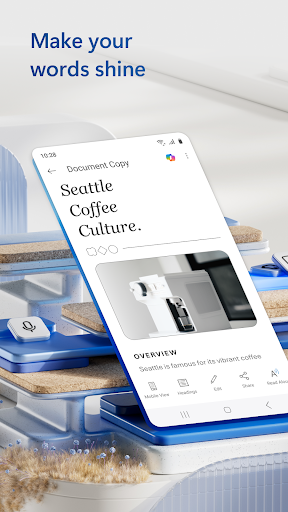
Imagine having a full-fledged office in your pocket – that’s exactly what Microsoft Word offers. The •mobile app: allows you to write, revise, and manage documents efficiently, whether you’re commuting, at a café, or relaxing at home. The app's sleek and user-friendly design ensures that even those new to digital document editing can navigate effortlessly. From editing existing files to creating new content from scratch, the app’s functionalities are tailored for easy on-the-go productivity.
Powerful Features for Every User
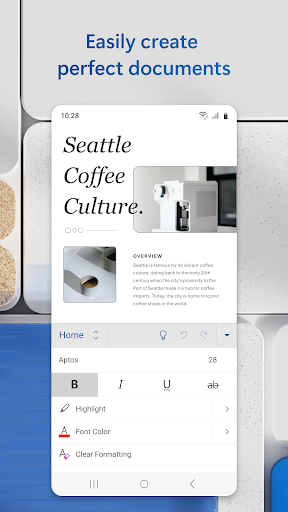
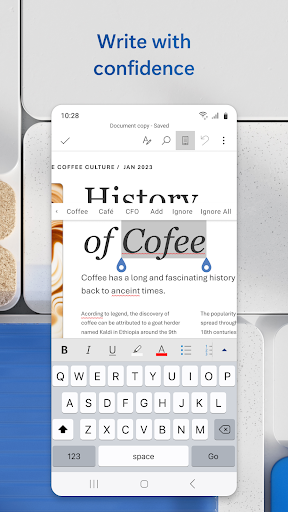
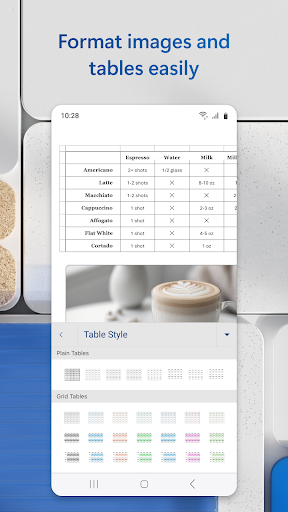
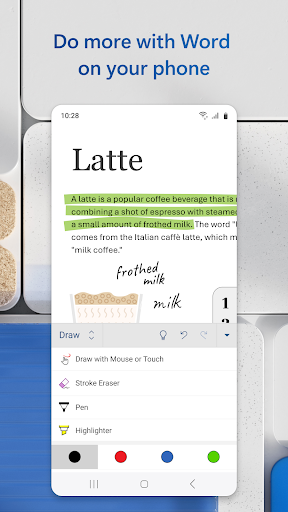
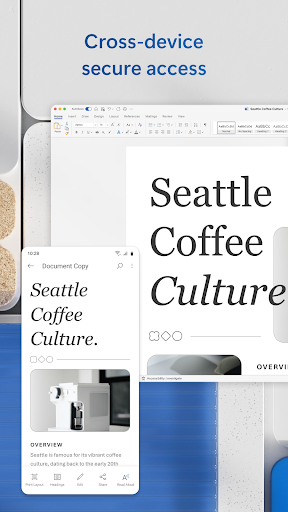
This app isn’t just about basic typing. It’s packed with advanced tools such as rich formatting, inserting images, tables, and charts, to help craft professional documents. Users can take advantage of track changes and comments features to facilitate seamless review and collaboration. The built-in spell checker helps eliminate typos, ensuring your content is polished and accurate. Moreover, integration with •OneDrive: guarantees your files are synchronized and accessible across all your devices, whether they’re smartphones, tablets, or PCs.
Effortless Document Creation and Sharing
With an extensive template gallery, creating resumes, cover letters, newsletters, brochures, and more has never been easier. You can select a professionally designed template, input your data, and have a beautifully formatted document in minutes. The app also allows you to convert documents to PDF or from PDF back to Word, ensuring your files are shareable in the format that suits your needs. Sharing is simplified—send files via email, generate sharing links, or export PDFs effortlessly.
Collaborate from Anywhere
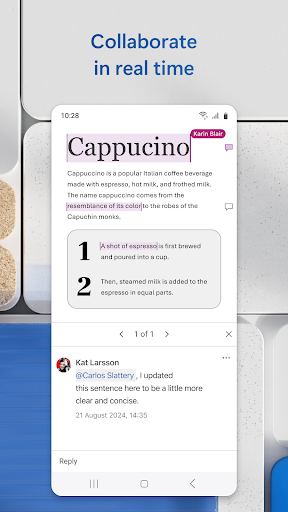
Collaboration is a cornerstone of modern work, and Microsoft Word excels here. You can •share documents in various formats: email attachments, links, or embedded in messages. Multiple users can work on the same document simultaneously, with real-time updates and comments making teamwork smooth and efficient. The app also provides version history, allowing you to revert to earlier drafts if needed, ensuring your work remains controlled and secure.
Versatile Use Cases and Templates
Whether you’re writing a letter, crafting a blog post, preparing a script, or designing a resume, Microsoft Word offers a flexible platform suited for all your writing needs. The variety of templates makes starting any task simple and fast, enhancing productivity without sacrificing quality. Additionally, proofreading, spell checking, and review features help ensure your documents are professional and error-free.
Simplified File Management and Accessibility
File sharing has never been easier. With just a few taps, you can collaborate with colleagues or friends, manage permissions, and keep track of contributions. You can copy content directly into emails or attach documents in their original formats. The app’s compatibility with PDF conversion ensures your documents are ready to be shared across different platforms and for different purposes.
In Summary
Microsoft Word: Edit Documents is a comprehensive, versatile, and user-friendly mobile application that empowers users to create, edit, collaborate, and share documents seamlessly from anywhere. Its rich feature set, combined with simple sharing options and professional templates, makes it an indispensable tool for writers, professionals, and students alike. Whether working on a quick note or a detailed report, this app helps you stay productive and connected—anytime, anywhere.
Pros
- Comprehensive editing tools.
- Seamless cloud integration.
- Cross-platform compatibility.
- User-friendly interface.
- Wide range of templates.
Cons
- Requires Microsoft account.
- Some features require a subscription.
- Occasional synchronization issues.
- Resource-intensive on devices.
- Limited free storage.
You May Like

Google Calendar
Productivity
4.7
Microsoft OneDrive
Productivity
4.6
Google Assistant
Productivity
3.8
Adobe Acrobat Reader: Edit PDF
Productivity
4.5
Microsoft OneNote: Save Notes
Productivity
4.6
HP Print Service Plugin
Productivity
4.1
WPS Office-PDF, Word, Sheet
Productivity
4.5
CamScanner- scanner, PDF maker
Productivity
4.7
Docx Reader - Office Viewer
Productivity
4.3
Microsoft Copilot
Productivity
4.7
Perplexity - Ask Anything
Productivity
4.6
ACE Scanner - PDF Scanner App
Productivity
4.4