


Discover the Power of Link to Windows — Your Seamless Bridge Between Android and Windows
Are you tired of juggling your phone and PC, constantly switching between devices to check messages, transfer photos, or manage notifications? Link to Windows is the ultimate solution designed to create harmony between your Android smartphone and Windows PC. This innovative app transforms your computing experience by enabling instant synchronization and effortless interaction across your devices, making it an essential tool for productivity and convenience.
What Is Link to Windows?
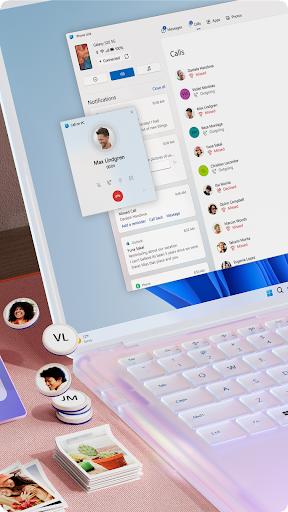
Link to Windows is a versatile application that acts as a seamless connection point, allowing your Android device to communicate directly with your Windows PC. By establishing this connection, you can manage your mobile activities from your computer with ease—whether it's viewing and replying to text messages, handling notifications, or making calls. The integration creates a unified digital environment where your phone feels like an extension of your computer, boosting your efficiency and simplifying your daily workflow.
Getting Started with Link to Windows
Setting up Link to Windows is straightforward and user-friendly, even for those new to device synchronization. First, ensure your Android smartphone is compatible; most modern phones, especially Samsung, are supported out of the box. Download the Link to Windows app from the Google Play Store, then open the Your Phone app on your Windows PC. Follow the prompts to link your devices—these steps include granting necessary permissions and signing into your Microsoft account. Once connected, your devices will synchronize, ready for shared notifications, messaging, and more.
Key Features of Link to Windows
The app offers a rich array of features designed to enhance your digital experience:
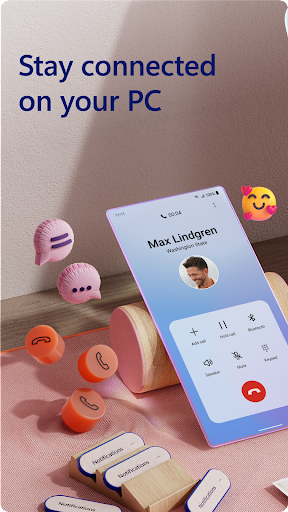
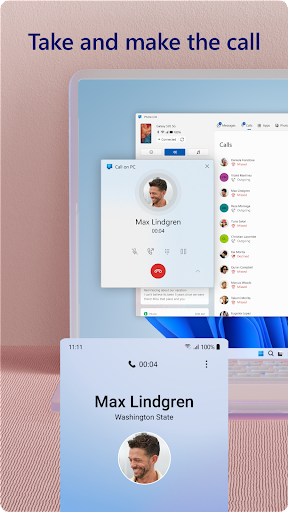
• Make and receive calls from your PC
With Bluetooth-enabled Windows 10 PCs, you can effortlessly make and receive calls without reaching for your phone, keeping you focused on your tasks.
• Manage notifications directly from your computer
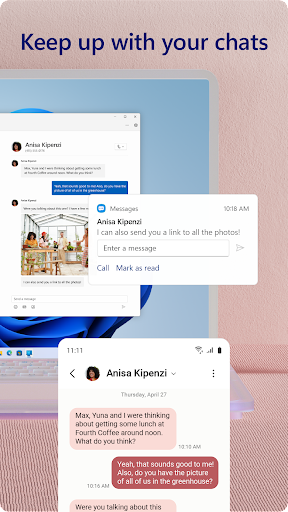
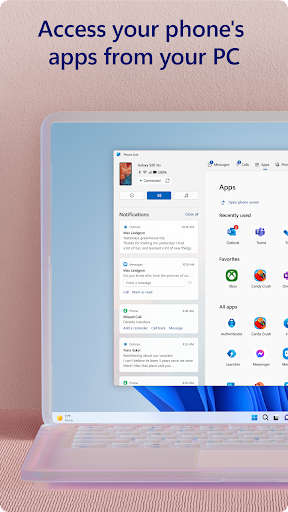
Stay updated on important alerts, messages, and app notifications, all in one place. This feature ensures you never miss critical information during busy work sessions.
• Access mobile apps on your PC
Enjoy running compatible Android apps natively on your larger screen, providing a more immersive and productive environment.
• Read and reply to SMS from your PC
You can see your text messages and respond instantly without picking up your phone—ideal for quick replies or multitasking.
• Drag and drop files between devices
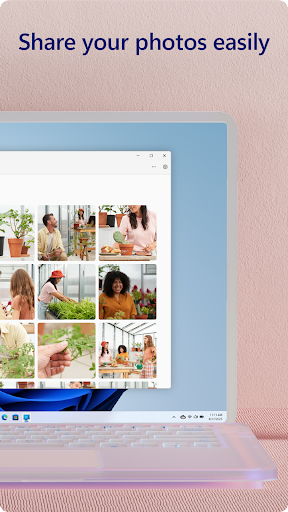
Transfer photos, documents, or any files seamlessly by simply dragging them from your phone to your PC or vice versa, saving time and avoiding email attachments.
• Copy and paste content across devices
Copy content on one device and paste it directly onto the other, streamlining your workflow.
• View phone photos instantly
Access your latest images directly from your PC, making photo sharing and editing quick and easy.
• Leverage your PC’s interface
Utilize your PC’s larger display, keyboard, mouse, and touchscreen to interact with your phone apps as if they were native to your computer.
Enhanced Compatibility and Exclusive Features
The Link to Windows app comes integrated into select devices from Microsoft Duo, Samsung, and HONOR. This integration eliminates the need to download additional apps, making setup quick and hassle-free. You can access the app easily via the Quick Access tray by swiping down from the top of your device’s screen. The app also offers enhancements like cross-device copy and paste, Phone screen sharing, and file drag-and-drop, which elevate your productivity.
Performance and Reliability
While Link to Windows generally provides reliable performance, maintaining a stable Wi-Fi connection and Bluetooth pairing is essential for optimal operation. During usage, the connection remains stable most of the time, with minor hiccups easily fixed by restarting your devices. The app's responsiveness makes everyday tasks smoother, whether you're managing notifications, sharing files, or communicating via calls and messages.
Why Use Link to Windows? A Smarter Digital Ecosystem
In today’s fast-paced digital world, stay connected and productive with Link to Windows. This app simplifies device management by integrating your Android phone with your Windows PC, reducing the need to switch back and forth between screens. Whether you're a busy professional, a student, or anyone who relies heavily on mobile and desktop devices, Link to Windows helps streamline your workflow, increase efficiency, and enhance your overall user experience.
Conclusion: Elevate Your Device Integration
If you're seeking a way to create a more cohesive and productive environment between your Android device and Windows PC, Link to Windows is the perfect solution. With its easy setup, robust features, and seamless integration, it transforms how you interact with your technology daily. Experience the convenience of managing messages, calls, notifications, and files effortlessly across your devices—making your digital life more synchronized and efficient.
Pros
- Seamless integration between phone and PC
- Easy transfer of files
- Real-time notifications
- Synchronization of text messages
- Screen mirroring capability
Cons
- Limited support for iOS devices
- Depends on Wi-Fi connection
- Potential battery drain
- Occasional delays in synchronization
- Privacy considerations











