

Microsoft PowerPoint
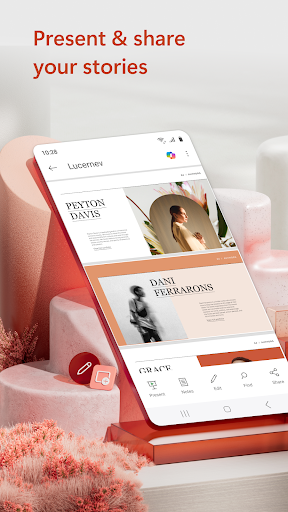
Microsoft PowerPoint is the ultimate presentation and slides app that empowers users to create, edit, and deliver engaging presentations from anywhere. Whether you're preparing a quarterly report, a yearly presentation, or a creative slideshow, PowerPoint offers a versatile platform to bring your ideas to life with visuals, music, and graphics.
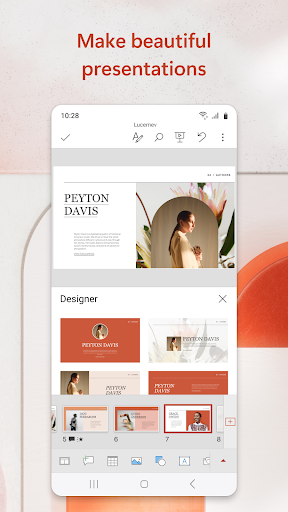
With PowerPoint, you can craft highly customizable presentations using a wide array of templated slideshows that make your content stand out. The app maintains the familiar slideshow toolset that many users trust, allowing seamless creation and editing of PPT and PPTX files. Plus, the ability to present quickly and confidently makes it an indispensable tool whether you're at your desk or on the go.
Key Features & Functionality
Creativity on the Go
The Microsoft PowerPoint mobile app enables users to build impressive slideshows with music, graphics, charts, and videos. You can add photos directly from your device or record multimedia content within the app to enrich your presentations. The platform’s highly customizable tools allow you to design powerful slideshows that are tailored to your needs.
Presenter Tools & Confidence Building
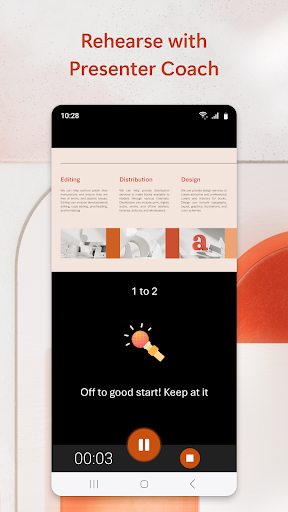
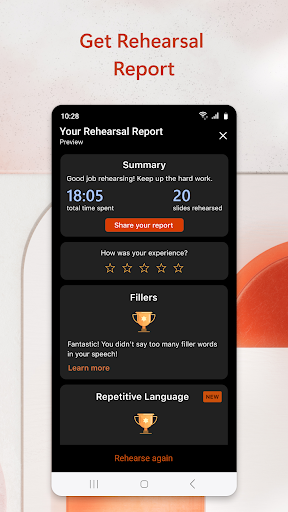
A standout feature is Presenter Coach, an AI-powered tool that helps improve your public speaking skills. It offers real-time suggestions as you practice your presentation, such as pacing tips and avoidance of filler words like "umms." You can rehearse using a built-in presentation timer to ensure your delivery is concise and impactful.
Seamless Collaboration & Sharing
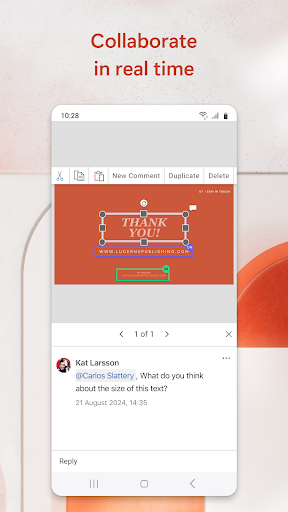
Collaboration is straightforward with PowerPoint. You can easily share your slideshows with team members for feedback, editing, and commenting in real-time. The app shows presentation permissions and updates, so everyone stays aligned. Comments and inline feedback streamline teamwork and make revisions hassle-free.
Synchronization & Accessibility
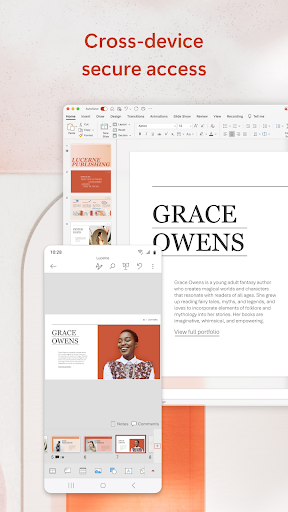
Presentations sync effortlessly across devices, which means you don’t need to worry about multiple versions or file management issues. This allows for a smooth transition from editing on your phone, tablet, or PC. It supports a variety of file formats and integrates seamlessly with OneDrive for cloud storage and access.
Creating & Presenting with PowerPoint Mobile
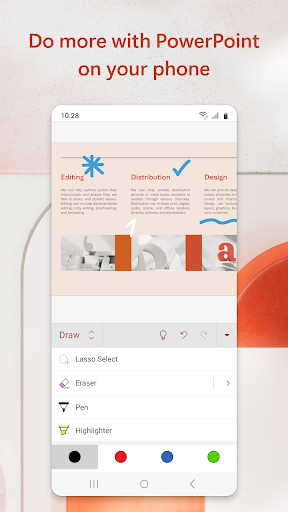
You can start a presentation from scratch or modify existing slides effortlessly. The app's interface resembles the desktop version, with intuitive tabs like Home, Insert, Design, and Slide Show located at the bottom for easy navigation. The design ensures a smooth editing experience with minimal lag.
When presenting, you can utilize presentation view on any device, giving you access to tools like slide previews and timers to keep your talk on track. Casting your slideshow to a larger screen via Chromecast or similar devices is simple, perfect for impromptu meetings or professional pitches.
Enhancing Your Presentation Skills
PowerPoint provides tools like Presenter Coach to help you refine your public speaking abilities. Practice your presentations solo, receive real-time feedback, and stay confident when presenting to an audience. The app's presentation timer ensures you can master your pacing, making your delivery more professional and engaging.
Subscription & Requirements
To unlock the full potential of Microsoft PowerPoint, a Microsoft 365 subscription is recommended. This enhances features across all devices—phone, tablet, PC, and Mac—and supports collaborative work. The app requires a minimum of 1 GB RAM for smooth operation.
Subscription management is straightforward through your app store account, with automatic renewal options. By using PowerPoint, you agree to the Microsoft End User License Agreement.
Final Thoughts
Whether you're crafting a professional presentation or simply experimenting for fun, Microsoft PowerPoint on mobile delivers a robust and intuitive experience. Its blend of powerful features, collaborative tools, and AI-driven coaching makes it an essential app for students, professionals, and creative minds alike. With seamless synchronization and a user-friendly interface, PowerPoint helps you make an impact wherever you are.
If you're looking to enhance your presentation skills or create eye-catching slideshows on the go, give PowerPoint a try—you might find it to be the perfect companion for your next big idea.
Pros
- Wide selection of templates
- Intuitive user interface
- Smooth integration with Office Suite
- Team collaboration features
- Access presentations offline
Cons
- Requires a Microsoft account
- Certain features require a subscription
- May consume significant system resources
- Limited options for design customization
- Occasional compatibility problems











