
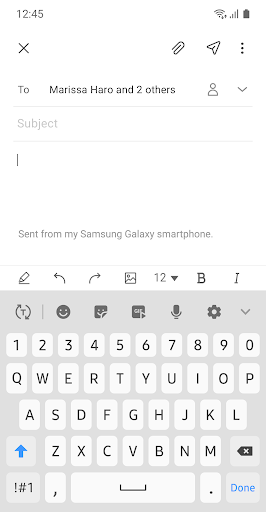
Introduction to Samsung Email
Are you tired of juggling multiple email accounts on your smartphone, struggling to keep everything organized and secure? Look no further than Samsung Email, a powerful email management app designed specifically for Samsung mobile devices running Android OS. This versatile app enables users to seamlessly manage both personal and business email accounts in one unified platform. Whether you are using Gmail, Outlook, or your company’s email system, Samsung Email offers a user-friendly experience coupled with robust security features. Its support for multiple email protocols, integration with enterprise solutions, and customizable notifications make it an excellent choice for anyone aiming to streamline their email communications.
Key Features of Samsung Email
Samsung Email supports a variety of email services including POP3 and IMAP, allowing users to manage various personal email accounts effortlessly. For business users, the app offers Exchange ActiveSync (EAS) integration, which facilitates synchronization of emails, calendars, contacts, and tasks directly with your corporate Exchange Server. This seamless integration ensures that your professional communications stay up-to-date across all devices. Additionally, S/MIME encryption provides advanced security, safeguarding sensitive information and enhancing overall data protection during email exchanges.
Additional Features for Enhanced Productivity
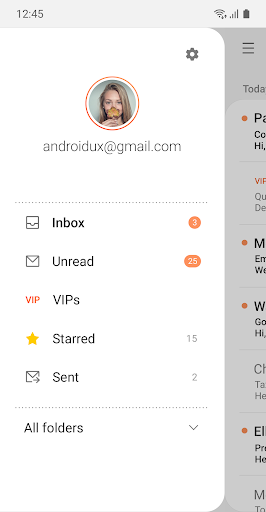
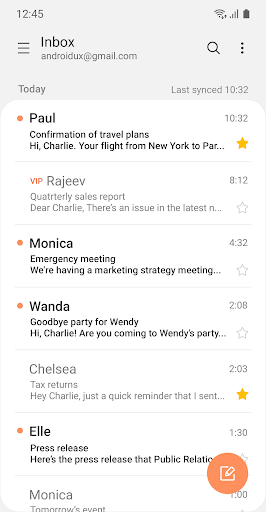
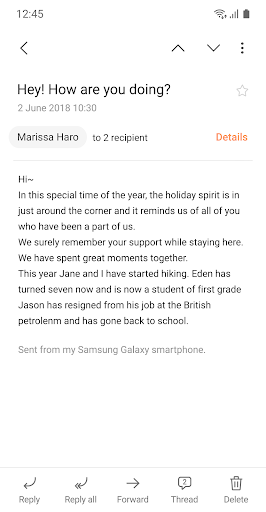
Samsung Email offers a highly customizable user experience. Users can personalize notifications to stay informed about important emails without interruption, configure schedule synchronization to optimize performance, and manage SPAM effectively with built-in filters. The app also supports conversation and thread views, helping you read related emails together and keep your inbox organized. With features like combined mailboxes, managing multiple accounts becomes a seamless task, promoting productivity and reducing email overload.
Security and Policy Management
Security is a top priority with Samsung Email. The app incorporates S/MIME encryption, ensuring that your email communication remains private and protected. For enterprise users, it offers comprehensive policy administration capabilities, enabling organizations to enforce specific security protocols and compliance standards on employee devices. This makes Samsung Email an ideal solution for organizations seeking a secure and manageable email platform within their Samsung device ecosystem.
App Access Permissions
To ensure optimal functionality, Samsung Email requests certain permissions, which vary based on optional features. Required permissions are not necessary for basic operation, but optional permissions enhance the app’s capabilities:
- Camera: Attach photos to emails
- Location: Attach current location info
- Contacts: Link email recipients and synchronize contact info (especially with Microsoft Exchange)
- Calendar: Synchronize calendar data (with Exchange)
- Notification: Display notifications for email activities
- Music and audio (Android 13+): Attach or save audio files
- File and media (Android 12): Attach or save files/media
- Storage (Android 11 or less): Attach or save files
Why Use Samsung Email?
Samsung Email is designed to deliver a consolidated email experience that combines functionality with an intuitive design. Its support for Exchange ActiveSync makes it ideal for business users, offering real-time synchronization of emails, calendars, contacts, and tasks. The app also excels in managing multiple accounts through features like combined mailboxes and categorization tools, helping users maintain a clutter-free inbox.
Designed for User Convenience
With its clean, modern interface, Samsung Email makes navigation effortless. Whether composing a quick message or searching through archived emails, everything feels accessible at your fingertips. Customizable notifications ensure you stay informed about important messages without being overwhelmed by constant alerts. For Samsung device users, the app integrates seamlessly within the Samsung ecosystem, providing consistent performance across all your devices. Even non-Samsung users will appreciate its versatility and ease of use.
Conclusion
If you're searching for a reliable, secure, and intuitive email management solution, Samsung Email stands out as a top contender. Its rich set of features—ranging from advanced security and enterprise policy support to customizable notifications and multi-account management—makes it an excellent choice for both personal and professional use. Whether you need to stay connected with your team using enterprise-grade security or simply want a sleek app to streamline your inbox, Samsung Email has you covered. Give it a try and experience a more organized, efficient way to handle your emails on your Samsung device.
Pros
- Seamless integration with Samsung devices
- Allows management of multiple email accounts
- Customizable user interface
- Robust security features
- Efficient and smooth operational performance
Cons
- Limited compatibility with third-party apps
- Occasional synchronization problems
- Lack of a dark mode option
- Basic spam filtering capabilities
- Limited choices for cloud storage solutions











