

Introduction to Files by Google
Are you overwhelmed by the endless stream of files, photos, and documents cluttering your smartphone? Managing storage effectively can be a challenge, especially when you’re unsure of what to delete or how to find specific files quickly. Enter Files by Google, a smart and user-friendly app designed to optimize your device’s storage, enhance your file management, and keep your data secure. With its intuitive interface and powerful features, this app becomes your digital assistant for keeping your device tidy and organized.
Key Features of Files by Google
Efficient Storage Management
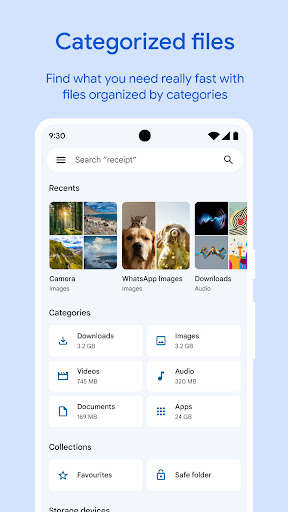
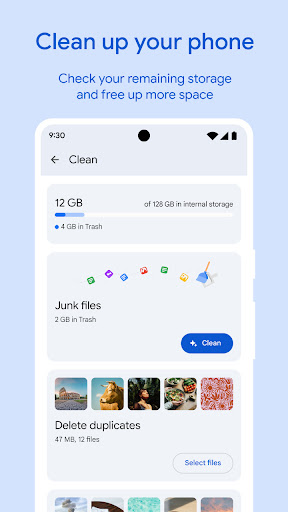
The application offers free space recommendations that help you regain storage on your device effortlessly. It provides clear insights into how much space remains on your internal storage, SD card, or USB drives, allowing you to identify space-consuming files quickly. The app assists in clearing old photos, duplicate files, cache, and files downloaded from chat apps, making space management simple and effective.
Fast and Easy File Search
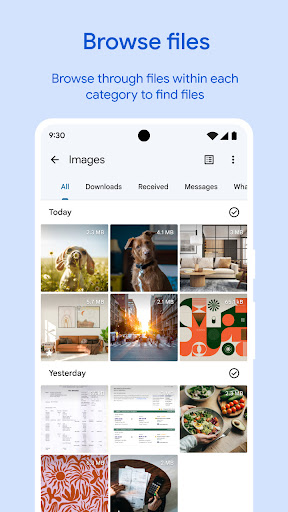
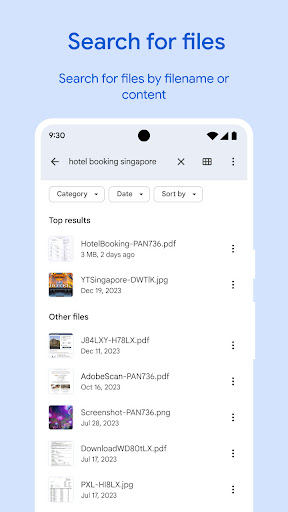
Finding files is now a breeze with search functionality that lets you locate photos, videos, or documents in seconds. Browse through your GIFs or recent downloads effortlessly, saving precious time. Files can be sorted by size, helping you prioritize which files to delete or move first, thereby optimizing your device’s performance.
Secure and Fast File Sharing
Share files with nearby Android or Chromebook devices using Quick Share, a feature that transfers files at incredible speeds of up to 480 Mbps. This transfer process is offline, secured with end-to-end encryption, and guarantees privacy during the exchange. Whether sharing photos, videos, or apps, Files by Google makes file sharing simple and private.
Data Security and Privacy
Keep your sensitive data safe by creating a secure folder protected with a PIN or pattern, separate from your device’s main lock method. Additionally, all file transfers are encrypted, providing an extra layer of security when sharing with others. Your personal files remain private and protected from unauthorized access.
Media Playback and Backup Options
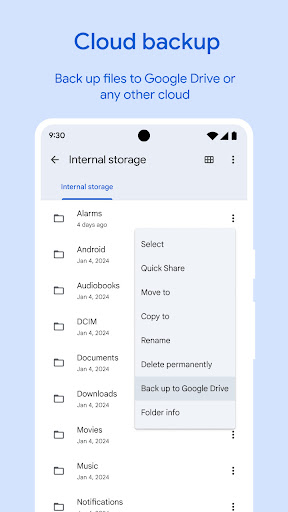
Listen to your favorite music or watch videos directly through the app, which offers advanced playback controls like shuffle and adjustable playback speed. For backup, move your files to Google Drive, SD cards, or other cloud storage services, freeing up space on your device. The app supports sharing to various cloud platforms, making your data backup streamlined and reliable.
Intelligent Recommendations for Optimal Device Usage
The app provides smart suggestions to help you save space, secure your files, and maintain your device’s health. As you continue using Files by Google, these recommendations become more personalized and effective, ensuring an efficient storage management experience.
Why Choose Files by Google?
Files by Google is a lightweight application, using less than 20 MB of storage, and it is completely ad-free. Its minimalistic design makes it easy for users of all skill levels to navigate and operate. Whether you want to declutter your device, quickly share files, or protect sensitive data, this app provides a comprehensive solution designed to enhance your digital life effortlessly.
Conclusion
Managing your smartphone’s storage doesn’t have to be complicated or time-consuming. With Files by Google, you gain a smart, secure, and efficient tool that takes the hassle out of digital organization. This app empowers you to free up space, find files instantly, secure your privacy, and share content seamlessly—all integrated into one simple-to-use platform. Whether you're clearing out space to install new apps or safeguarding important files, Files by Google is your ideal companion for maintaining a clean and organized device environment.
Pros
- User-friendly interface
- Efficient file management
- Offline file sharing
- Smart storage recommendations
- Secure file cleanup
Cons
- Limited cloud integration
- No advanced file editing
- Occasional app crashes
- Requires Google account
- Ads in the free version










