


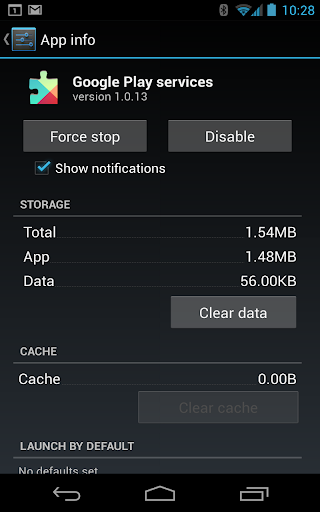














Introduction to Google Play Services
Google Play Services is an essential background component that powers the seamless operation of your Android device. This vital app from Google ensures your device stays up-to-date with the latest features and security updates for Google apps and other applications from Google Play. By providing core functionalities such as authentication to your Google accounts, synchronized contacts, and access to the newest privacy settings, Google Play Services plays a crucial role in maintaining the efficiency and security of your Android experience. Additionally, it enhances location-based services by delivering high-quality, low-powered features that improve the accuracy and responsiveness of your device’s GPS and location-driven apps.
Key Features and Benefits of Google Play Services
Google Play Services offers a range of features that significantly enhance your app experience and device performance. One of its primary functions is authentication, allowing you to sign into various apps securely and smoothly. It also powers location services, enabling your apps like weather and map applications to provide precise location data. Moreover, Google Play Services integrates with Google Maps to offer immersive navigation experiences, making it easier to find your way around. It also ensures offline searches are faster and helps your apps stay synchronized in the background through efficient sync mechanisms, saving you time and battery life.
The Role of Google Play Services in Your Android Device
Think of Google Play Services as the backbone of your Android device—an unseen but essential painter that keeps everything working harmoniously. It acts as the intermediary between your device's apps and Google’s vast ecosystem, managing updates, ensuring security, and providing key APIs for developers. Without it, many apps might malfunction or refuse to update properly, much like a car without its engine. For developers, it offers the tools needed to embed Google’s services into their apps, enabling features like push notifications, location tracking, and secure sign-ins. This synergy results in a smooth, integrated user experience that keeps your device secure and up-to-date.
Why Is Google Play Services Necessary?
You might wonder why this app is so indispensable. Imagine attempting a marathon without suitable running shoes—that’s akin to using an Android device without Google Play Services. It ensures all apps communicate securely and efficiently, acting as the digital glue that binds everything together. Its crucial role extends to enabling developers to create rich, integrated apps that leverage Google’s powerful APIs, providing you with features like personalized location data and seamless account management. Without Google Play Services, many apps would struggle to function properly, leading to a frustrating user experience.
Personal Experience and Final Thoughts
From my own experience, Google Play Services is truly the unsung hero of the Android world. Although it doesn't have a prominent icon or flashy notifications, its behind-the-scenes work keeps your device running smoothly. Whenever I encounter issues with apps or functionalities, checking the update status of Google Play Services often reveals the root cause. I once experimented by disabling it temporarily; the repercussions were immediate—apps misbehaved, and some refused to open altogether. That told me just how vital this component is. It's like trying to operate a machine without its vital component—ineffective and frustrating. In conclusion, Google Play Services may not be the app you showcase, but it’s an indispensable part of your Android ecosystem. It functions tirelessly to ensure your apps are secure, your device performs optimally, and your experience remains seamless. So, make it a habit to keep Google Play Services updated, and trust it to do the heavy lifting so your Android device continues to serve you well.
Pros
- Enhances app performance and reliability.
- Provides seamless app updates.
- Offers location accuracy improvements.
- Enables offline searches.
- Supports better gaming experiences.
Cons
- Consumes significant battery life.
- Requires frequent updates.
- Limited control over its features.
- Can slow down older devices.
- Pre-installed and cannot be uninstalled.











