
Overview of the Cheogram (Jabber, Call, Text) App
The Cheogram Android application offers a comprehensive communication platform that seamlessly integrates messaging, calling, and texting functionalities. Designed to connect users within a global network, Cheogram emphasizes features especially beneficial for those who wish to contact contacts across different networks, including SMS-enabled phone numbers. With a free one-month trial of the JMP.chat service included, this app caters to both casual users and professionals looking for a reliable communication tool.
Key Features of Cheogram
The app boasts a rich set of features aimed at enhancing user experience and connectivity:
Messaging Capabilities
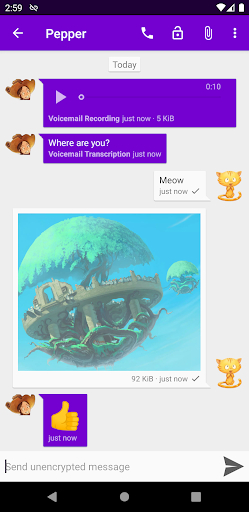
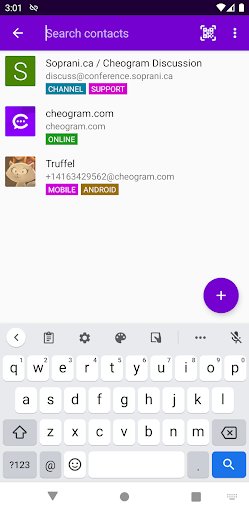
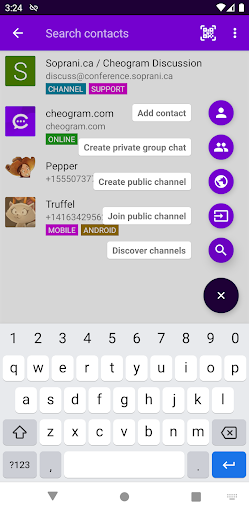
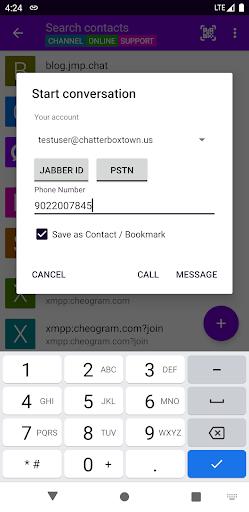
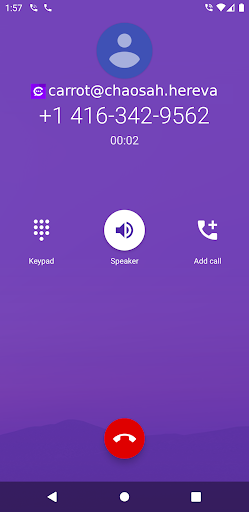
Users can send messages with both media and text, including animated media such as GIFs or videos. The interface unobtrusively displays subject lines where applicable, helping users organize conversations effortlessly. When viewing links linked to known contacts, the app shows their name for easy identification. Cheogram also integrates with gateways' add contact flows, simplifying contact management, and allows users to integrate with the native Android Phone app when using gateways to connect to the phone network. The address book integration enables quick access to existing contacts, while features like tagging contacts and channels help in organizing and browsing conversations via tags.
Conversation and UI Features
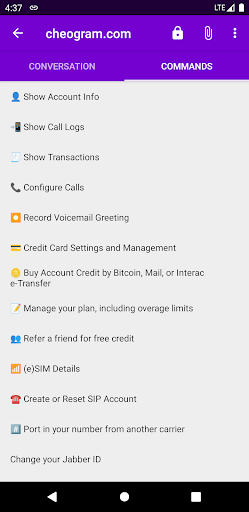
Cheogram offers lightweight threaded conversations, making it easier to track ongoing chats. The app includes a command UI for advanced users who prefer quick command-based interactions. Additionally, users can access sticker packs to enrich chats, making conversations more expressive and fun.
Additional Functionalities
The app's compatibility with various gateways and services allows for integration of contacts and channels. It also supports links to known contacts with their names displayed, enhancing clarity in communication. Cheogram's design emphasizes a lightweight and user-friendly interface, suitable for both tech-savvy users and beginners.
Getting Started with Cheogram
To enjoy Cheogram’s features, users need to have an account with a Jabber service. You can either run your own server or opt for a hosted service. For example, the Snikket hosting platform provides easy-to-set-up Jabber services. Once configured, users can connect to their accounts and start leveraging Cheogram’s versatile communication features.
Visuals and Artwork
The app interface and screenshots feature artwork from Pepper and Carrot by David Revoy. Artwork has been modified to crop avatars and photos or add transparency. The use of this artwork does not imply endorsement of the Cheogram project by the artist.
Conclusion: Why Choose Cheogram?
In today’s interconnected digital landscape, the Cheogram app stands out as a reliable and versatile communication solution. Its ability to consolidate Jabber messaging, calls, and texts into a single platform simplifies digital interactions, saving users from juggling multiple apps. The intuitive, minimalistic interface ensures easy navigation, whether you’re a tech novice or an experienced user. Coupled with strong security features like end-to-end encryption, Cheogram prioritizes your privacy and data security. Whether you need to coordinate with colleagues, stay in touch with friends, or manage professional communications, Cheogram offers a comprehensive solution that adapts to your needs. Give it a try and discover how it can streamline your digital conversations effortlessly.
Pros
- Supports multiple messaging protocols.
- Open-source with an active community supporting it.
- Lightweight design ensuring quick performance.
- Easy to integrate with other applications.
- Secure with end-to-end encryption.
Cons
- Limited options for advanced customization.
- Less user-friendly compared to mainstream applications.
- Occasional connectivity problems.
- Restricted media sharing features.
- No official customer support available.











