

Control and Automate Your Tesla with the Bolt for Tesla - Tasker Plugin
Experience the ultimate convenience and smart automation for your Tesla vehicle with the Bolt for Tesla - Tasker Plugin. Designed for owners of Tesla Model S, Model X, Model 3, and Cybertruck, this innovative app enables you to control and automate various functions of your car directly from your Android device. Whether you want to unlock your doors using an NFC tag, turn on the air conditioning when it's hot outside, or enable keyless driving upon receiving a specific text code, this plugin opens up a world of possibilities. The only limit is your imagination!
Features and Automation Capabilities
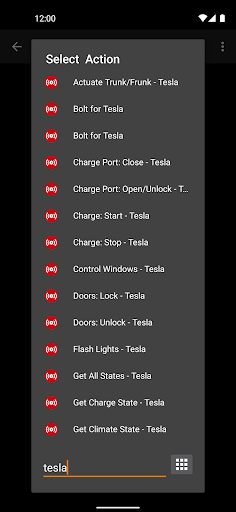
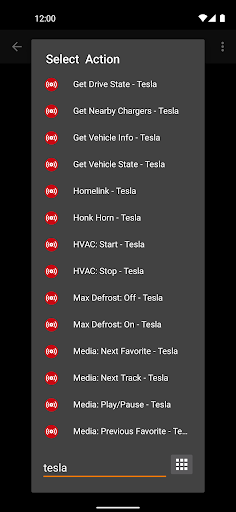
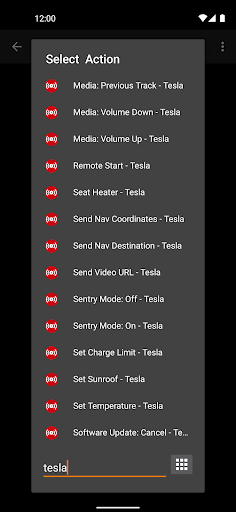
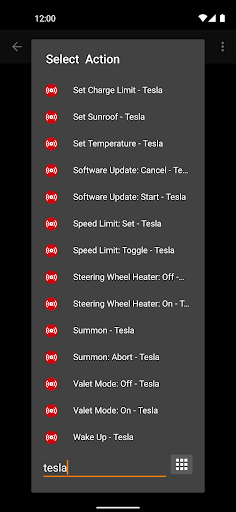
The Bolt for Tesla plugin offers a comprehensive suite of control actions and automation features to enhance your driving experience:
- Open/Close • trunk/frunk
- Open/Close • charge port
- Start/Stop • charging
- Open/Close • windows
- Lock/Unlock doors
- Flash • lights
- Activate • homelink
- Honk • horn
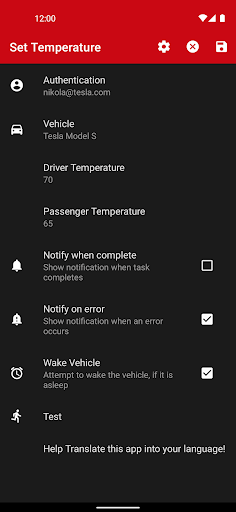
- Start/Stop • AC or heater
- Enable/Disable • max defrost mode
- Control • audio system (play, pause, skip, volume)
- Remote • start
- Control • seat heaters
- Activate • Sentry Mode
- Adjust • charge limit
- Operate • sunroof
- Manage • software updates
- Set • speed limit
- Control • steering wheel heater
- Activate • bioweapon defense mode
- Adjust • charging amps
- Set • scheduled charging
Beyond controlling basic functions, you can also request real-time data from your Tesla to create smart widgets, receive alerts, and trigger workflows based on your vehicle's current state. Sending data like navigation destinations (name, address, or GPS coordinates) or video URLs allows seamless integration and enhanced automation. Note, • Location permission is required for features such as Summon and Homelink, to ensure your vehicle confirms your proximity before activation.
Getting Started and Customization
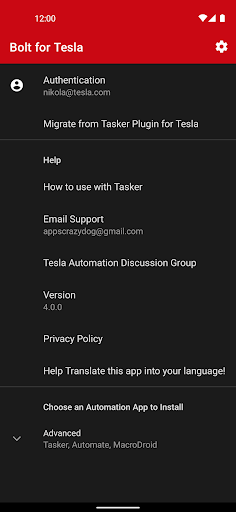
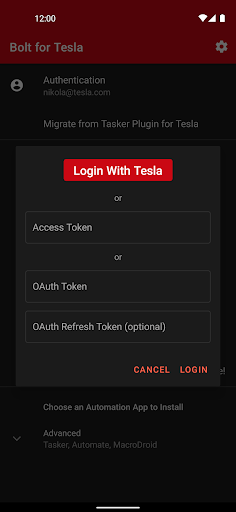
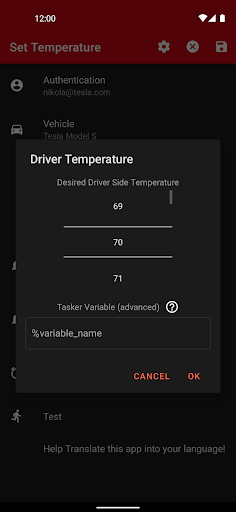
Setting up the Bolt for Tesla - Tasker Plugin is straightforward and user-friendly. After connecting your Tesla account within the app, you can secure your data and begin customizing your automation workflows. The intuitive interface makes it easy for both tech-savvy users and beginners to configure commands like locking your car, pre-conditioning the cabin, or initiating charging routines—saving time and increasing convenience right from your smartphone.
The high level of customization means you can tailor automations to your specific lifestyle needs. Want your Tesla to warm up every morning before you leave? Or have it lock itself as you walk away? With Tasker integration, you can set triggers based on location, time, or other app activities, making your vehicle smarter and more responsive.
Why You Need the Bolt for Tesla - Tasker Plugin
If you are passionate about technology and efficiency, this app is a must-have addition to your Tesla ownership experience. It not only streamlines your vehicle control but also transforms your Android device into a powerful automation hub. With features like real-time status monitoring, remote commands, and custom workflows, Bolt for Tesla helps you save time and enhances your overall driving lifestyle.
Moreover, this plugin encourages a more interactive and fun interaction with your Tesla, making routine tasks effortless while opening new avenues for personalized automation. Whether you are managing climate control, security features, or charging schedules, this app elevates your Tesla experience to a whole new level. Give it a try and see how it can seamlessly integrate into your daily routine, making vehicle management more intuitive and enjoyable.
Pros
- Seamless integration with Tesla vehicles
- Provides automation capabilities via Tasker
- Intuitive and user-friendly interface
- Receives regular updates and enhancements
- Improves Tesla's overall functionality
Cons
- Requires Tasker to operate
- May consume more battery power
- Limited to Tesla vehicles only
- Some advanced features are paid
- Initial configuration may be challenging











