
Frequently Asked Questions
What is TVV Christmas 2 Watch Face and how does it enhance my smartwatch experience?
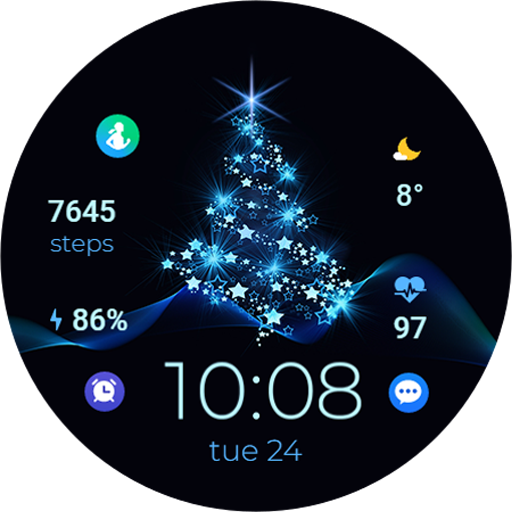
TVV Christmas 2 Watch Face is a festive and customizable watch face designed specifically for smartwatches. It adds holiday spirit to your wrist with colorful Christmas-themed graphics and animations. Users can personalize the watch face by selecting different color schemes, holiday icons, and seasonal animations, making it a fun and engaging way to celebrate the season directly from their smartwatch.
Is TVV Christmas 2 Watch Face compatible with all smartwatches?
TVV Christmas 2 Watch Face is mainly created for Android smartwatches supporting third-party watch faces. Ensure your smartwatch is compatible with the Google Play Store to download and install it. It may not work with iOS devices like the Apple Watch, since it operates on the Android platform.
How can I customize the TVV Christmas 2 Watch Face to suit my style?
Customizing the TVV Christmas 2 Watch Face is easy and can be done either directly on your smartwatch or via a companion app. You can select from various color options, Christmas-themed animations, and icons. The watch face may also allow adjustments to time display formats and the addition of festive widgets to improve both look and functionality.
Does the TVV Christmas 2 Watch Face affect battery life on my smartwatch?
Although designed to be energy-efficient, using animations and vibrant colors may slightly reduce battery life depending on your device and settings. To conserve battery, you can lower animation levels or choose less lively color schemes, balancing a festive display with optimal battery usage.
What should I do if I encounter issues downloading or installing the TVV Christmas 2 Watch Face?
If you face problems downloading or installing, check your internet connection and available storage on your smartwatch. Confirm that your device is compatible and you're using the correct app store. If issues remain, try restarting your device and reinstalling. For further help, visit the developer's support page or contact customer service for troubleshooting assistance.
You May Like

Zedge™ Wallpapers & Ringtones
Personalization
4.7
ThemeKit - Themes & Widgets
Personalization
4.7
Fonts Keyboard Themes & Emoji
Personalization
4.7
Wallpapers HD - Backgrounds 4K
Personalization
4.7
Themes
Personalization
4.1
Pixel 4D™ Live Wallpapers
Personalization
4.7
Edge Lighting - Borderlight
Personalization
4.8
Make Money: Play & Earn Cash
Personalization
4.5
LED Keyboard: Colorful RGB
Personalization
4.5
Launcher OS™
Personalization
4.4
Themepack - App Icons, Widgets
Personalization
4.7
Microsoft Launcher
Personalization
4.7