
Frequently Asked Questions
What is Mirror Link Car Display and how does it work?
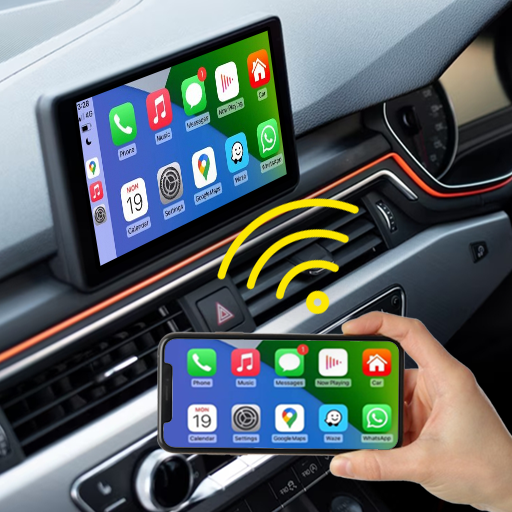
Mirror Link Car Display is a feature that connects your smartphone to your car's infotainment system. It mirrors your phone's display onto the car's screen, enabling access to apps, music, navigation, and more directly from the dashboard. This is typically achieved through a compatible connection such as USB or Bluetooth, ensuring seamless integration for safer, hands-free operation while driving.
Is Mirror Link Car Display compatible with all smartphones and vehicles?
Compatibility is important for Mirror Link Car Display. Not all smartphones and vehicles support this feature. It generally works with Android devices from manufacturers like Samsung, HTC, and Sony. Many newer vehicles from brands like Volkswagen, Toyota, and Honda also support Mirror Link. It is essential to verify the compatibility of both your device and vehicle before using this feature.
What are the benefits of using Mirror Link Car Display?
Using Mirror Link Car Display offers several benefits, including increased safety and convenience. It enables hands-free control, allowing you to operate smartphone apps from the dashboard and reducing distractions. It grants access to navigation, music streaming, and call management, enhancing the driving experience. The integration provides a seamless connection between your phone and car, making it easier to stay connected on the road.
Are there any limitations or issues with Mirror Link Car Display?
While useful, Mirror Link Car Display has limitations. Compatibility issues with certain devices and vehicles can be frustrating. Not all apps are supported, which may restrict functionality. Connectivity problems and lagging can also impact user experience. It is important to consider these factors before relying heavily on this feature.
How can I set up Mirror Link Car Display in my car?
Setup is generally simple. First, ensure your smartphone and vehicle are compatible. Connect your phone to the car's infotainment system via USB or Bluetooth. Follow the on-screen instructions on the car’s display to complete the setup. Once connected, your phone’s interface should appear on the screen, allowing you to use supported apps. For detailed steps, refer to your vehicle’s manual.
You May Like

Gamers GLTool with Game Tuner
Libraries & Demo
4.5
AusweisApp Bund
Libraries & Demo
3.2
Multi Web Chat - Read Secretly
Libraries & Demo
3.8
Galaxy S9 Plus Ringtones
Libraries & Demo
4.6
Hacker: Secret Codes & Ciphers
Libraries & Demo
4.2
Bible en français courant
Libraries & Demo
4.7
Ringtones 2026 - MP3 Songs
Libraries & Demo
4.1
Test DPC
Libraries & Demo
4.1
Smart Data Transfer-File Share
Libraries & Demo
3.9
Islamic Songs & Nasheed 2026
Libraries & Demo
4.4
YASNAC - SafetyNet Checker
Libraries & Demo
4.6
Car Play Link
Libraries & Demo
3.4