

Cubasis 3 - DAW & Music Studio
Are you a music enthusiast seeking a professional-grade portable studio? Look no further than Cubasis 3, a leading mobile digital audio workstation (DAW) that transforms your smartphone, tablet, or Chromebook into a comprehensive music production powerhouse.
Seamless Music Creation on the Go
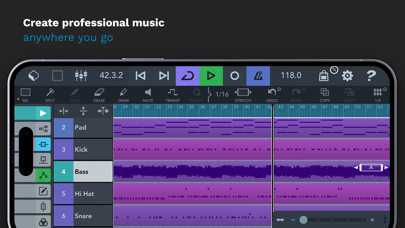
Imagine sitting at a café, an inspiring melody strikes your mind, and you wish to record it immediately. With Cubasis 3, you can effortlessly capture your musical ideas right on your device, thanks to its intuitive interface and powerful features. Designed for both beginners and professional producers, the app offers a smooth workflow that makes music production accessible and enjoyable, anytime and anywhere.
Key Features that Elevate Your Music Production
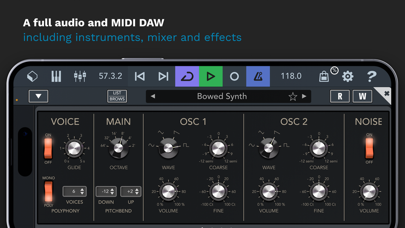
One of the standout aspects of Cubasis 3 is its multi-touch support, providing an engaging and hands-on approach to editing your tracks. With just a few taps and swipes, you can fine-tune your music, making adjustments with remarkable ease. The app boasts a wide palette of virtual instruments and studio-quality effects, accommodating a range of genres from electronic dance music to orchestral compositions.
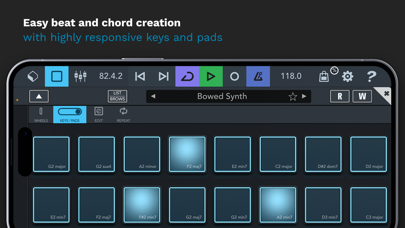
Whether you are creating beats, laying down melodies, or experimenting with sound design, Cubasis 3 delivers a rich sound palette. Its impressive collection of over 550 MIDI and audio loops further enhances your creative options, helping you build complex arrangements effortlessly.
Advanced Recording and Editing Capabilities
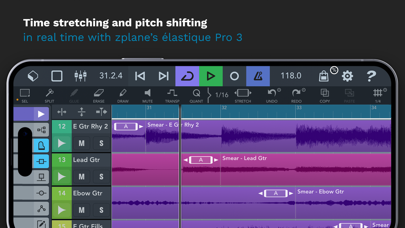
One of the most compelling reasons to use Cubasis 3 is its unlimited audio and MIDI tracks support, allowing unlimited layering and detailed editing. The 24-bit/48 kHz audio quality ensures your recordings are clear and professional. The app features real-time time-stretching and pitch-shifting, powered by Zplane’s élastique 3 technology, giving you precise control over your sounds during the production process.
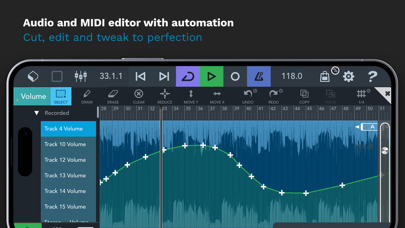
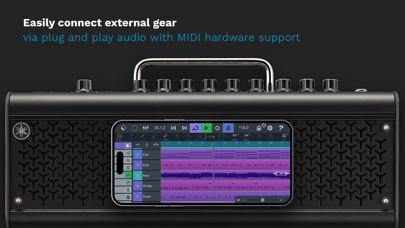
The integrated Midi editor enables detailed manipulation of your MIDI sequences, with MIDI CC support, auto quantize, and a variety of automation options. Plus, you can easily connect external instruments and hardware to expand your studio — making it versatile enough for any production scenario.
Professional Mixing and Effects
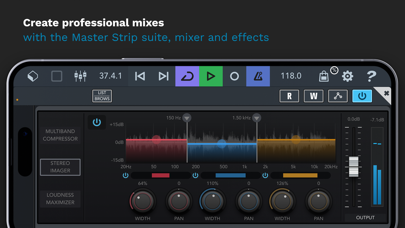
The studio-grade mixer in Cubasis 3 features a Master Strip Suite with exceptional effects, eight insert slots, and eight send effects, offering comprehensive control over your sound. You can quickly rearrange plugins, automate parameters, and craft polished mixes directly on your device. The Spin FX plug-in provides DJ-like effects for dynamic transitions and creative manipulations during live performances or recordings.
Connectivity and Export Options
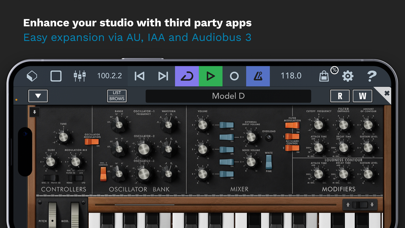
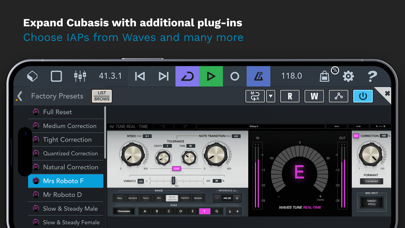
Seamless integration with external gear and third-party apps is supported, making Cubasis 3 a flexible addition to your setup. Export your finished projects effortlessly to platforms like Cubase, Google Drive, external drives, or cloud services such as Dropbox. Features like Mackie Control, HUI, and MIDI Learn support ensure compatibility with various hardware controllers, further enhancing your workflow.
Additional Pro Features
Cubasis 3 provides advanced features such as grouping tracks, precise event editing, undo history, and flexible effect ordering. Its support for Automation, MIDI CC, and MIDI program change allows for detailed control of your music production, offering both creative freedom and professional quality results.
User Feedback and Final Thoughts
Music creators worldwide praise Cubasis 3 for its blend of power and portability. As noted by many users, it offers a full-featured studio experience on mobile devices, outperforming many desktop-based DAWs in terms of convenience and ease of use. Despite some hardware support limitations, the app remains a top choice for those seeking a professional and versatile music production tool at their fingertips.
Whether you're composing melodies, producing beats, or sketching song ideas, Cubasis 3 empowers you to turn your creative visions into reality. Its robust features and intuitive interface make it a standout in the realm of mobile DAWs, making it an essential app for aspiring and professional musicians alike.
Pros
- User-friendly interface suitable for beginners.
- Provides a wide selection of virtual instruments.
- Delivers high-quality audio output.
- Supports multiple file formats.
- Frequently updated with new features.
Cons
- Limited features in the free version.
- Requires a powerful device for optimal performance.
- Has occasional bugs and crashes.
- Lacks direct integration with PC.
- Steep learning curve for advanced functionalities.











