


Introduction to the Camera Remote Watch App
Have you ever wished to capture those perfect candid moments without attracting attention? The Camera Remote Watch app offers a smart and convenient solution by transforming your smartwatch into a remote shutter for your phone’s camera. This innovative application allows you to take photos seamlessly with just a tap on your wrist, making it ideal for group shots, selfies, street photography, or spontaneous moments on the go. Whether you’re a social media enthusiast, a traveler, or simply love capturing memories, this app enhances your photography experience without the hassle of fumbling with your phone.
Features of Camera Remote Watch
Remote Camera Control
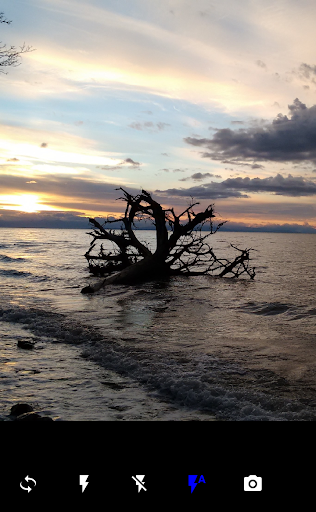
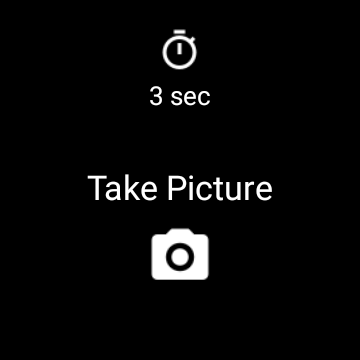
The core feature of the Camera Remote Watch app is its ability to let you remotely control your phone’s camera shutter directly from your smartwatch. After installing the app on both your phone and your smartwatch, and establishing a Bluetooth connection, you can effortlessly trigger the camera shutter without physically touching your phone. Simply open the app on your watch and tap the Camera button to capture a photo. The photo will be saved directly in your phone’s gallery, accessible via the Android Gallery app, making data management straightforward and seamless.
Photo Preview & Checking
Once a photo is taken, a copy is automatically displayed on your watch, allowing you to preview if you achieved the desired shot. This feature is especially useful for ensuring your picture turned out well without going back and forth to your phone. Keep in mind, downloading the new photo to your watch may take a moment due to watch hardware limitations. If your watch display goes black during this process, simply tap the screen to reactivate it.
Additional Camera Controls
The app includes several practical features to enhance your photography experience:
- Switch between front and rear cameras directly from your watch.
- Timer function to prepare yourself before the shot is taken.
- Zoom in and out effortlessly from your wrist, providing more creative control.
- Live preview of images on your watch for instant review.
How to Use Camera Remote Watch
For optimal performance, ensure your smartwatch and phone are connected via Bluetooth before starting your photography session. The setup process is simple:
- Download and install the Camera Remote Watch app on both your phone and your smartwatch.
- Open the app on your phone to adjust the camera view and settings.
- Open the same app on your smartwatch and tap the Camera button.
- Ensure a stable Bluetooth connection, then use your watch to trigger photos.
Benefits & Practical Applications
The Camera Remote Watch app is perfect for capturing photos discreetly, especially in situations where you want to avoid drawing attention. It’s ideal for travel photography, social gatherings, concerts, or any scenario where quick, remote control of your phone’s camera can make a difference. With its intuitive interface and dependable performance, this app offers an extra layer of convenience and creativity for everyday photography needs.
Final Thoughts
In sum, the Camera Remote Watch application is a valuable tool for anyone interested in mobile photography or looking to enhance their gadget collection. It’s simple to set up, effective in use, and adds a new dimension of flexibility to capturing moments. While it doesn’t replace professional camera gear, it’s excellent for casual, spontaneous shots and can significantly improve your photography workflow. For a small investment of time and effort, you gain access to a powerful feature set that can elevate your photo-taking experience to new heights. Whether you’re snapping selfies, group photos, or candid street scenes, this app makes photography more accessible and fun.
Pros
- User-friendly interface
- Fast setup with smartwatch
- Effortless photo synchronization
- Works with many device types
- Consumes little battery power
Cons
- Limited functionalities in the free version
- Occasional connection problems
- Requires device smartwatch compatibility
- Lacks video recording capability
- Advertisements present in the free version











