
Cryptomator: The Ultimate Open-Source Solution for Secure Cloud Storage
If you're searching for an easy yet highly effective way to protect your cloud data, Cryptomator might just be the perfect app for you. Designed to put security in your hands, Cryptomator offers a simple, transparent, and reliable solution to encrypt your files before uploading them to your favorite cloud services. Whether you use Dropbox, Google Drive, OneDrive, or other cloud storage platforms, Cryptomator seamlessly integrates across various systems, providing a user-friendly experience coupled with robust security features.
Key Features of Cryptomator
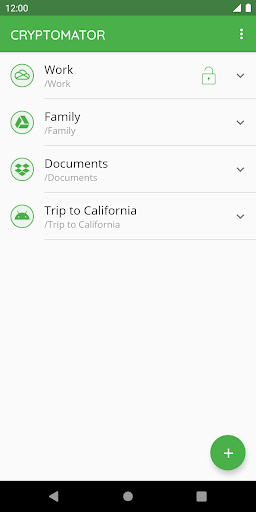
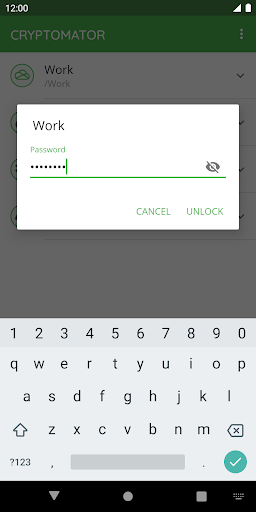
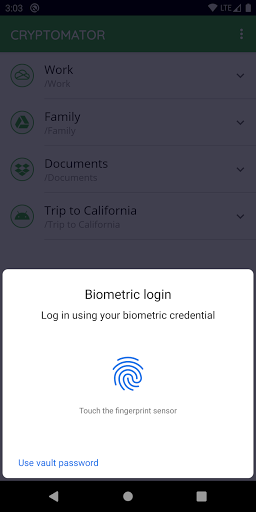
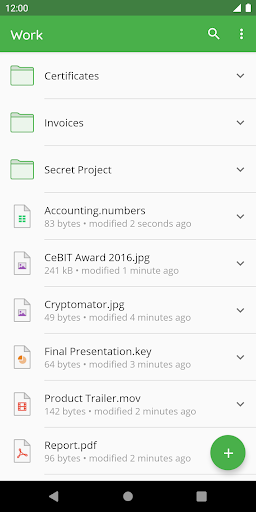
Easy-to-Use Interface: Cryptomator is built with user convenience in mind. Its straightforward interface allows users to quickly create dedicated vaults—encrypted containers for your files—with just a few clicks. Simply create a vault, assign a secure password, and start locking up your sensitive data. No complicated setup or additional accounts are necessary, making it accessible for beginners and experienced users alike. The app also supports unlocking vaults with your fingerprint on compatible devices, further simplifying access while maintaining security.
Compatibility and Cross-Platform Accessibility
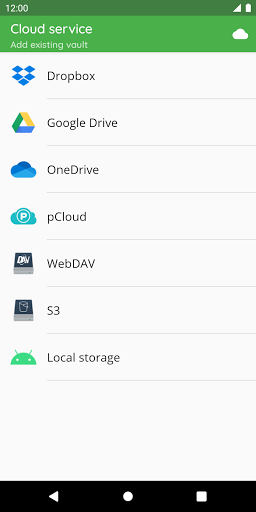
Cryptomator’s broad compatibility is one of its standout features. It works seamlessly with major cloud storage providers such as Dropbox, Google Drive, OneDrive, and S3 or WebDAV-based services. You can create vaults directly within Android’s local storage, making it easy to synchronize encrypted files across multiple devices using third-party apps. Whether you’re on your smartphone, tablet, or desktop computer, Cryptomator ensures your encrypted vaults are accessible across all your platforms—Windows, macOS, Linux, Android, and iOS—without compromising security.
Robust Security and Privacy
Security is the core of Cryptomator, and it excels in this aspect. The software utilizes state-of-the-art file content and filename encryption with AES-256 and a 256-bit key length, guaranteeing your data remains private. The vault password is protected using scrypt, a key derivation function that resists brute-force attacks. Furthermore, Cryptomator encrypts data locally on your device before syncing it to the cloud, ensuring that your files are encrypted “end-to-end.” The app also features automatic locking of vaults when sent to the background, preventing unauthorized access if your device is unattended.
Open Source and Certified Security
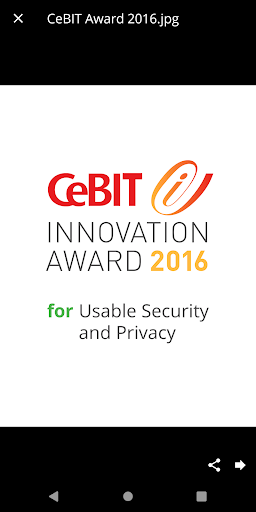
One of the most compelling reasons to choose Cryptomator is its open source nature. Transparency is vital in security-related software, and since everyone can view and audit its code, Cryptomator offers peace of mind regarding its safety claims. The cryptographic implementation is publicly documented, fostering trust and allowing security researchers to verify its robustness. Cryptomator’s dedication to usability and privacy has earned it numerous accolades, including the CeBIT Innovation Award 2016 for Usable Security and Privacy.
Community Engagement
Cryptomator isn't just a security tool; it’s a community-driven project. Users can join discussions and share experiences through platforms like Mastodon and Facebook. Participating in the Cryptomator community helps users stay informed about updates, share security tips, and contribute to ongoing development efforts, making it a collaborative environment committed to continuous improvement.
Final Thoughts: Why Choose Cryptomator?
If safeguarding your files while maintaining ease of use and transparency is your priority, Cryptomator stands out as a top choice. Its zero-configuration setup, cross-platform compatibility, and strong encryption standards make it accessible and trustworthy for everyday users, professionals, and privacy advocates alike. By encrypting your data locally before cloud upload, Cryptomator ensures that you maintain full control over your sensitive information—giving you peace of mind in today’s digital world.
Pros
- Strong encryption for files
- Open-source transparency
- User-friendly interface
- Cross-platform compatibility
- No account required
Cons
- Limited free storage
- No direct cloud integration
- Manual synchronization needed
- No options for file sharing
- Mobile version requires payment











