

Introducing Quick Settings: Your Smart Control Panel for Android
Quick Settings is a versatile and user-friendly app designed specifically for Galaxy devices with Edge Panels. It transforms your smartphone experience by providing quick, easy access to essential apps and system controls right from the Edge Panel, making device management more intuitive and efficient. Whether you want to toggle Wi-Fi, control your music playback, or capture screenshots, Quick Settings offers a seamless solution that keeps everything at your fingertips.
Key Features of Quick Settings
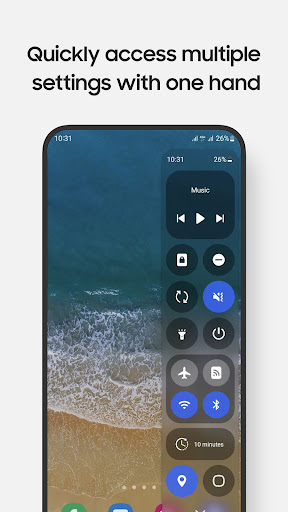
This app is packed with a wide array of powerful features crafted to enhance your day-to-day smartphone usage. The core advantage of Quick Settings is its ability to enable rapid control over vital settings and frequently used apps. For instance, users can swiftly toggle **Wi-Fi**, **Bluetooth**, **Do Not Disturb**, and **Mobile Data**, eliminating the need to navigate deep into system menus. The app also allows you to launch popular apps like the **Camera**, **Calculator**, and **Clock** either in full-screen mode or as convenient pop-up windows, saving you time and effort.
Enhanced Media and Screen Management
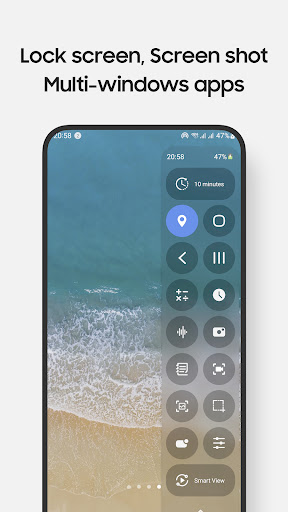
Enjoy effortless control of your music playback, enabling you to pause, skip, or play tracks with just a tap. The screen recording feature in Quick Settings offers customizable options, making it simple to capture what’s happening on your device. Additionally, you can take screenshots of specific portions of your screen, perfect for saving or sharing important content without capturing unnecessary details. Adjust sound and brightness levels swiftly, lock your screen with a single tap, or pull down the notification bar easily, even with one hand — all accessible via the Edge Panel.
Utility and Customization
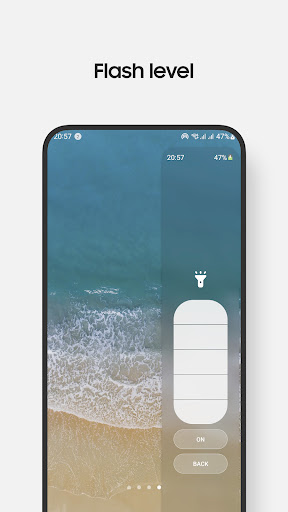
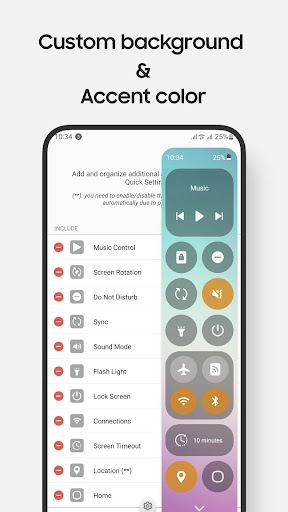
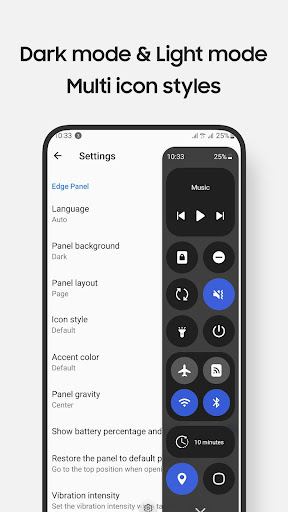
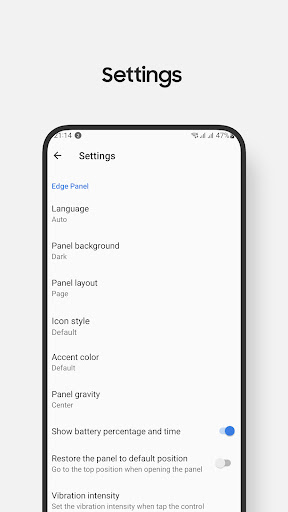
Quick Settings also provides multiple convenience features such as **multiple flashlight levels**, various **screen timeout options**, and buttons for **Home**, **Back**, and **Recents** navigation. QR code scanning and **screen mirroring through Smart View** are integrated for added functionality. Users can customize the control panel's design and layout to suit their preferences, along with support for **Night Mode** to reduce eye strain in low-light conditions. The ability to access **Quick Setting tiles** and adjustable control options makes this 앱 highly adaptable.
Notes and Compatibility
Long pressing on items allows you to access specific control settings, such as the power dialog via the lock screen. Volume and brightness controls are managed through taps rather than sliders due to Edge Panel limitations. Some system-level controls, like **Airplane Mode** and **Mobile Data**, require manual toggling for safety reasons. The app functions smoothly on devices running **Android 9 (Pie)** and later and is compatible with Galaxy models featuring **Edge Panels**, including Galaxy Note, S series, A series, and Z Flip series. It is primarily designed for smartphones and not for tablets or foldable devices, except certain models like the Z Flip series.
Permissions and Usage
Quick Settings requests essential permissions such as **Accessibility**, **Record Audio** for screen recording, **Camera** for QR code scanning and flashlight control, and **Read Phone State** to manage toggling of Wi-Fi and Mobile Data. These permissions are explicitly explained during setup, ensuring transparency. The app also uses accessibility services for actions like screen locking, opening notifications, and navigating system functions efficiently. For details on permission usage, refer to the Android Accessibility Service documentation.
Getting Started and Support
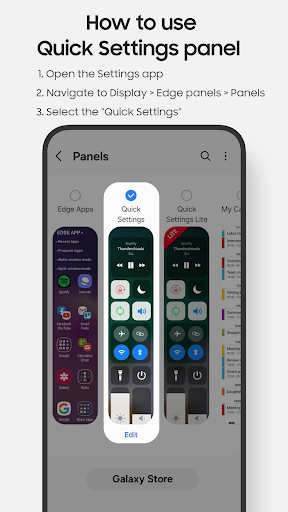
To activate Quick Settings, navigate to **Setting > Display > Edge panels** on your device and enable the Quick Settings panel. After updates, you might need to uncheck and recheck the panel for proper functionality. The app promotes a clean, minimalistic design that’s easy for users of all levels to navigate—making it ideal for both tech novices and experienced users eager to optimize their device controls.
Why Choose Quick Settings?
In today’s fast-paced digital world, efficiency is key, and Quick Settings offers just that. Its intuitive interface saves time by consolidating essential controls into a single accessible panel. Custom profiles for work or personal use enable your device to automatically adapt to your environment. The app’s lightweight design ensures it doesn’t impact your device’s performance or battery life, providing a smooth user experience.
Final Thoughts
If you’re looking to elevate your smartphone management and enjoy quicker access to vital functions, Quick Settings is the perfect app for you. Its comprehensive feature set, ease of use, and customization options make it a must-have for Galaxy device owners seeking more control. Download Quick Settings today and experience a more streamlined, powerful way to manage your device—turning your Edge Panel into a true command center.
Pros
- Highly customizable layout options.
- User-friendly and easy-to-navigate interface.
- Quick access to essential settings.
- Saves time through shortcuts.
- Minimal impact on device performance.
Cons
- Advertisements can be disruptive.
- Limited free features are available.
- Some features require in-app purchases.
- May not be compatible with all device models.
- Occasional glitches in specific settings.











