
Introducing JB4 Mobile: The Ultimate Car Tuning Companion
The JB4 Mobile application has officially launched, bringing a new level of convenience and control to automotive enthusiasts. Designed to work seamlessly with the JB4 tuner from Burger Motorsports, this innovative app transforms your smartphone into a powerful data logging and tuning tool. With a modern interface and a host of new features, JB4 Mobile makes it easier than ever to monitor, log, and adjust your car’s performance parameters on the go. Whether you’re modifying boost levels, checking engine diagnostics, or switching maps during a spirited drive, this app puts professional-grade tuning capabilities right in your pocket.
Key Features of JB4 Mobile
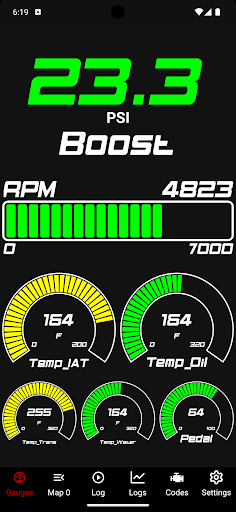
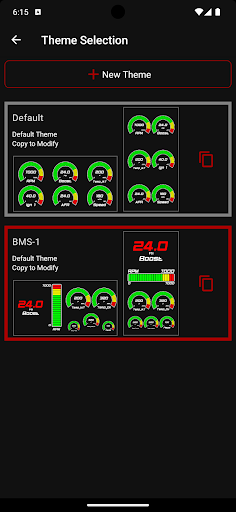
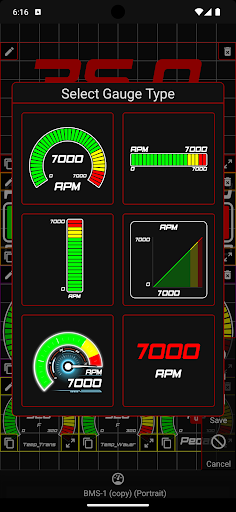
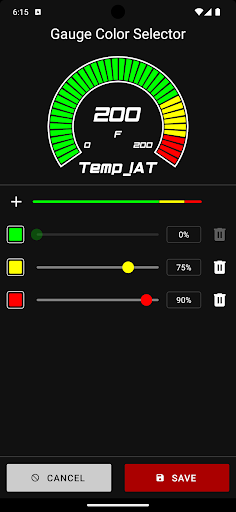
The JB4 Mobile app boasts a collection of features tailored to elevate your driving experience. Customization is at the heart of this tool, with the ability to personalize gauge themes so that the display matches your style. The built-in raw CSV data viewer allows for detailed analysis of logs, helping you fine-tune your vehicle more effectively. The user interface has been completely revamped with a modern UI, written from the ground up to ensure smooth navigation and ease of use. What's more, the app offers seamless integration with backend servers, enabling real-time updates and support. For JB4 Connect Kit users, setup is straightforward—simply follow the installation guide and connect via Bluetooth Low Energy (BLE) or other supported methods. BMS Data Cable users can connect through OTG cables, making setup flexible depending on your hardware configuration.
How JB4 Mobile Works with Your Vehicle
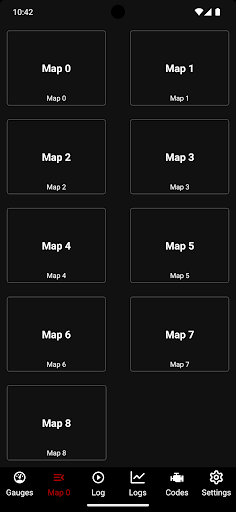
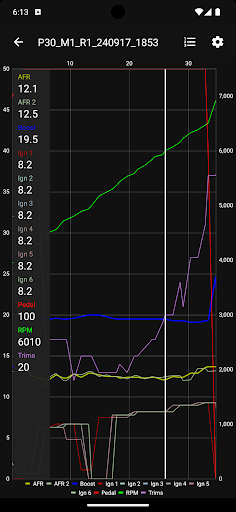
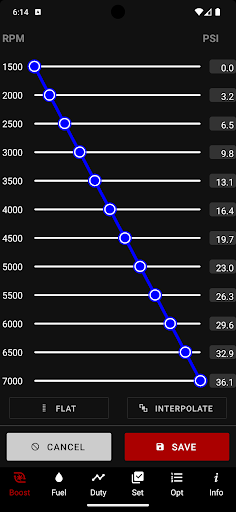
This innovative mobile data logger empowers car enthusiasts to monitor a broad range of engine parameters directly from their phones. Once connected, you can keep an eye on vital metrics such as boost pressure, rpm, fuel trims, air/fuel ratios, and ignition timing. The app provides real-time live gauges and dynamic data graphing to visualize performance metrics clearly. You can also log data for later analysis, export logs via email, or read and clear trouble codes, making diagnostics straightforward.Furthermore, JB4 Mobile allows you to modify various user adjustment settings like boost and fuel trims, giving you control over tuning parameters. The ability to switch between different maps on the fly and perform automatic Wide-Open Throttle (WOT) logging makes it a versatile tool for both daily driving and track days. Additionally, you can update your JB4 firmware directly through the app ensuring your hardware stays current with the latest features.
Enhancing Your Driving Experience
For automotive enthusiasts, JB4 Mobile is more than just a tech gadget—it’s a gateway to customizing and understanding your vehicle like never before. Imagine being able to see live boost levels, monitor engine health, and tweak your vehicle’s performance settings all from a user-friendly app while behind the wheel. The wireless connection removes tedious wiring, making setup hassle-free and allowing for quick adjustments during your drive.The app is continually being updated, offering new features, bug fixes, and improved support. Plus, the vibrant user community connects through forums and groups, sharing insights, tuning tips, and custom map setups—creating a virtual garage of shared automotive passion.
Final Thoughts
In an era where digital tools dominate automotive tuning, JB4 Mobile stands out as a comprehensive, easy-to-use solution for car enthusiasts seeking more control and insight into their vehicle's performance. Whether you’re looking to squeeze extra horsepower, fine-tune your tuning maps, or simply understand your car better, this app provides a powerful platform to do so. Its seamless integration, intuitive interface, and rich feature set make it an essential companion for anyone serious about performance tuning or diagnostics. Explore your car’s full potential with JB4 Mobile and enjoy a more dynamic, connected driving experience.
Pros
- Intuitive user interface design.
- Displays real-time engine data.
- Allows customization of dashboard settings.
- Provides comprehensive vehicle diagnostics.
- Compatible with a wide range of vehicle models.
Cons
- Requires Bluetooth connection.
- Full functionality requires a subscription.
- Limited support for older vehicle models.
- Occasional app crashes reported.
- High battery usage during operation.